
How to get visitors location like country and city
User Location and IP
One popular option to obtain geolocation information is the IP Geolocation API. This API allows developers to retrieve location data based on a user's IP address, which is particularly useful for tailoring content to specific regions or for analytics purposes. For example, an e-commerce website can display products relevant to a user's location or adjust pricing based on local currency.
Here's an example of how you can use the IP Geolocation API from ipapi.co to get user details:
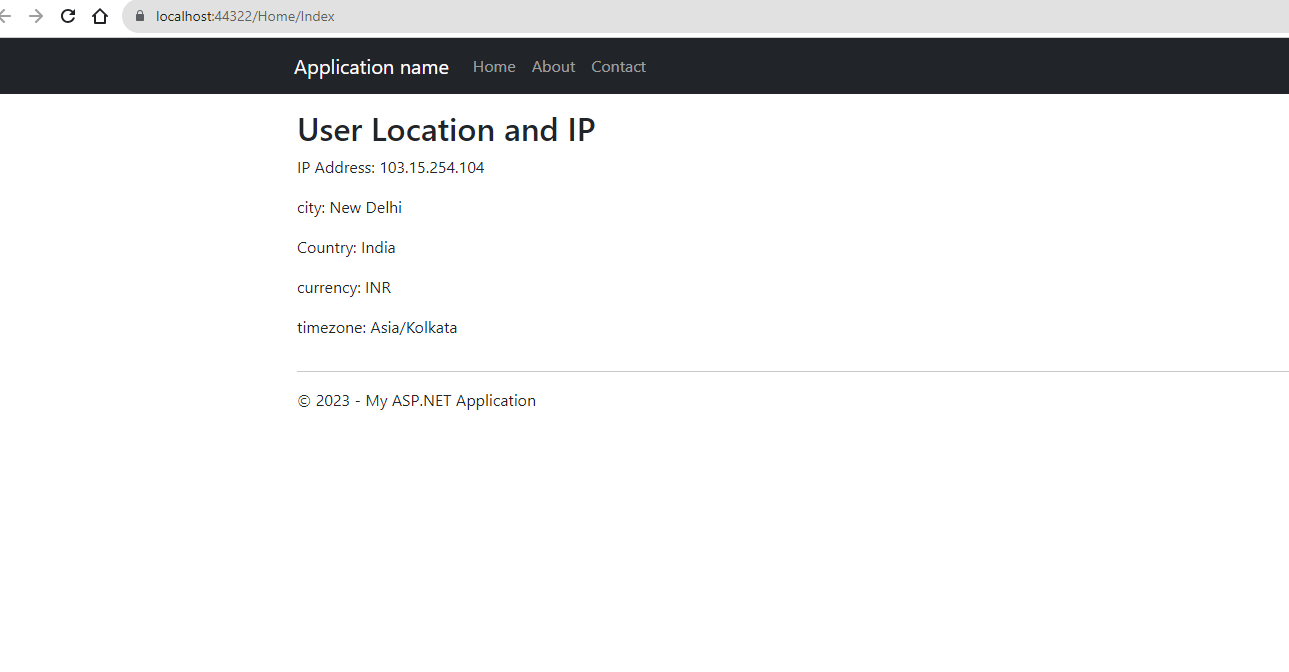
User Location and IP
fetch('https://ipapi.co/json/')
  .then(response => response.json())
  .then(data => {
    const city = data.city;
    console.log(data);
    $('#IP').html("IP Address: " + data.ip);
    $('#City').html("City: " + data.city);
    $('#Country').html("Country: " + data.country_name);
    $('#currency').html("Currency: " + data.currency);
    $('#timezone').html("Timezone: " + data.timezone);
  });
After running the application, you can check the console tab in your browser's developer tools to see the details logged. The above code fetches data from the ipapi.co API and extracts the user's city, country, currency, and timezone. You can use this information to enhance user experience by displaying localized content.
Prerequisites
Before implementing the above code, ensure you have a basic understanding of:
- JavaScript fundamentals, including promises and asynchronous programming.
- Basic HTML and jQuery (for manipulating the DOM).
- How to inspect browser console for debugging.
Understanding IP Geolocation APIs
IP Geolocation APIs work by mapping a user's IP address to a physical location. The accuracy of this mapping can vary based on several factors, including the user's internet service provider (ISP) and whether they are using a VPN or proxy server. Generally, most APIs provide data such as:
- Country: The country where the IP address is registered.
- City: The city associated with the IP address.
- Region: The state or province.
- ISP: The internet service provider.
- Latitude and Longitude: Geographical coordinates.
For example, if your application needs to display different content based on a user's location, knowing the user's city and country can help you achieve that. Below is an example of how to extract additional information from the API response:
fetch('https://ipapi.co/json/')
  .then(response => response.json())
  .then(data => {
    const { city, country_name, region, isp, latitude, longitude } = data;
    console.log(`City: ${city}, Country: ${country_name}, Region: ${region}`);
  });
Edge Cases & Gotchas
When working with IP Geolocation APIs, there are several edge cases to be aware of:
- VPNs and Proxies: If a user is connected to a VPN or proxy, the geolocation data may not reflect their actual location. Instead, it will reflect the location of the VPN server.
- Mobile Users: Mobile users may have dynamic IP addresses that can change frequently, leading to inconsistent geolocation results.
- Accuracy: Different APIs have varying levels of accuracy. It's essential to test and evaluate the API you choose to ensure it meets your needs.
- Rate Limits: Many IP Geolocation APIs have usage restrictions for free tiers. Be sure to understand the limits and consider upgrading if necessary for commercial applications.
Performance & Best Practices
To ensure optimal performance when using IP Geolocation APIs, consider the following best practices:
- Cache Responses: Store the results of geolocation queries in your application to minimize API calls and improve performance, especially for repeat visitors.
- Handle Errors Gracefully: Always implement error handling in your API calls to manage scenarios where the API might be down or the request fails.
- Use HTTPS: Always use HTTPS for API requests to protect user data and ensure secure communication.
- Limit API Calls: Consider limiting the frequency of your API calls to avoid hitting rate limits and ensure you stay within your usage quota.
Conclusion
In this tutorial, we explored how to retrieve a visitor's location information using JavaScript and the IP Geolocation API. By leveraging this data, developers can enhance user experiences through localization and personalized content. Here are the key takeaways:
- IP Geolocation APIs provide valuable information based on a user's IP address.
- Understanding the limitations and potential inaccuracies of IP-based geolocation is crucial.
- Implementing best practices, such as caching and error handling, can enhance performance and user experience.
- Always consider user privacy and data protection when handling geolocation data.
