
Input Mask in Jquery
What is Input Masking?
Input masking is a programming technique that restricts user input to a predefined format. It is particularly useful for fields where specific patterns are required, such as phone numbers, dates, and credit card numbers. By applying a mask, developers can guide users to enter data correctly, reducing errors and improving data quality.
For example, when a user is required to input a phone number, an input mask can ensure that they enter it in the format (999) 999-9999. This not only improves the user experience by providing immediate visual feedback but also helps in validating the input before it is submitted to the server.
Prerequisites
You will also need to include jQuery and the jQuery Inputmask plugin in your project. The following sections will guide you through the setup process.
Setting Up jQuery Input Mask
To get started with jQuery Input Mask, the first step is to include the necessary libraries in your HTML file. You can use a CDN (Content Delivery Network) to easily add jQuery and the jQuery Inputmask plugin to your project.
<script src="https://code.jquery.com/jquery-3.6.0.min.js"></script>
<script src="https://cdnjs.cloudflare.com/ajax/libs/jquery.inputmask/5.0.6/jquery.inputmask.min.js"></script>
After including the scripts, you can create input fields that will utilize the input mask feature. For example:
<input type="text" id="phone" class="form-control" style="margin-top:10px" />
<input type="text" id="email" class="form-control" style="margin-top:10px" />
<input type="text" id="card" class="form-control" style="margin-top:10px" />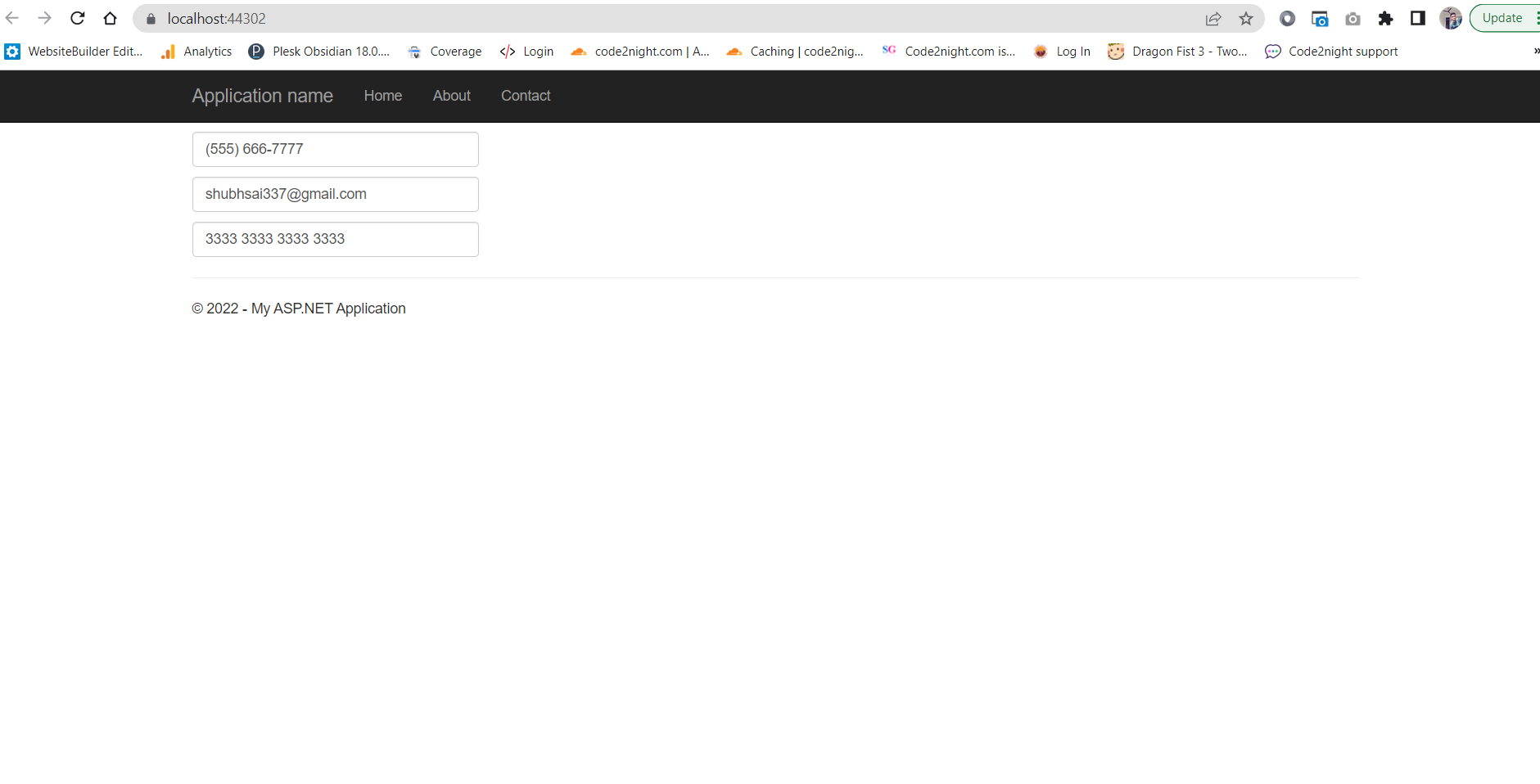
Applying Input Masks
Once you have set up the input fields, you can apply the input masks using jQuery. This is done by calling the inputmask method on the desired input elements. Here is an example of how to apply masks for a phone number, email, and credit card number:
$(document).ready(function () {
    $("#phone").inputmask("(999) 999-9999");
    $("#email").inputmask("email");
    $("#card").inputmask("9999 9999 9999 9999");
});
In this code, we are using the inputmask method to specify the format for each input field. The phone number is formatted to (999) 999-9999, the email field uses a predefined email mask, and the credit card input follows the pattern of four groups of four digits.
Common Use Cases for Input Masks
Input masks are widely used in various scenarios, including:
- Phone Numbers: Formatting phone numbers to ensure they are entered correctly.
- Email Addresses: Providing a mask for email addresses to ensure valid formatting.
- Credit Card Numbers: Validating credit card inputs to maintain the correct format.
- Dates: Formatting dates to ensure consistency across various formats.
By using input masks, developers can enhance the user experience and reduce the likelihood of input errors. For instance, when users enter their credit card information, the input mask can help them see the grouping of digits, making it easier to read and verify their input.
Edge Cases & Gotchas
While input masks are incredibly useful, there are some edge cases and potential issues to be aware of:
- Browser Compatibility: Ensure that the jQuery Inputmask plugin is compatible with the browsers you need to support. Test across different browsers to ensure consistent behavior.
- Dynamic Inputs: If you are adding input fields dynamically (e.g., through JavaScript), remember to reapply the input mask to those fields after they are created.
- Accessibility: Consider how input masks might affect screen readers and other assistive technologies. Provide clear labels and instructions for users.
Performance & Best Practices
To ensure optimal performance when using input masks, consider the following best practices:
- Limit the Number of Masks: Only apply input masks to fields that require them. Overusing masks can lead to confusion for users.
- Provide Clear Feedback: Use placeholder text or labels to indicate the expected format for each input field.
- Test Thoroughly: Ensure that your input masks work correctly across different devices and browsers.
- Graceful Fallback: Implement fallback solutions for users who may have JavaScript disabled. Consider server-side validation as a backup.
Conclusion
In this tutorial, we have explored how to implement input masks using jQuery to enhance user input in web applications. By applying input masks, developers can guide users to enter data correctly, improving both user experience and data integrity.
- Input masks help enforce data formats, reducing errors.
- jQuery Inputmask is a simple yet powerful plugin that enhances form fields.
- Always consider edge cases and best practices when implementing input masks.
- Test across various browsers and devices to ensure consistency.
