
Get Channel Comments using YouTube Data Api in Asp.Net
Hello, guys, and welcome to Code2Night! Are you looking to enhance your website by displaying comments from your YouTube channel? Well, you're in luck! In this tutorial, we will guide you through the process of retrieving channel comments using the YouTube Data API in Asp.Net.
As content creators, engaging with our audience is crucial, and what better way to do so than by showcasing their valuable comments on our own websites? By leveraging the power of the YouTube Data API, we can easily access and display these comments in our Asp.Net applications.
Throughout this tutorial, we will walk you through the necessary steps to integrate the YouTube Data API into your Asp.Net project. We will cover everything from setting up the API credentials to making API requests and handling the retrieved comments.
Whether you're a seasoned developer or just starting out, this tutorial will provide you with a clear understanding of how to utilize the YouTube Data API to fetch channel comments and incorporate them into your Asp.Net web applications.
So, let's dive right in and learn how to harness the potential of the YouTube Data API to enrich your website with real-time comments from your YouTube channel. By the end of this tutorial, you'll have the knowledge and skills to seamlessly integrate channel comments into your Asp.Net projects.
Let's get started and unlock the power of the YouTube Data API together!
We sometimes need to get comments from our YouTube channel and display them on our websites. So, in this tutorial, we will show you how to get YouTube channel comments using YouTube Data API in Asp.Net.
YouTube provides the YouTube Data API v3, which allows us to obtain information about YouTube videos or channels. In order to use this API, we need to obtain an API key from Google. The first step is to obtain a key for the YouTube Data API from Google.
So, once you have the key now go to your Asp.Net MVC application and go to
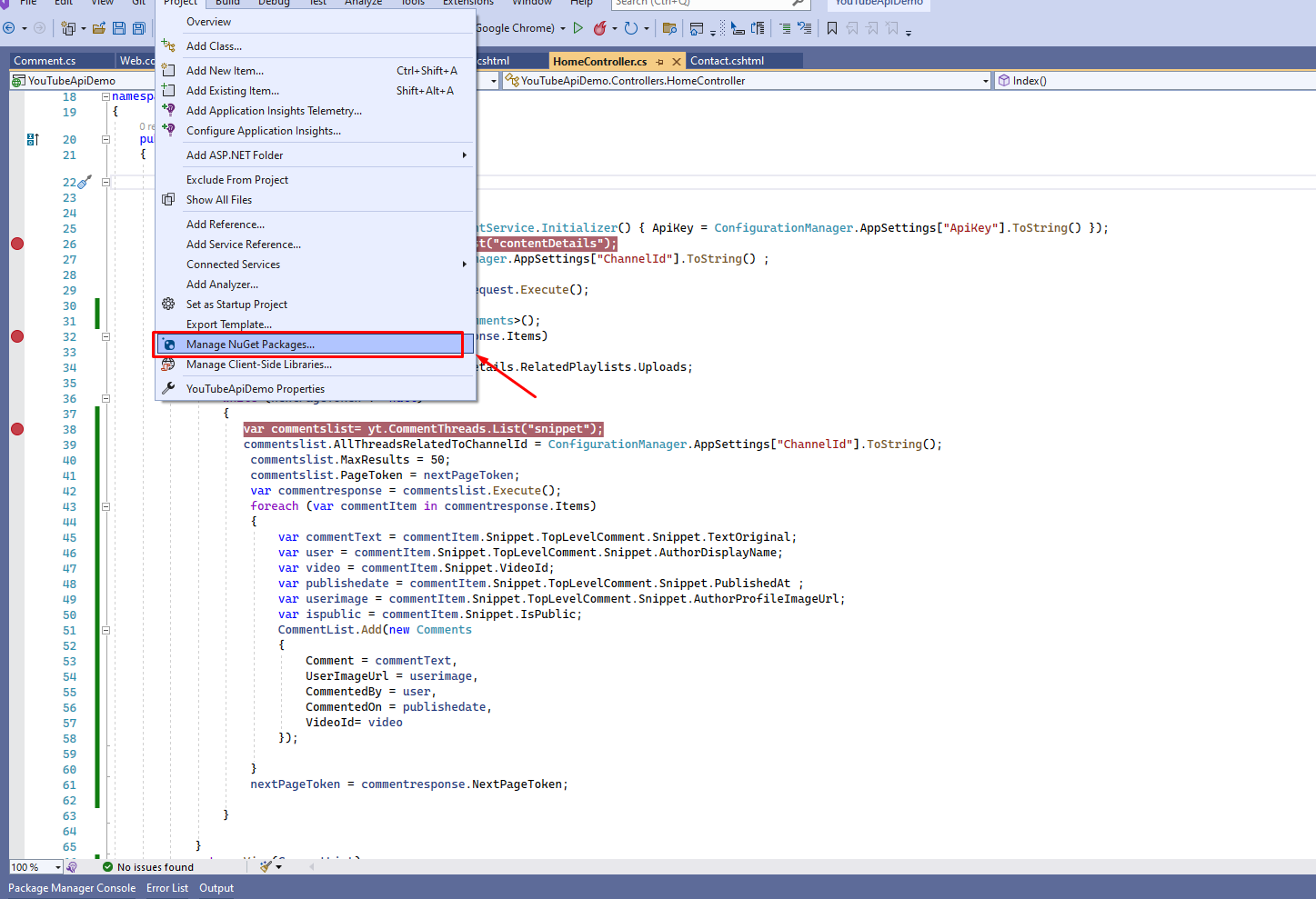 Now, after clicking on "Manage NuGet Packages," you need to search for "Google.Apis.YouTube.v3," which you can see in the screenshot below. You must install this NuGet package.
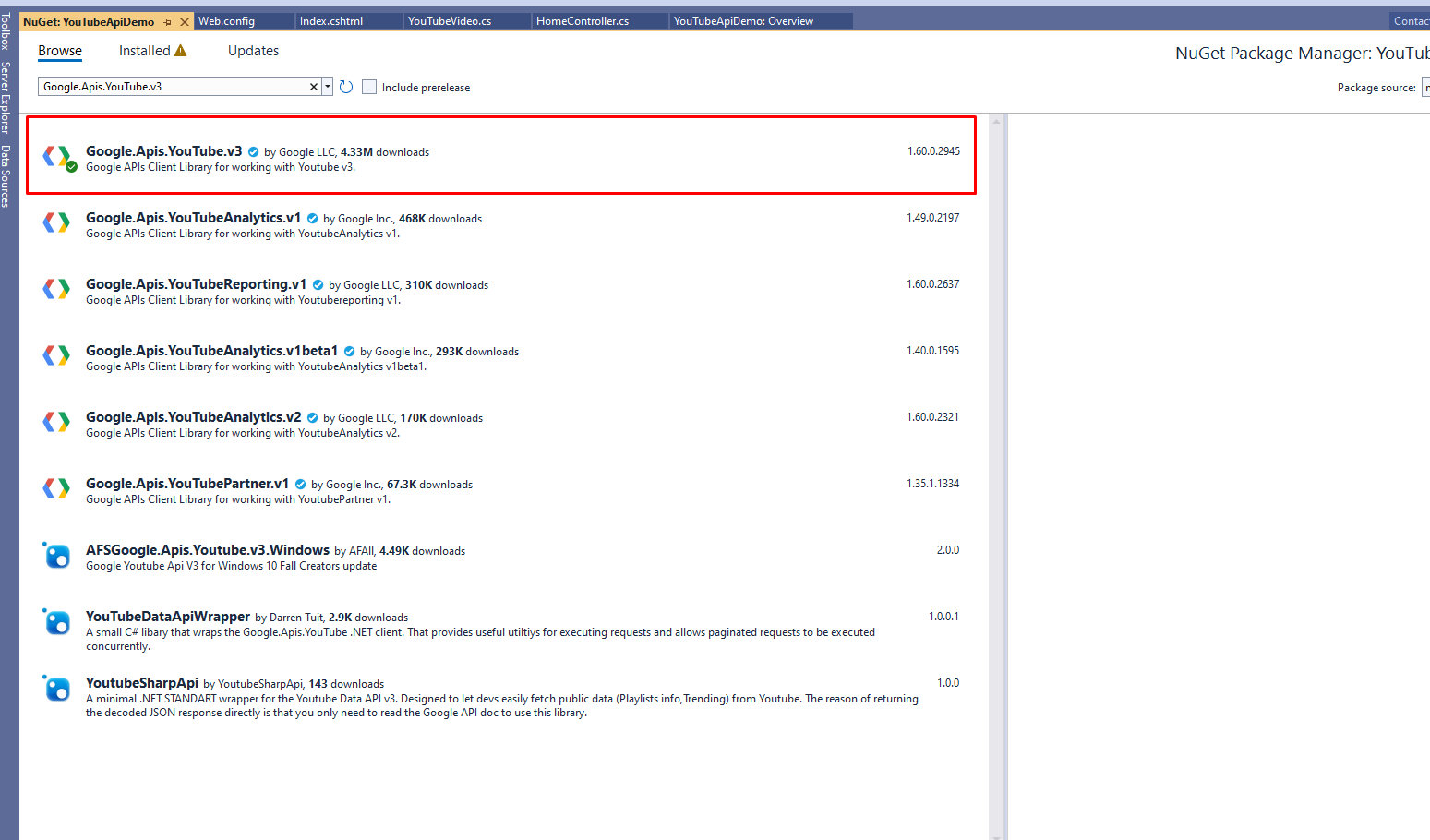
Once you have installed the NuGet package what you have to do is go to your Asp.net MVC application.
Now you have to create the model that we will use to show data on the view, you create one class file and paste the following code
using Google.Apis.Services;
using Google.Apis.YouTube.v3;
using Google.Apis.YouTube.v3.Data;
Now you have to paste the following code into your controller. In this, you will notice we have used two values " apikey"="" and="" "channelid"="" from="" web.config.="" you="" can="" put="" your="" static="" values="" here.<="" p="">
public ActionResult Index()
        {

            var yt = new YouTubeService(new BaseClientService.Initializer() { ApiKey = ConfigurationManager.AppSettings["ApiKey"].ToString() });
            var channelsListRequest = yt.Channels.List("contentDetails");
            channelsListRequest.Id = ConfigurationManager.AppSettings["ChannelId"].ToString() ;

            var channelsListResponse = channelsListRequest.Execute();

            List<Comments> CommentList = new List<Comments>();
            foreach (var channel in channelsListResponse.Items)
            {
                var uploadsListId = channel.ContentDetails.RelatedPlaylists.Uploads;
                var nextPageToken = "";
                while (nextPageToken != null)
                {
                   var commentslist= yt.CommentThreads.List("snippet");
                   commentslist.AllThreadsRelatedToChannelId = ConfigurationManager.AppSettings["ChannelId"].ToString();
                    commentslist.MaxResults = 50;
                    commentslist.PageToken = nextPageToken;
                    var commentresponse = commentslist.Execute();
                    foreach (var commentItem in commentresponse.Items)
                    {
                        var commentText = commentItem.Snippet.TopLevelComment.Snippet.TextOriginal;
                        var user = commentItem.Snippet.TopLevelComment.Snippet.AuthorDisplayName;
                        var video = commentItem.Snippet.VideoId;
                        var publishedate = commentItem.Snippet.TopLevelComment.Snippet.PublishedAt ;
                        var userimage = commentItem.Snippet.TopLevelComment.Snippet.AuthorProfileImageUrl;
                        var ispublic = commentItem.Snippet.IsPublic;
                        CommentList.Add(new Comments
                        {
                            Comment = commentText,
                            UserImageUrl = userimage,
                            CommentedBy = user,
                            CommentedOn = publishedate,
                            VideoId= video
                        });

                    }
                    nextPageToken = commentresponse.NextPageToken;

                }

            }
            return View(CommentList);
        }
Now you have to create the model that we will use to show data on the view, you create one class file and paste the following code
 public class Comments
    {
        public string Comment { get; set; }
        public string CommentedBy { get; set; }
        public DateTime? CommentedOn { get; set; }
        public string VideoId { get; set; }
        public string UserImageUrl { get; set; }
    }
So, now the only required part is the Web. config changes, so you can add the following keys in the app settings
<add key="ChannelId" value="UCqQGu4auPacvpkoAFuZvew" />
	  <add key="ApiKey" value="AIzaSyC5Q-KPeaW932VAjpkfda96pOfQNwTltsY" />
These keys and channelId are dummies and will not work, so you have to replace these with your original channeled and API key. Now you have to go to the view and follow the code to show the data on the view
@model List<YouTubeApiDemo.Models.Comments>
@{
    ViewBag.Title = "Home Page";
}


<div>
    @foreach (var item in Model)
    {
        <div class="col-md-12" style="padding:5px;border:1px solid grey;margin-bottom:5px;">

            <div class="col-md-10">
                <h3> @item.Comment</h3>
                <p> @item.CommentedBy</p>
            </div>
        </div>
    }
    </div>
After using this now we are ready to run the application. Now run the application and check the output on the browser it will show something like this
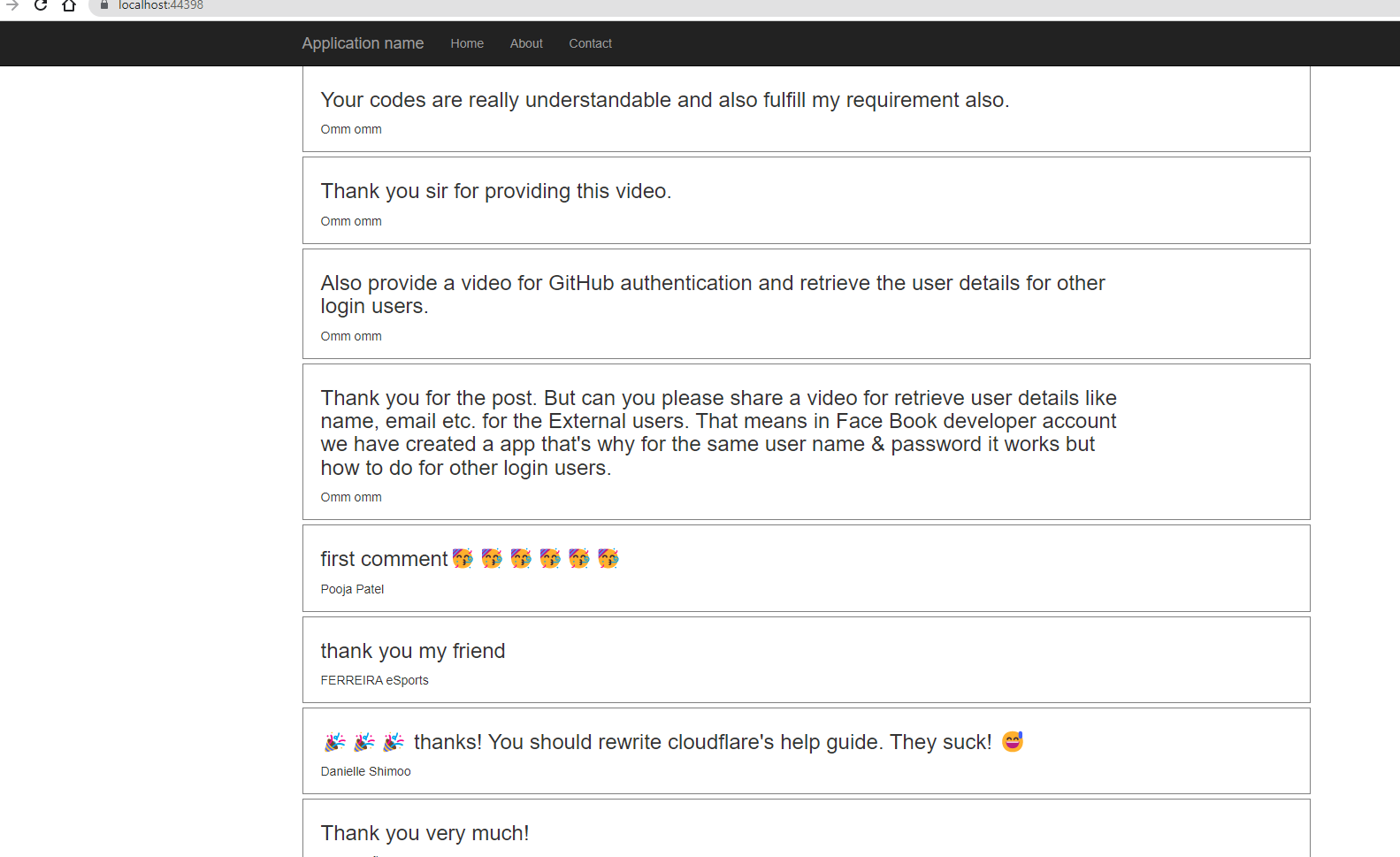
So this is how we can get the comments from youtube in Asp.Net.
