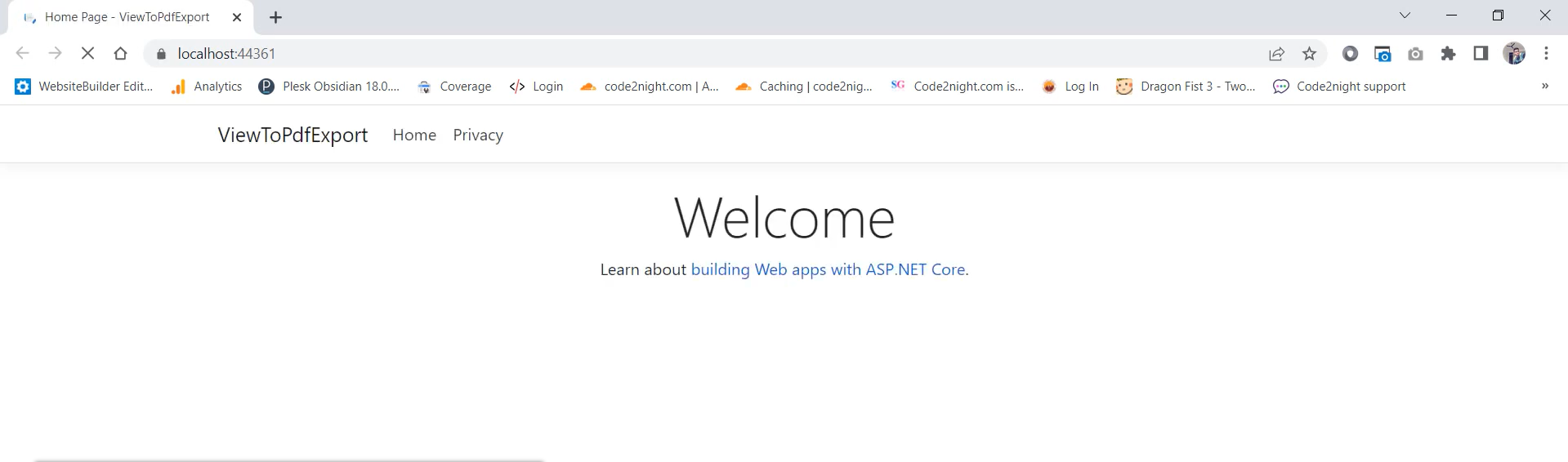
HTTP Error 500.31 Failed to load ASP NET Core runtime
Understanding HTTP Error 500.31 : Failed to load ASP.NET Core runtime
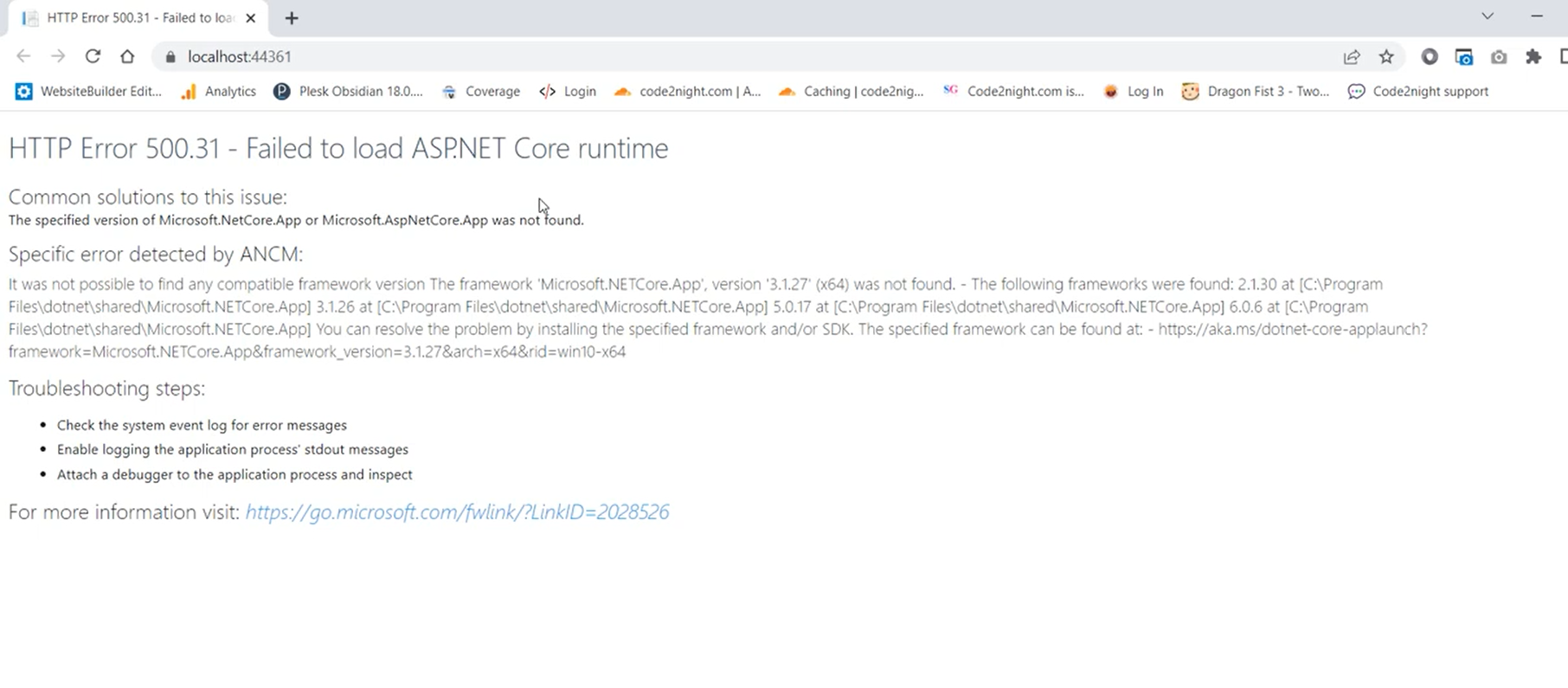
The 'HTTP Error 500.31: Failed to load ASP.NET Core runtime' is a server-side error that signifies an issue with the server's configuration or environment. Specifically, this error arises when the ASP.NET Core application cannot find the necessary runtime version it was built against. This can happen for various reasons, such as missing installations, incorrect configurations, or deployment issues.
In a real-world scenario, consider a situation where you are deploying your ASP.NET Core application to a server. If the server does not have the required version of the .NET Core runtime installed, users attempting to access your application will be greeted with this error. This can lead to downtime and a poor user experience, highlighting the importance of ensuring the correct environment setup before deployment.
Checking Your .NET Core Framework Version
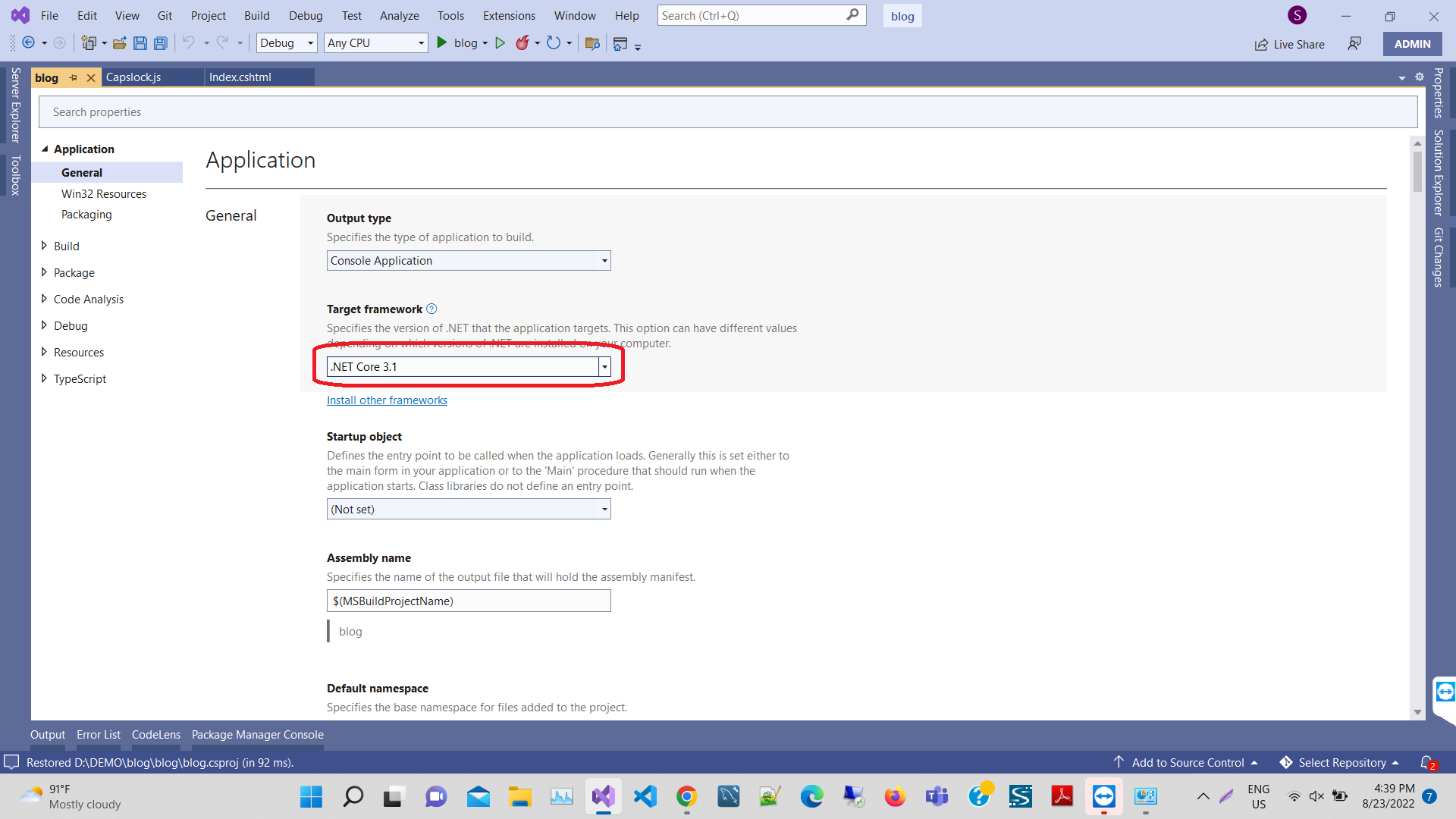
To resolve the error, the first step is to verify the .NET Core framework version your application targets. You can do this by accessing the project properties in Visual Studio. Right-click on your project in the Solution Explorer, select 'Properties', and navigate to the 'Application' tab. Here, you will find the 'Target Framework' dropdown, which indicates the version your project is built against.
// Example of checking the target framework in .csproj file


    netcoreapp3.1
Make sure that the version displayed matches the runtime installed on your machine. If it does not, you will need to download and install the correct version.
Installing the Required .NET Core Runtime
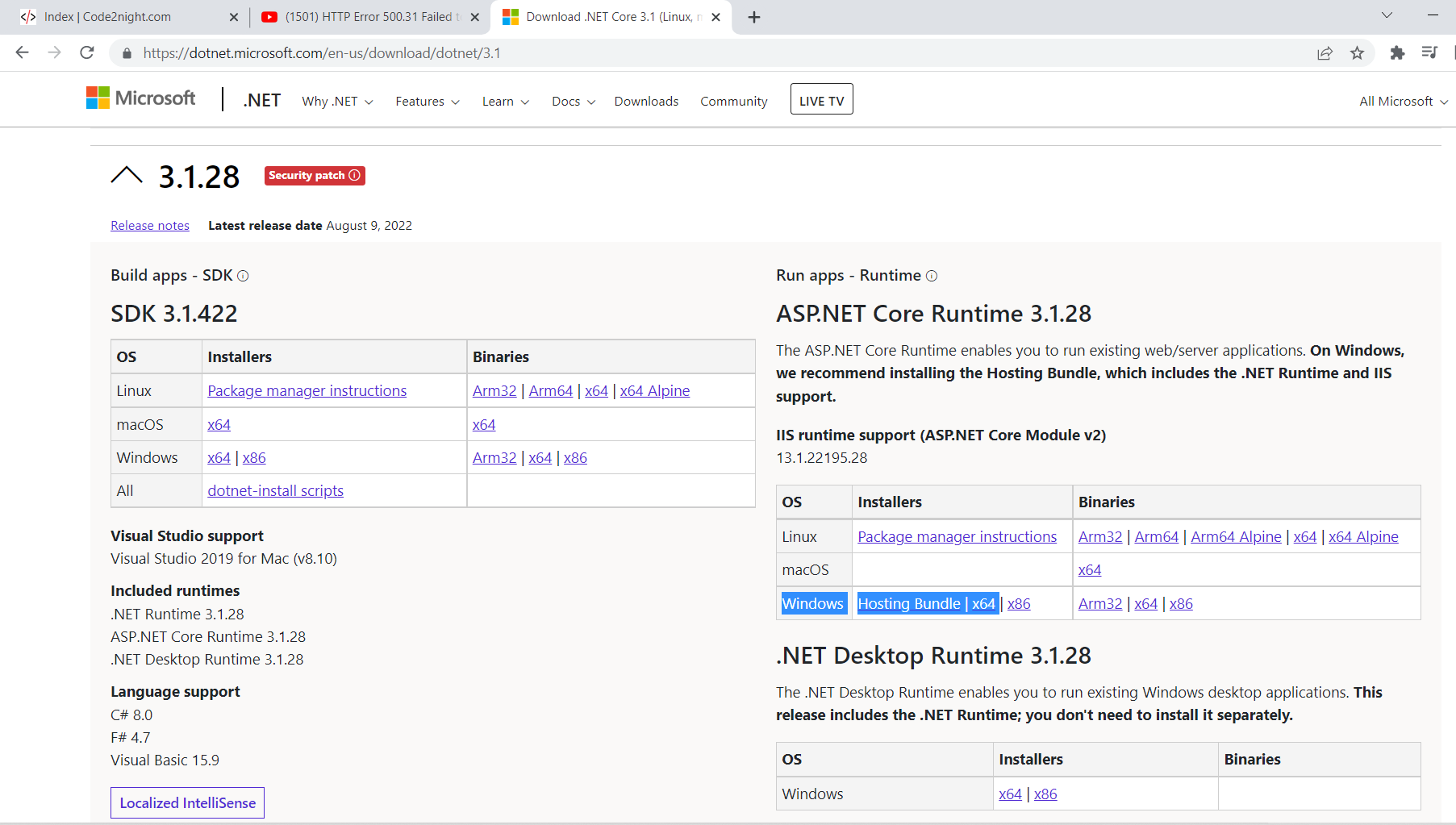
Once you have identified the target framework version, the next step is to install the necessary .NET Core runtime. You can download the appropriate version from the official .NET website. For example, if your project targets .NET Core 3.1, you can visit this link to access the downloads.
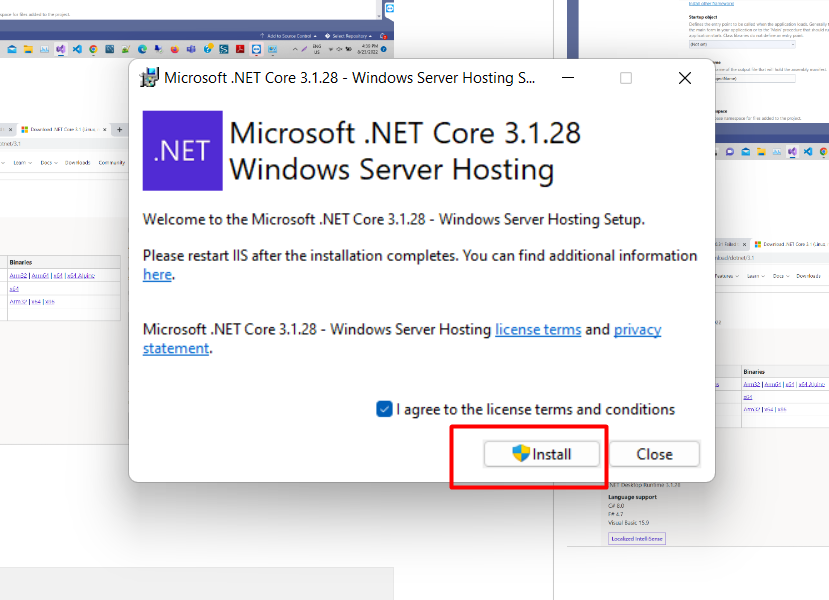
On the download page, locate the 'Hosting Bundle' for Windows. This bundle includes the .NET runtime and the ASP.NET Core Module, which is necessary for hosting ASP.NET Core applications on IIS. Click to download the hosting bundle and follow the installation instructions provided.
Verifying the Installation
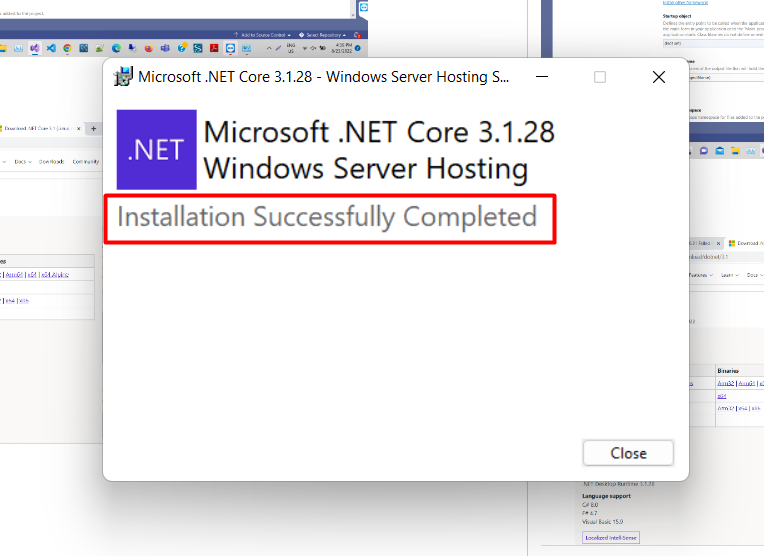
After the installation is complete, it is essential to verify that the runtime has been installed correctly. You can do this by running the following command in your command prompt:
dotnet --list-runtimesThis command will display all the installed .NET runtimes on your machine. Ensure that the version matching your application's target framework is listed. If it appears, you can attempt to run your application again.
Common Scenarios Leading to Error 500.31
Several scenarios can lead to encountering the HTTP Error 500.31. One common situation is deploying an application to a production server that has an outdated or incorrect runtime version. Another scenario could involve running multiple applications on the same server, each requiring different versions of the .NET Core runtime. This can lead to conflicts if not managed properly.
Additionally, if you have recently upgraded your project to a new .NET Core version, ensure that all dependencies are compatible with the new version. Sometimes, third-party libraries may not support the latest runtime, leading to runtime failures.
Edge Cases & Gotchas
When troubleshooting the HTTP Error 500.31, there are several edge cases to consider. For instance, if you are running your application on a containerized environment (like Docker), ensure that the base image includes the required .NET Core runtime. Missing dependencies in a container can lead to similar runtime errors.
Another gotcha is related to environment variables. Sometimes, specific environment variables must be set for the application to run correctly. If you have custom configurations or environment settings, double-check them to ensure they align with your application's requirements.
Performance & Best Practices
To avoid encountering HTTP Error 500.31 and similar issues in the future, consider implementing the following best practices:
- Version Control: Always maintain a clear versioning strategy for your applications and their dependencies. This helps in tracking compatibility.
- Environment Consistency: Ensure that your development, staging, and production environments mirror each other as closely as possible. This reduces the chances of environment-specific errors.
- Automated Deployment: Utilize CI/CD pipelines to automate deployments. This ensures that the correct runtimes and dependencies are always installed.
- Regular Updates: Keep your .NET Core runtimes and SDKs updated to the latest stable versions to benefit from security patches and performance improvements.
Conclusion
In conclusion, encountering the HTTP Error 500.31 when running your ASP.NET Core application can be frustrating, but it is usually a straightforward issue to resolve. By ensuring the correct .NET Core runtime is installed and keeping your project configurations in check, you can avoid this error in the future.
Key Takeaways:
- Always check your project's target framework to ensure the correct runtime is installed.
- Download and install the required .NET Core runtime from the official website.
- Verify the installation to confirm the runtime is correctly set up.
- Implement best practices to maintain a consistent and error-free development environment.