
Build Real-time Applications with SignalR in ASP.NET Core
What is SignalR?
SignalR is a library for ASP.NET that simplifies the process of adding real-time web functionality to applications. It allows server-side code to push content to connected clients instantly, enabling scenarios like chat applications, live dashboards, and real-time notifications. By using SignalR, developers can ensure that their applications remain interactive and responsive, providing a seamless user experience.
The core of SignalR's functionality lies in its ability to manage connections efficiently, allowing for multiple clients to receive updates simultaneously. This is particularly useful when applications are running across multiple instances, as SignalR ensures that messages are propagated to all clients in real-time.
Prerequisites
Before diving into building a real-time application using SignalR in ASP.NET Core, ensure you have the following prerequisites:
- ASP.NET Core SDK: Ensure that you have the latest .NET SDK installed on your machine. You can download it from the official .NET website.
- IDE: A suitable Integrated Development Environment (IDE) like Visual Studio or Visual Studio Code is recommended for ease of development.
- Basic Knowledge of C#: Familiarity with C# and ASP.NET Core concepts will help you understand the examples and code snippets better.
Setting Up SignalR in ASP.NET Core
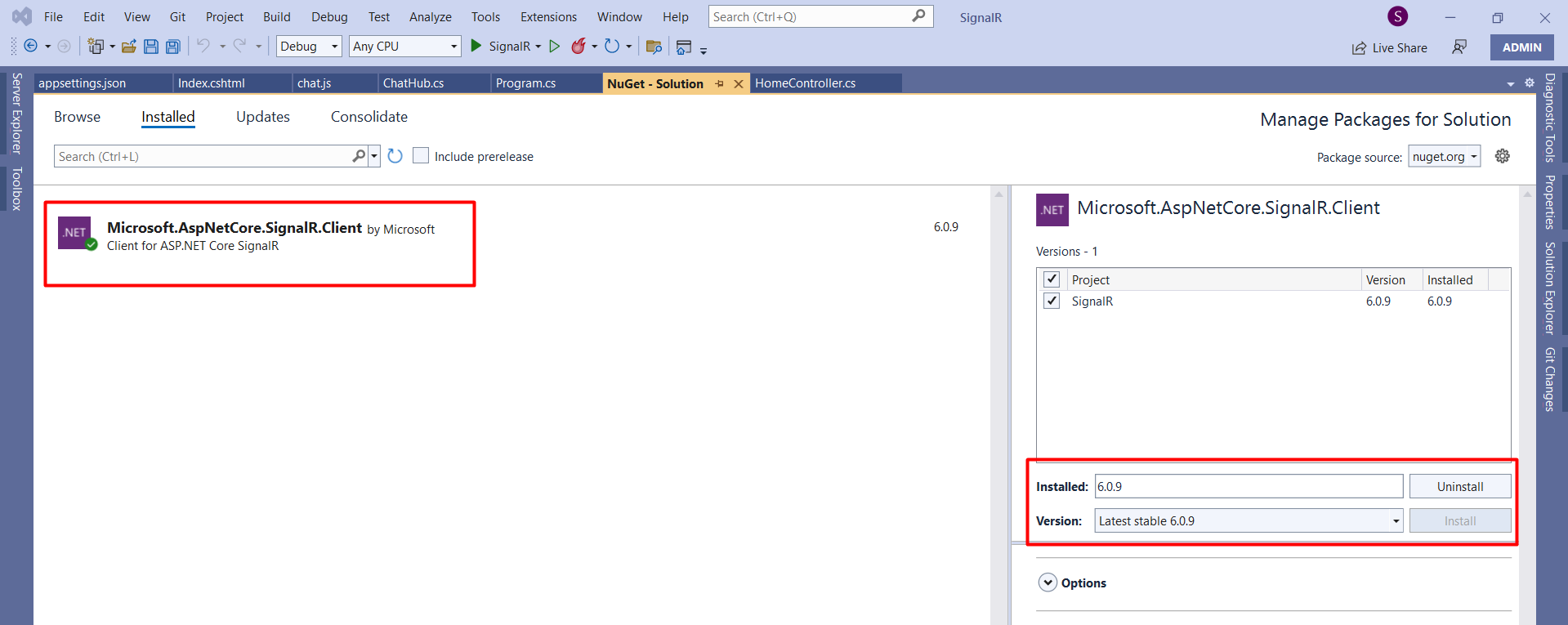
To get started with SignalR in your ASP.NET Core application, you first need to create a new ASP.NET Core web application. For this tutorial, we will be using ASP.NET Core 6.0. Begin by installing the SignalR client package using NuGet:
NuGet\Install-Package Microsoft.AspNetCore.SignalR.Client -Version 6.0.9After installing the package, navigate to the Program.cs file and add SignalR services to your application:
builder.Services.AddSignalR();In ASP.NET Core 6.0, this is done directly in the Program.cs file, unlike previous versions where it was added in Startup.cs.
Creating the ChatHub
Next, you need to create a class that inherits from Hub. This class will contain methods that clients can call and methods to send messages to clients:
using Microsoft.AspNetCore.SignalR;

namespace SignalR {
    public class ChatHub : Hub {
        public async Task SendMessage(string user, string message) {
            await Clients.All.SendAsync("ReceiveMessage", user, message);
        }
    }
}
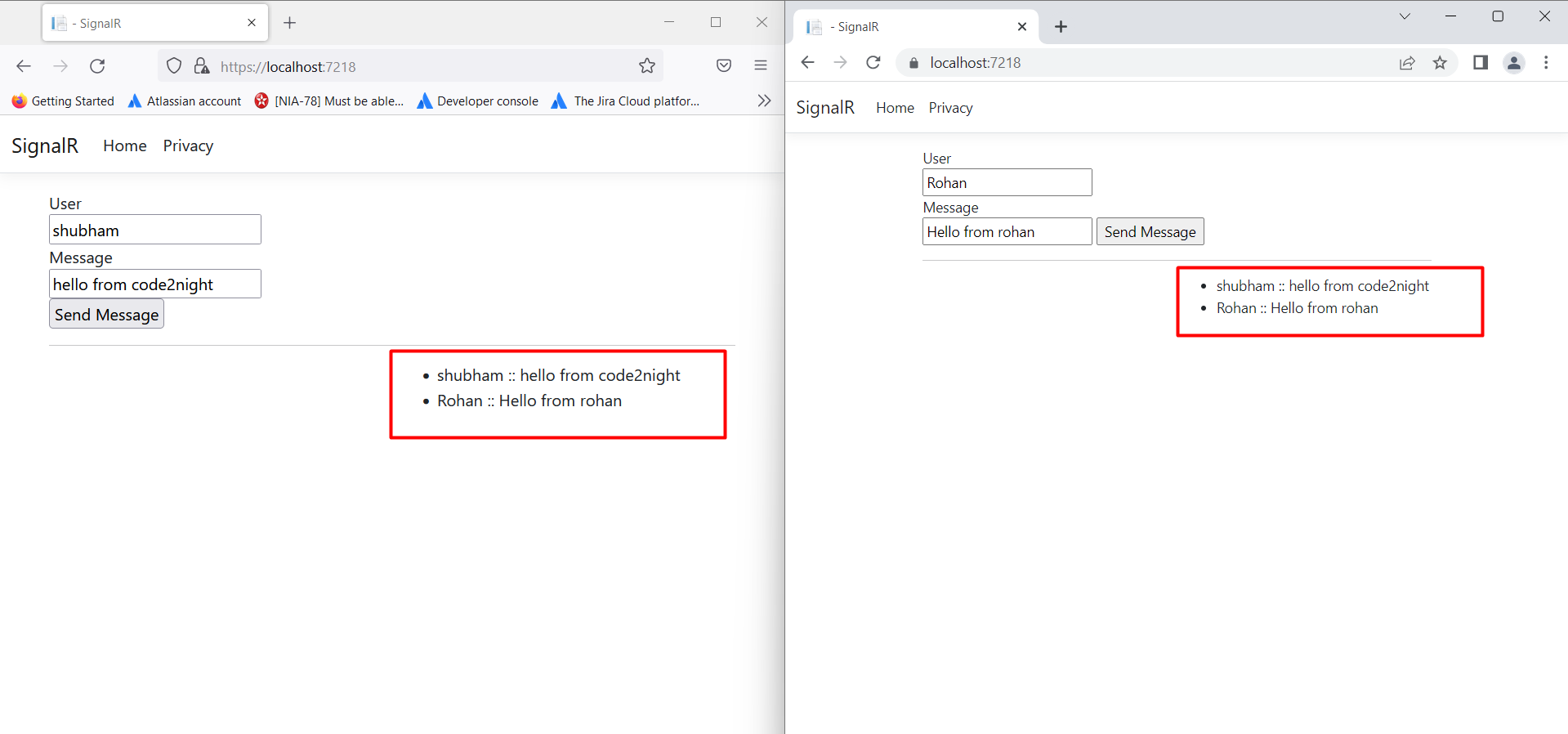
In this example, the SendMessage method broadcasts the message to all connected clients, allowing for real-time chat functionality.
Client-Side Implementation
After setting up the server-side hub, the next step is to implement the client-side logic using JavaScript. Create a new JavaScript file named chat.js where you will establish a connection with the SignalR hub and handle incoming messages:
const connection = new signalR.HubConnectionBuilder()
    .withUrl("/chatHub")
    .build();

// This method receives the message and appends it to our list
connection.on("ReceiveMessage", (user, message) => {
    const msg = message.replace(/&/g, "&").replace(/</g, "<").replace(/>/g, ">");
    const encodedMsg = user + " :: " + msg;
    const li = document.createElement("li");
    li.textContent = encodedMsg;
    document.getElementById("messagesList").appendChild(li);
});

connection.start().catch(err => console.error(err.toString()));

// Send the message
document.getElementById("sendMessage").addEventListener("click", event => {
    const user = document.getElementById("userName").value;
    const message = document.getElementById("userMessage").value;
    connection.invoke("SendMessage", user, message).catch(err => console.error(err.toString()));
    event.preventDefault();
});
This script listens for messages from the server and updates the message list dynamically. When the user clicks the send button, the SendMessage method is invoked.
HTML Structure
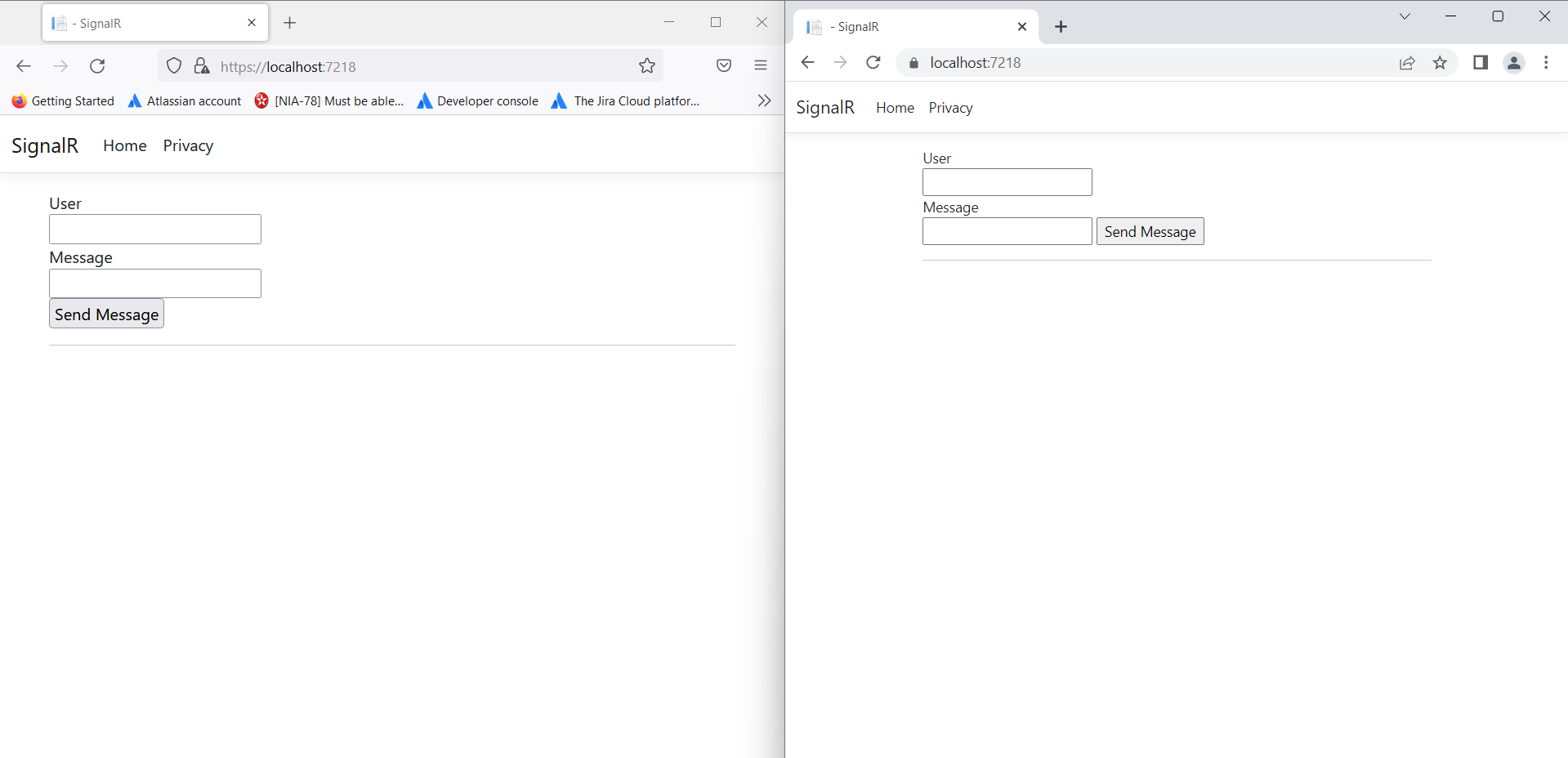
Now, let’s set up the HTML structure to allow users to input their names and messages. Below is a simple example:
@page


                User


                Message
Edge Cases & Gotchas
While working with SignalR, there are several edge cases and potential pitfalls to be aware of:
- Connection Issues: Network instability can lead to disconnections. Implement reconnection logic to handle lost connections gracefully.
- Message Order: Messages sent in rapid succession may not arrive in the same order they were sent. Consider implementing a message queue or timestamping messages for critical applications.
- Scalability: In environments with multiple servers, ensure that you configure SignalR to use a backplane (such as Redis) to manage message distribution across servers.
Performance & Best Practices
To optimize performance when using SignalR, consider the following best practices:
- Use Connection Groups: For applications with many users, grouping connections can reduce the load on the server and improve message delivery.
- Limit Message Size: Keep messages small to reduce bandwidth usage and latency. For large data transfers, consider using APIs or other methods.
- Monitor Performance: Regularly monitor the performance of your SignalR application to identify bottlenecks and optimize accordingly.
Conclusion
In this tutorial, we explored how to build a real-time chat application using SignalR in ASP.NET Core. We covered the setup of SignalR, the creation of a ChatHub, client-side implementation, and best practices for performance. Here are the key takeaways:
- SignalR enables real-time communication in web applications.
- Setting up SignalR involves configuring services and creating a hub class.
- Client-side JavaScript is crucial for handling messages and user interactions.
- Be aware of edge cases and performance considerations when implementing SignalR.
