
Code2night
  • Home
  • Guest Posts
  • Tutorial
  • Languages
    • Angular
    • C
    • c#
    • C#
    • HTML/CSS
    • Java
    • JavaScript
    • Node.js
    • Python
    • React
    • Security
    • SQL Server
    • TypeScript
  • Post Blog
  • Tools
    • JSON Beautifier
    • HTML Beautifier
    • XML Beautifier
    • CSS Beautifier
    • JS Beautifier
    • PDF Editor
    • Word Counter
    • Base64 Encode/Decode
    • Diff Checker
    • JSON to CSV
    • Password Generator
  • Register
  • Login
  1. Home
  2. Blogpost

How to Connect to a Database with MySQL Workbench

Date- Jan 04,2023

7522

Hello, everyone, and welcome to Code2Night! In this article, we will delve into the topic of how to connect to database using MySQL Workbench. As developers, working with databases is an essential skill, and MySQL is a powerful tool that allows us to interact with MySQL databases seamlessly. Whether you're a beginner or an experienced coder, understanding how to establish a connection between your code and a database is crucial for building robust and dynamic applications.


Step 1. Open MySQL.

Step 2. Click on the + sign to set up a new connection
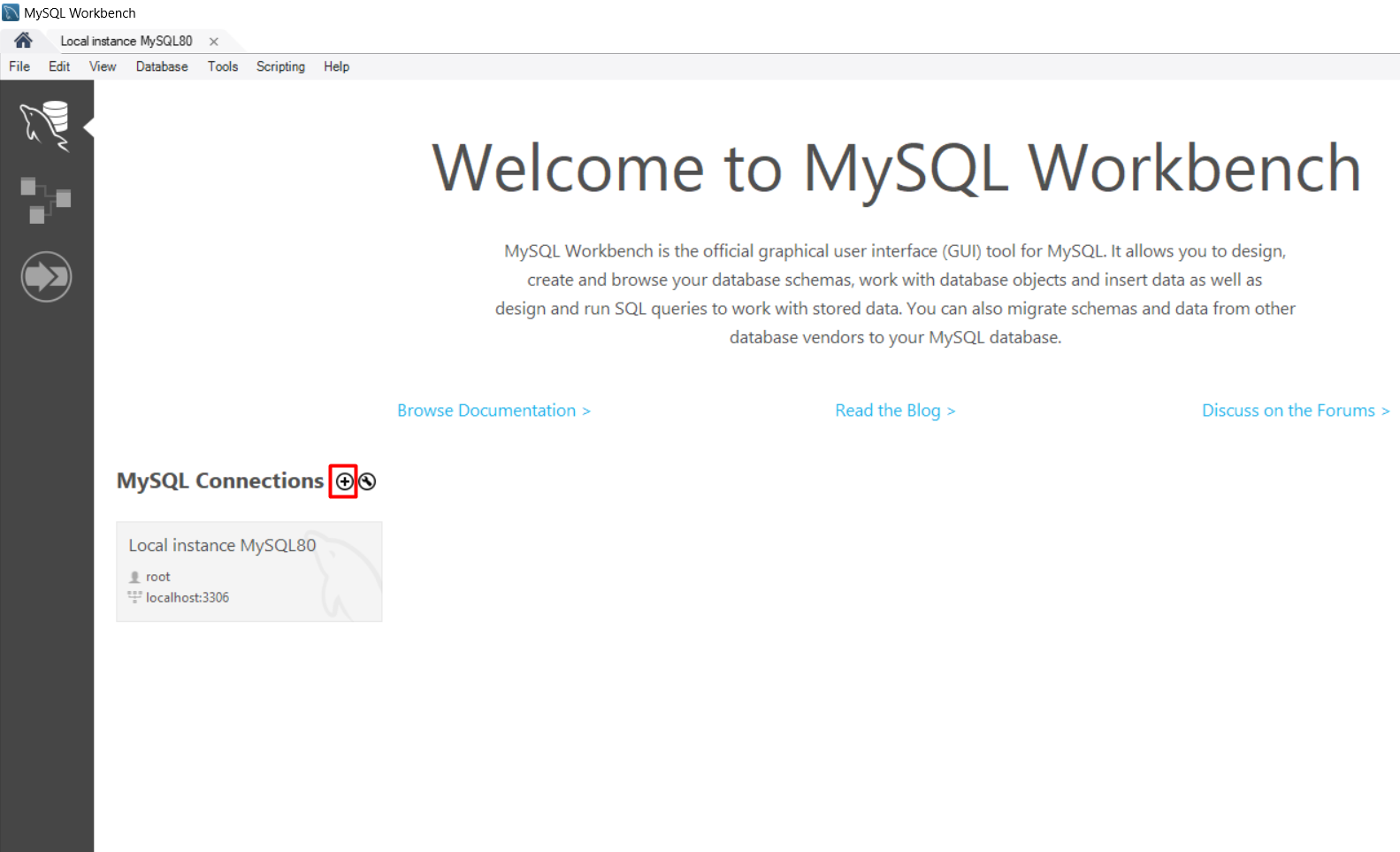
Connect to Database

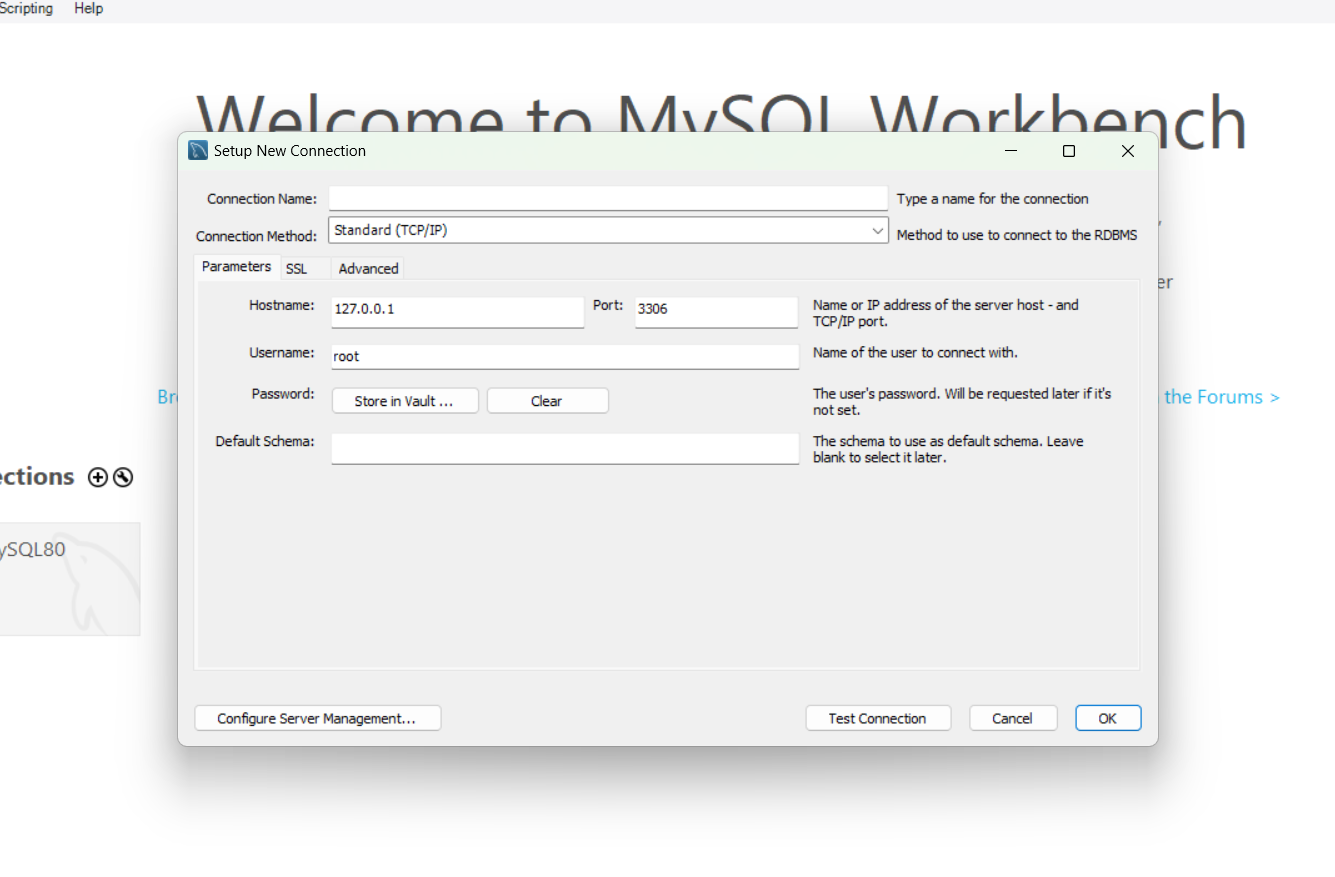
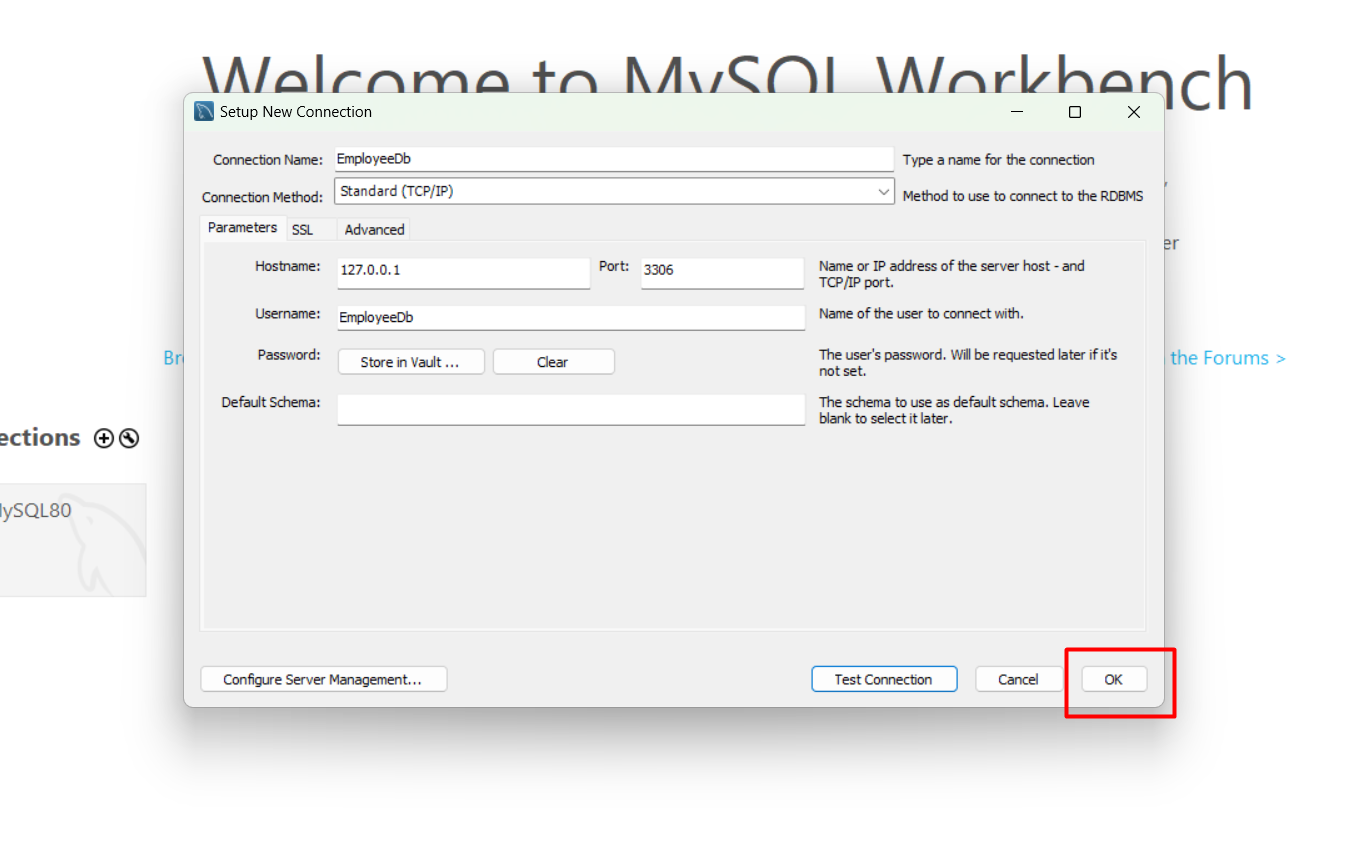
Step 3. In the “Set up a New Connection Dialogue” box, Type your Database connection credentials. The credentials will be like the following:

  1. Connection Name: You can name this whatever you like.
  2. Connection Method: Standard (TCP/IP).
  3. Hostname: You can use your domain our your cPanel IP address.
  4. Port: 3306
  5. Username: Your cPanel username or the user you created for the database.
  6. Password: cPanel password or the password for the database user that was created.
  7. Default Schema: This can be left blank.
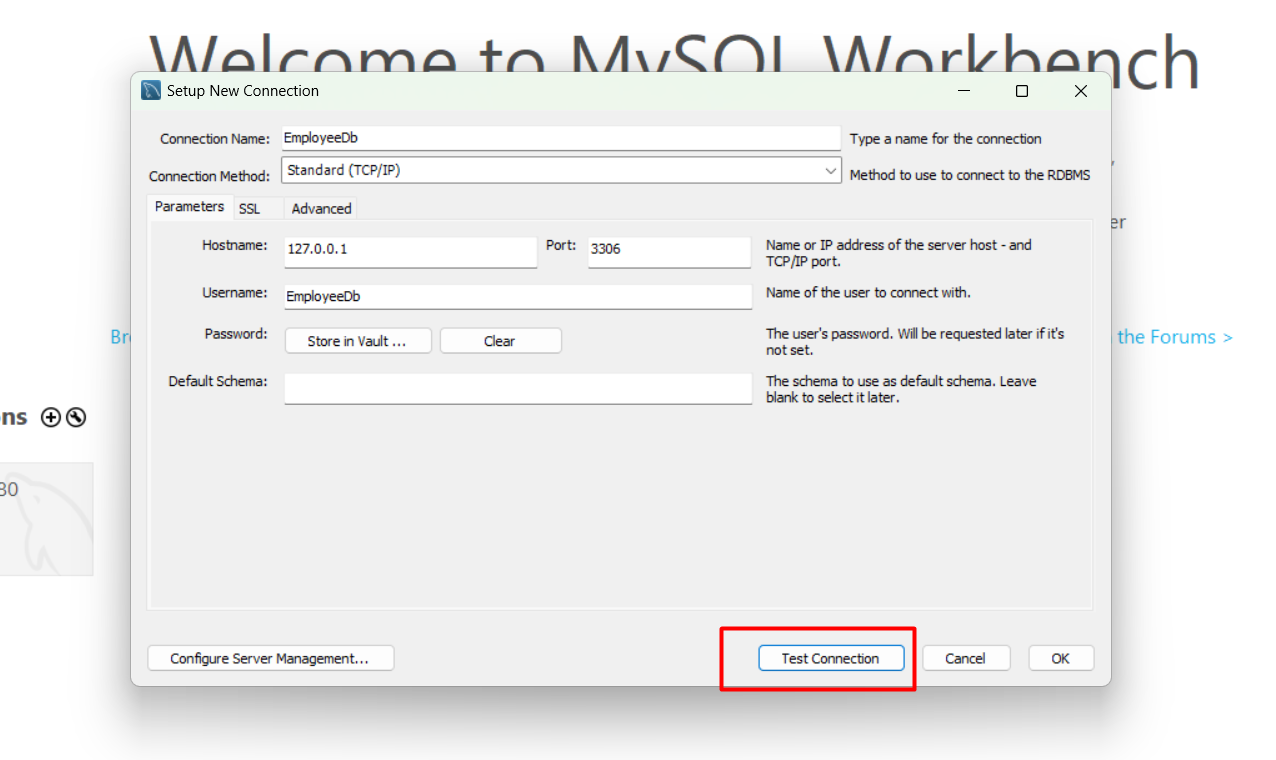
Click Test Connection.

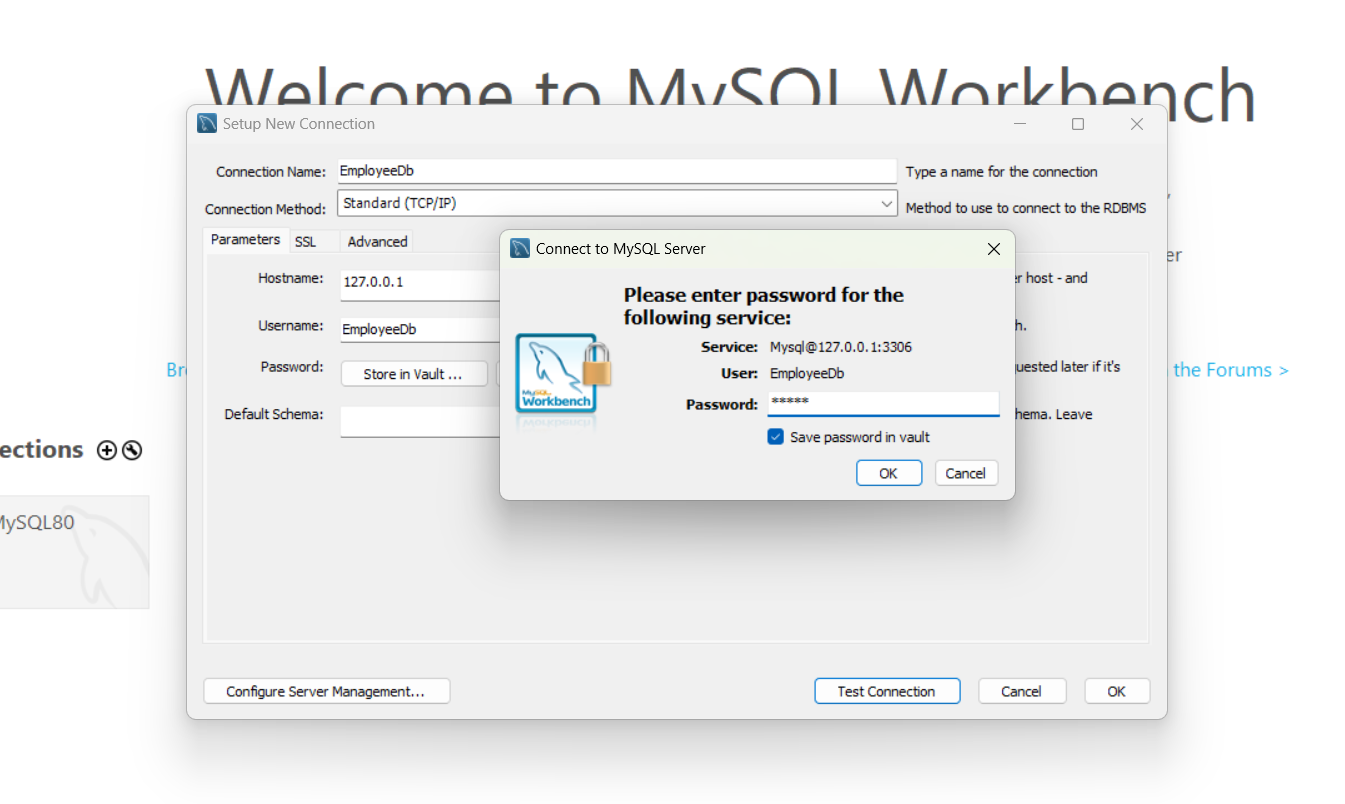
Step 4. Type your password and click the “Save Password in Vault” check box. Click Ok.

Step 5.MySQL Workbench should say “Connection parameters are correct“. Click Ok.
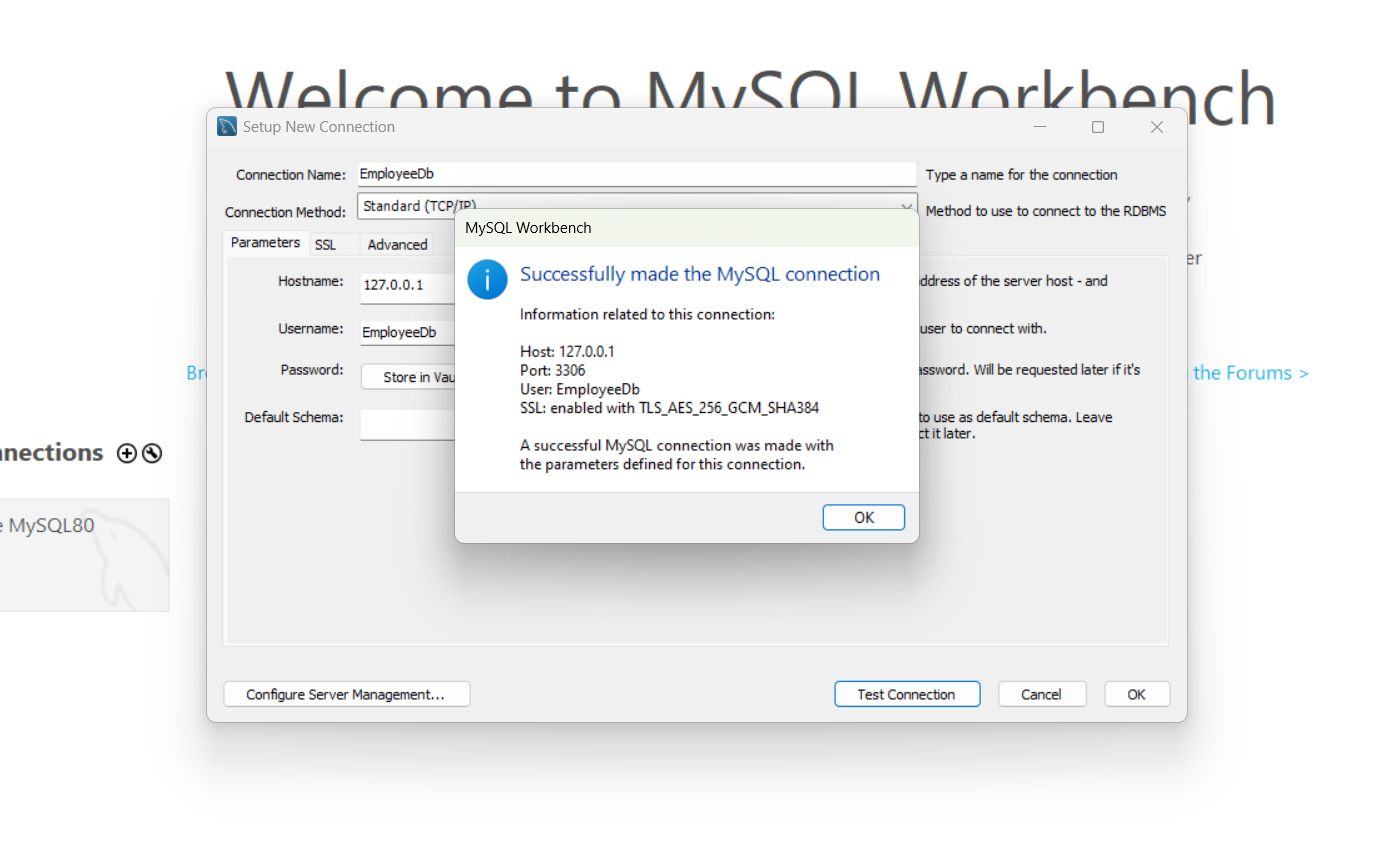

Step 6. Click Ok again to accept the connection settings
Step 7. After clicking ok Then you see the Database connection below
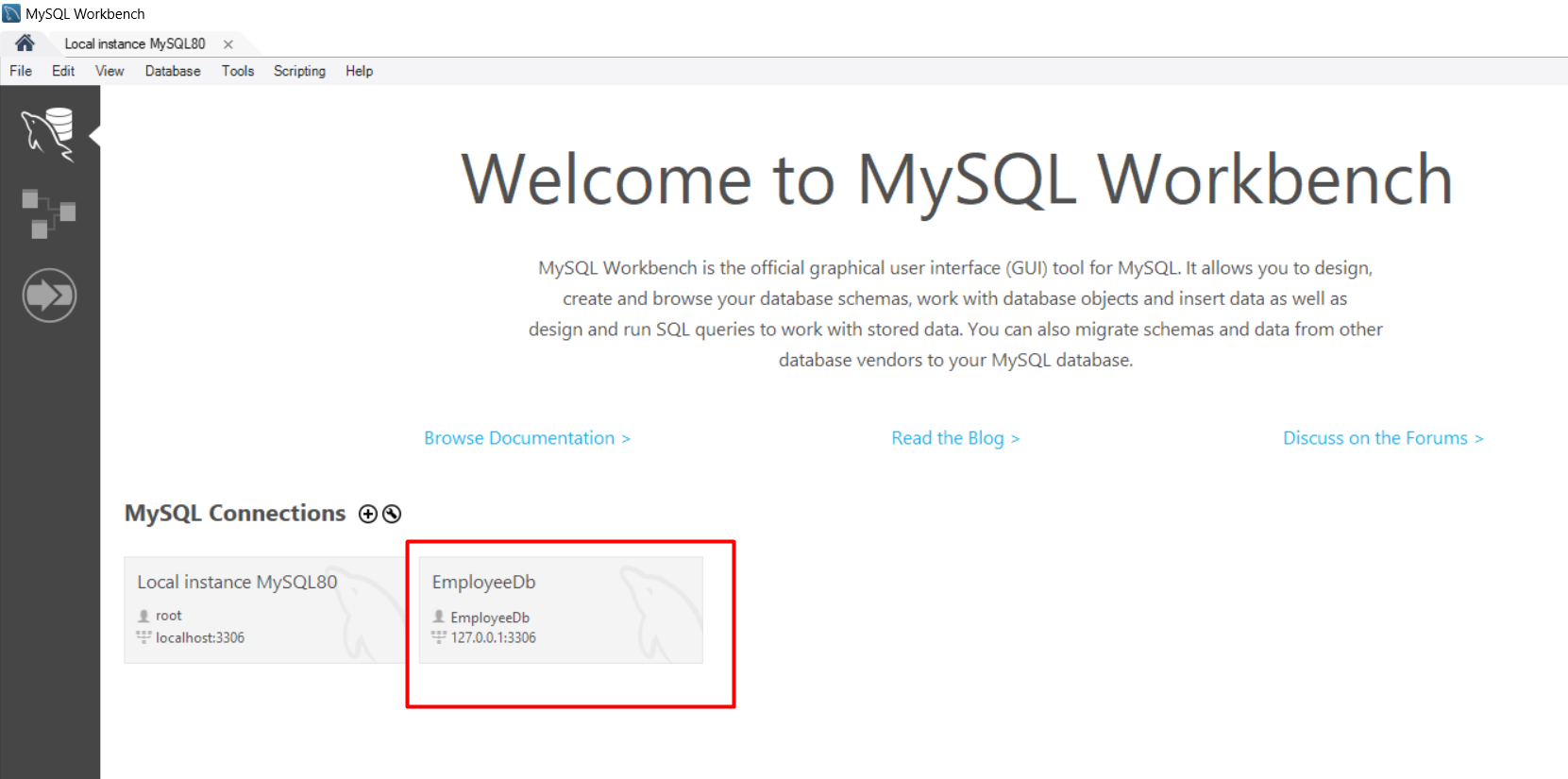
To open the database you have to Double-click on the EmployeeDb 


S
Shubham Batra
Programming author at Code2Night — sharing tutorials on ASP.NET, C#, and more.
View all posts →

Related Articles

Batch Script for Creating Database backups from Sql server
Apr 30, 2022
How to create a read-only MySQL user
Jan 05, 2023
How to find all procedures having table reference in Sql server
Jan 13, 2023
How to find all tables by column name
Jan 13, 2023

Comments

Contents

More in SQL Server

  • Converting commas or other delimiters to a Table or List in … 6364 views
  • How to read json in Sql Server 6000 views
  • Multiple rows to one comma separated value in Sql Server 5819 views
  • How to rename table column in sql server 5718 views
  • How to Return Query Results as a Comma Separated in MySQL 5354 views
View all SQL Server posts →

Tags

AspNet
C#
programming
AspNet MVC
c programming
AspNet Core
C
software development
tutorial
MVC
memory management
Paypal
coding
coding best practices
data structures
programming tutorial
tutorials
object oriented programming
Slick Slider
StripeNet
Free Download for Youtube Subscribers!

First click on Subscribe Now and then subscribe the channel and come back here.
Then Click on "Verify and Download" button for download link

Subscribe Now | 1760
Download
Support Us....!

Please Subscribe to support us

Thank you for Downloading....!

Please Subscribe to support us

Continue with Downloading
Be a Member
Join Us On Whatsapp Join Us On Facebook
Code2Night

A community platform for sharing programming knowledge, tutorials, and blogs. Learn, write, and grow with developers worldwide.

Panipat, Haryana, India
info@code2night.com
Quick Links
  • Home
  • Blogs
  • Tutorials
  • About Us
  • Contact
  • Privacy Policy
  • Terms & Conditions
  • Guest Posts
Free Dev Tools
  • JSON Beautifier
  • HTML Beautifier
  • CSS Beautifier
  • JS Beautifier
  • Password Generator
  • QR Code Generator
  • Hash Generator
  • Diff Checker
  • Base64 Encode/Decode
  • Word Counter
By Language
  • Angular
  • C
  • c#
  • C#
  • HTML/CSS
  • Java
  • JavaScript
  • Node.js
  • Python
  • React
  • Security
  • SQL Server
  • TypeScript
© 2026 Code2Night. All Rights Reserved.
Made with for developers  |  Privacy  ·  Terms
Translate Page