
Send SMS using Twillio in Asp.Net MVC
Overview of Send SMS using Twillio in Asp.Net MVC
Twilio is a cloud-based communication platform that enables developers to build applications that can send and receive SMS messages, make and receive phone calls, and perform various other communication tasks. Twilio's API is designed to be easy to use, making it a popular choice among developers for integrating SMS functionality into their applications. With Twilio, businesses can enhance customer engagement, send alerts, and facilitate two-way communication efficiently.
In this tutorial, we will focus on sending SMS messages using Twilio in an ASP.NET MVC application. This can be beneficial for various scenarios, such as sending notifications, alerts, or even promotional messages to users.
Prerequisites
- A Twilio account. You can sign up for a free account at Twilio's website.
- The latest version of Visual Studio installed on your machine.
- Basic knowledge of ASP.NET MVC framework and C# programming.
- NuGet package manager to install the Twilio library.
Installing the Twilio NuGet Package
To get started, you'll need to install the Twilio NuGet package in your ASP.NET MVC project. Open the NuGet Package Manager Console and run the following command:
NuGet\Install-Package Twilio.AspNet.Mvc -Version 6.0.0After installing the package, you need to configure your application settings with the Twilio account credentials. Open your Web.config file and add the following settings:
<appSettings>
    <add key="config:AccountSid" value="AC3936d9aqq2323fedbdddd0ecd6df37199" /> <!--Replace with your AccountSid-->
    <add key="config:AuthToken" value="52b86f79c19bsassasasas704110dddddc26" /> <!--Replace with your AuthToken-->
    <add key="config:TwilioPhoneNum" value="+1845344098435" /> <!--Replace with your TwilioPhoneNum-->
</appSettings>
Make sure to replace the placeholders with your actual Twilio account SID, authentication token, and Twilio phone number.
Creating the SMS Controller
Next, we will create a controller that will handle the SMS sending functionality. In your Controllers folder, create a new class named SmsController. This controller will have two actions: Index for displaying the SMS form and Create for sending the SMS.
using System;
using System.Configuration;
using System.Web.Mvc;
using Twilio;
using Twilio.Rest.Api.V2010.Account;

namespace TwillioMVC.Controllers
{
    public class SmsController : Controller
    {
        // GET: Sms
        public ActionResult Index()
        {
            return View();
        }

        public ActionResult Create()
        {
            string accountSid = Convert.ToString(ConfigurationManager.AppSettings["config:AccountSid"]);
            string authToken = Convert.ToString(ConfigurationManager.AppSettings["config:AuthToken"]);
            string phone = Convert.ToString(ConfigurationManager.AppSettings["config:TwilioPhoneNum"]);
            TwilioClient.Init(accountSid, authToken);

            var message = MessageResource.Create(
                body: "Hello Code2night " + DateTime.Now.ToString("MM/dd/yyyy hh:mm tt"),
                from: new Twilio.Types.PhoneNumber(phone),
                to: new Twilio.Types.PhoneNumber("+919034589555")
            );

            ViewData["Success"] = message.Sid;
            return View();
        }
    }
}
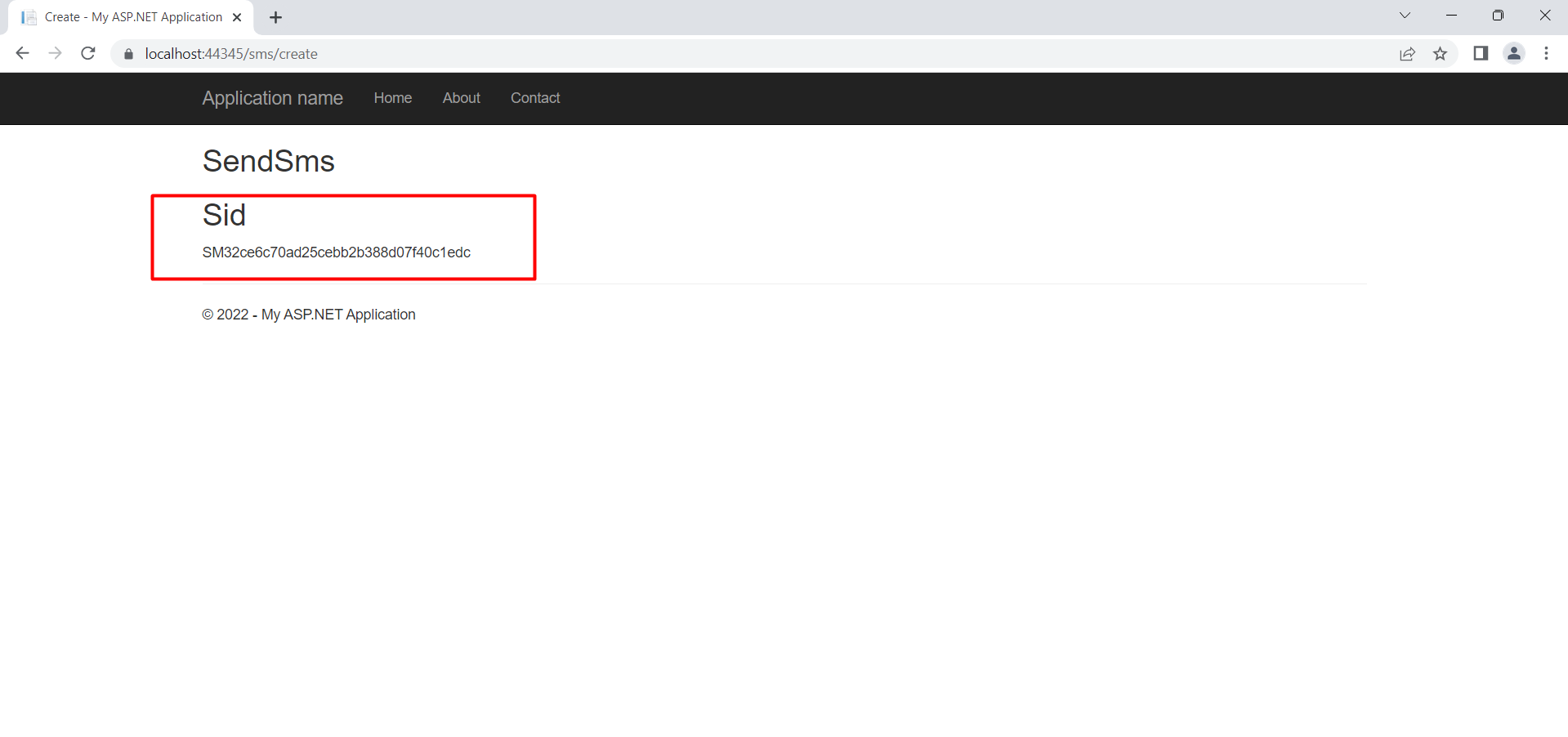
In the Create method, we initialize the Twilio client with the account SID and authentication token, then create a new message resource to send an SMS. The message body contains a simple greeting along with the current date and time.
Creating the View
Now that we have our controller set up, we need to create a view that allows users to input their phone number and message. Create a new view named Index.cshtml in the Views/Sms folder.
@model YourNamespace.Models.SmsModel

@{ Layout = null; }

<h2>Send SMS</h2>

<form method="post" action="@Url.Action("Create")">
    <div>
        <label for="to">To</label>
        <input type="text" id="to" name="to" required />
    </div>
    <div>
        <label for="message">Message</label>
        <textarea id="message" name="message" required></textarea>
    </div>
    <button type="submit">Send SMS</button>
</form>

@if (ViewData["Success"] != null)
{
    <p>Message Sent! SID: @ViewData["Success"]</p>
} else {
    <p>Please fill out the form to send an SMS.</p>
}
This view contains a simple form where users can enter the recipient's phone number and the message they want to send. After submitting the form, the message will be sent, and the user will see a confirmation with the message SID.
Testing the Application
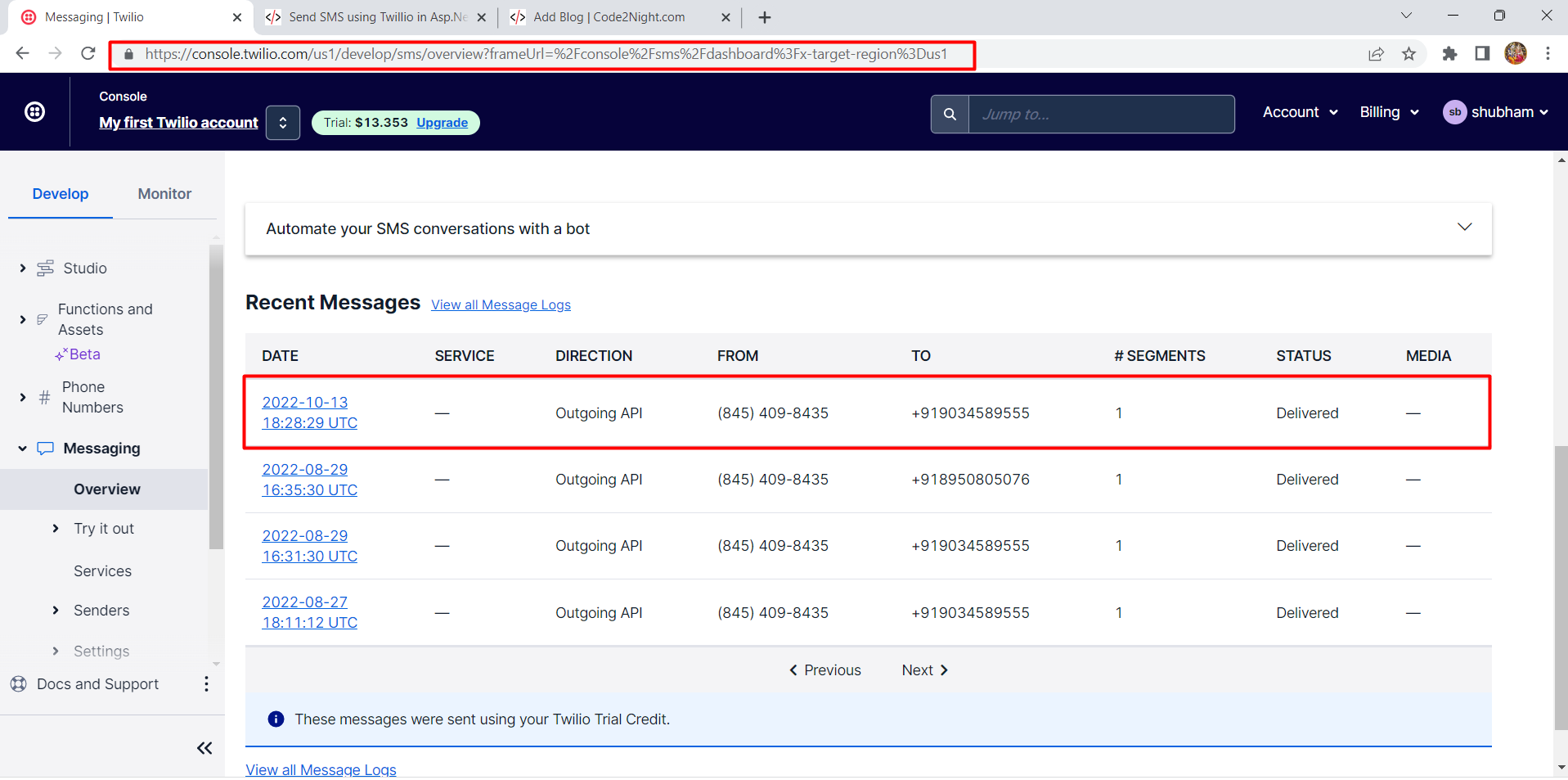
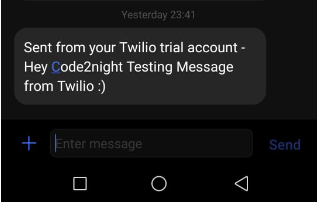
Once you have set up your controller and view, it's time to test your application. Run your ASP.NET MVC application and navigate to the SMS page. Fill out the form with a valid phone number and message, then click the Send SMS button.
Check the recipient's phone to see if the SMS has been delivered successfully. If everything is configured correctly, you should receive the message you sent.
Edge Cases & Gotchas
When working with SMS services like Twilio, it's important to consider various edge cases:
- Invalid Phone Numbers: Ensure that the phone number entered is valid and formatted correctly. Twilio requires phone numbers to be in E.164 format (e.g., +14155552671).
- Rate Limiting: Be aware of Twilio's rate limits for sending messages. Sending too many messages in a short period can result in throttling or additional charges.
- Message Length: SMS messages are typically limited to 160 characters. Longer messages may be split into multiple messages, which could affect costs.
- Delivery Reports: Implement logging or callbacks to handle delivery reports and errors effectively.
Performance & Best Practices
To ensure optimal performance and reliability when sending SMS messages, consider the following best practices:
- Asynchronous Sending: Use asynchronous methods to send SMS messages to avoid blocking the main thread of your application, improving responsiveness.
- Error Handling: Implement robust error handling to manage exceptions that may occur during the SMS sending process. This can include logging errors and notifying users of failures.
- Environment Variables: Store sensitive information such as Account SID and Auth Token in environment variables instead of hardcoding them in your application.
- Testing: Use Twilio's test credentials to simulate sending messages without incurring costs. This is useful during development and testing phases.
Conclusion
Integrating SMS functionality into your ASP.NET MVC application using Twilio is a straightforward process that can significantly enhance user engagement. By following the steps outlined in this tutorial, you can send SMS messages effectively.
Key Takeaways:
- Twilio provides a powerful API for sending and receiving SMS messages.
- Proper configuration of your application settings is crucial for successful integration.
- Handle edge cases and implement best practices to ensure reliability and performance.
- Testing with Twilio's sandbox environment can save costs during development.
