
Sending Calendar Events Using .ICS File in ASP.NET
Sending Calendar Events Using .ICS File in ASP.NET
In this article, we'll explore how to send calendar events via email using .ICS files in an ASP.NET application. We'll walk through the process step-by-step and explain the provided code snippet along the way.
Prerequisites
Before we begin, make sure you have the following prerequisites:
- Visual Studio or any other preferred code editor.
- Basic knowledge of ASP.NET MVC framework.
- Access to an SMTP server to send emails.
Implementation
We'll create a method in our ASP.NET MVC controller that generates an .ICS file representing the event and attaches it to an email. Let's break down the provided code snippet:
<!--
using System;
using System.Collections.Generic;
using System.Configuration;
using System.IO;
using System.Net;
using System.Net.Mail;
using System.Text;
using System.Web.Mvc;

namespace ICSEvent.Controllers
{
    public class HomeController : Controller
    {
        // Index action method
        public ActionResult Index()
        {
            return View();
        }

        // Action method to create and send an event
        public ActionResult CreateEvent(string receiverEmail)
        {
            try
            {
                // Retrieve sender's email credentials and mail server settings from configuration
                string senderEmail = ConfigurationManager.AppSettings["SenderEmail"];
                string senderPassword = ConfigurationManager.AppSettings["SenderPassword"];
                string mailServer = ConfigurationManager.AppSettings["Host"];
                string attendeesEmail = ConfigurationManager.AppSettings["Attendees"];

                // Define email subject and body
                string subject = "Appointment Invite";
                string body = "Please find the attached invite";

                // Create an email message
                MailMessage message = new MailMessage(senderEmail, receiverEmail, subject, body);

                // Load attendees from configuration
                List<string> attendees = new List<string>() { attendeesEmail };

                // Generate meeting request content
                string calendarContent = GenerateICSInviteBody("Code2night", attendees, "Testing Calendar Event", "Add Email body along with event", "Test Location", DateTime.Now.AddHours(2), DateTime.Now.AddHours(5), isCancel: false);
                byte[] calendarBytes = Encoding.UTF8.GetBytes(calendarContent);

                // Create attachment
                Attachment calendarAttachment = new Attachment(new MemoryStream(calendarBytes), "AppointmentInvite.ics", "text/calendar");

                message.Attachments.Add(calendarAttachment);

                // Create SMTP client and send email
                using (SmtpClient client = new SmtpClient(mailServer))
                {
                    client.UseDefaultCredentials = false;
                    client.Credentials = new NetworkCredential(senderEmail, senderPassword);
                    client.Send(message);
                    ViewBag.Message = "Email sent successfully.";
                }
            }
            catch (Exception ex)
            {
                ViewBag.Error = "Failed to send email. Error: " + ex.Message;
            }

            return View("Index");
        }

        // Method to generate meeting request content in .ICS format
        private static string GenerateICSInviteBody(string organizer, List<string> attendees, string subject, string description, string location, DateTime startTime, DateTime endTime, int? eventID = null, bool isCancel = false)
        {
            StringBuilder str = new StringBuilder();

            // Begin calendar
            str.AppendLine("BEGIN:VCALENDAR");
            str.AppendLine("PRODID:-//Microsoft Corporation//Outlook 12.0 MIMEDIR//EN");
            str.AppendLine("VERSION:2.0");
            str.AppendLine(string.Format("METHOD:{0}", (isCancel ? "CANCEL" : "REQUEST")));
            str.AppendLine("BEGIN:VEVENT");

            // Event details
            str.AppendLine(string.Format("DTSTART:{0:yyyyMMddTHHmmssZ}", startTime.ToUniversalTime()));
            str.AppendLine(string.Format("DTSTAMP:{0:yyyyMMddTHHmmss}", DateTime.UtcNow));
            str.AppendLine(string.Format("DTEND:{0:yyyyMMddTHHmmssZ}", endTime.ToUniversalTime()));
            if (isCancel)
            {
                str.AppendLine("STATUS:CANCELLED");
            }
            str.AppendLine(string.Format("LOCATION: {0}", location));
            str.AppendLine(string.Format("UID:{0}", (eventID.HasValue ? "Event" + eventID : Guid.NewGuid().ToString())));
            str.AppendLine(string.Format("DESCRIPTION:{0}", description.Replace("\n", "<br>")));
            str.AppendLine(string.Format("X-ALT-DESC;FMTTYPE=text/html:{0}", description.Replace("\n", "<br>")));
            str.AppendLine(string.Format("SUMMARY:{0}", subject));

            // Organizer and attendees
            str.AppendLine(string.Format("ORGANIZER;CN=\"{0}\":MAILTO:{1}", organizer, "test@123.com"));
            str.AppendLine(string.Format("ATTENDEE;CN=\"{0}\";RSVP=TRUE:mailto:{1}", string.Join(",", attendees), string.Join(",", attendees)));

            // Alarm
            str.AppendLine("BEGIN:VALARM");
            str.AppendLine("TRIGGER:-PT15M");
            str.AppendLine("ACTION:DISPLAY");
            str.AppendLine("DESCRIPTION:Reminder");
            str.AppendLine("END:VALARM");

            // End event and calendar
            str.AppendLine("END:VEVENT");
            str.AppendLine("END:VCALENDAR");

            return str.ToString();
        }

        // About action method
        public ActionResult About()
        {
            ViewBag.Message = "Your application description page.";
            return View();
        }

        // Contact action method
        public ActionResult Contact()
        {
            ViewBag.Message = "Your contact page.";
            return View();
        }
    }
}
-->
Explanation
The GenerateICSInviteBody method generates the meeting request content in .ICS format based on the provided parameters.
The CreateEvent action method is invoked when a request is made to create an event. It takes the recipient's email address as a parameter.<,p>
Inside the method:
Sender's email credentials and mail server settings are retrieved from the application configuration.
An email message is created with the provided subject, body, and recipient's email address.
Attendees' email addresses are loaded from configuration.
A .ICS file representing the event is generated using the GenerateICSInviteBody method.
The .ICS file is attached to the email message.
The email is sent using an SMTP client configured with sender's credentials and mail server settings.
Exceptions are caught, and an error message is displayed if sending fails.
The GenerateICSInviteBody method generates the meeting request content in .ICS format based on the provided parameters.
Other action methods (Index, About, Contact) are provided as placeholders for the respective views.
Here's an explanation of what each part of the method does:
- Begin calendar: Specifies the start of the calendar file.
- Event details: Specifies the details of the event, including start and end times, location, description, summary, etc.
- Organizer and attendees: Specifies the organizer and attendees of the event.
- Alarm: Specifies an alarm to remind attendees of the event.
- End event and calendar: Specifies the end of the event and calendar sections.
Add textbox to add receiver email on view
Copy following code on the view. From here we will add on which email we will send the email. So that will be receiver email
<main>
    @using (Html.BeginForm("CreateEvent", "Home"))
    {
        <input type="text" class="form-control" name="receiverEmail" placeholder="Receiver Email"/>
      <input type="submit" class="btn btn-success" value="Send Event Invite"/>
    }
</main>
Add SMTP Keys to Web.config
You have to add following keys in the web.config file. Don't forget to replace the values with your original values.
   <add key="SenderEmail" value="YourSenderEmail" />
   <add key="SenderPassword" value="YourPassword" />
   <add key="Host" value="YourMailServer" />
   <add key="Attendees" value="Test@gmail.com" />
Run-
Now run the application and you will notice this screen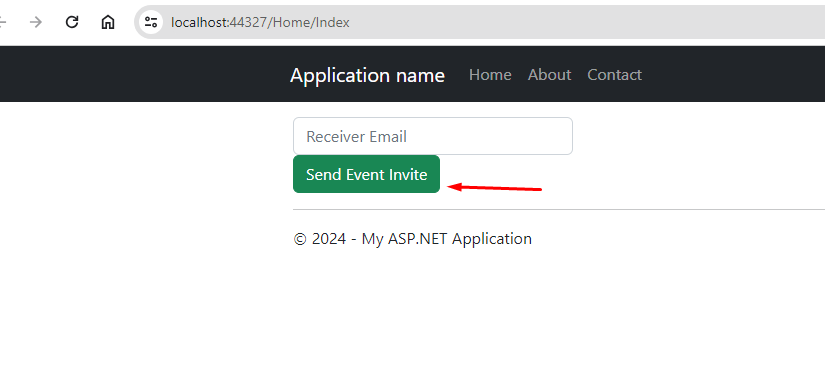
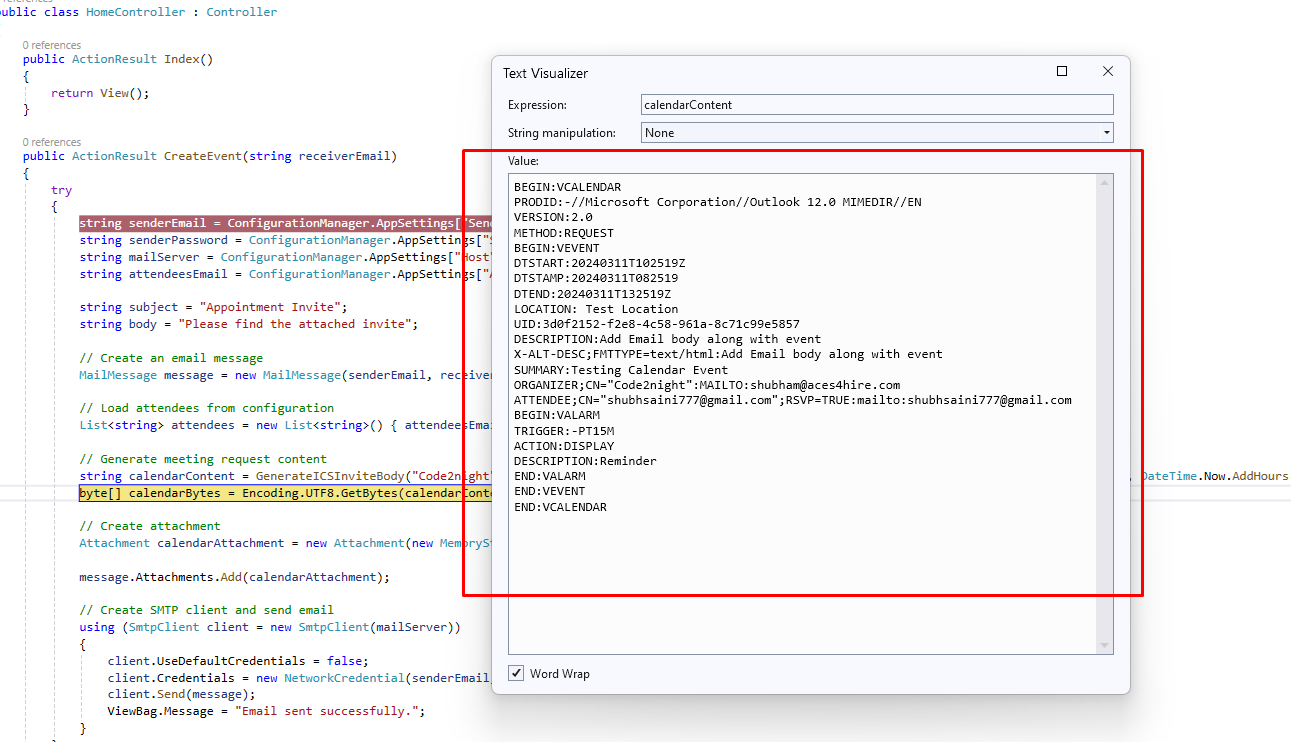
Here you have to add any email id, and click on send Event invite. Following is the .ics content that you can see
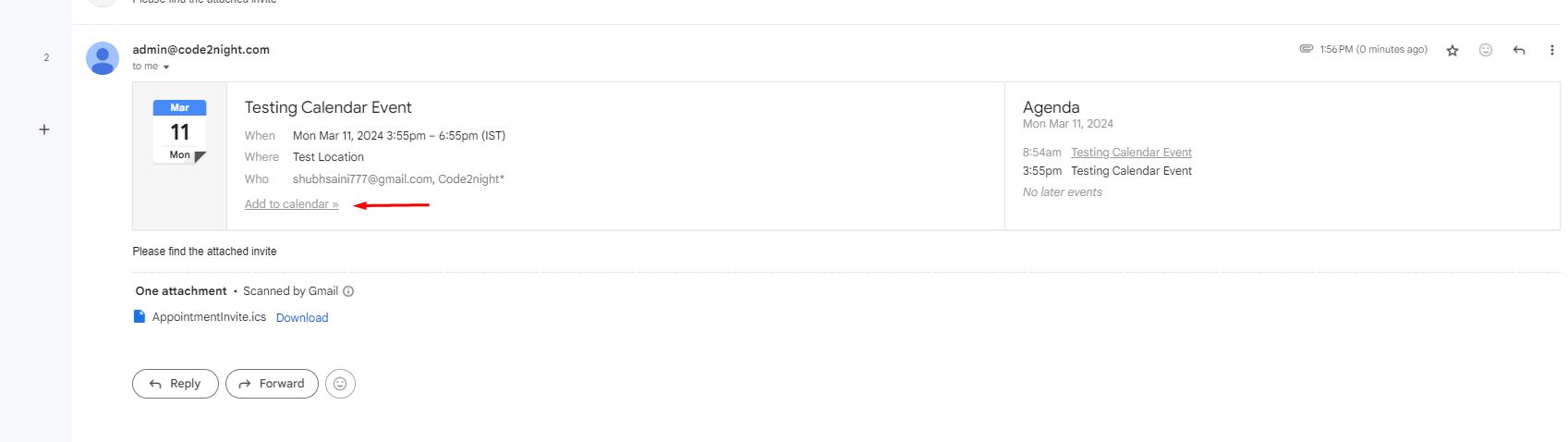
Check email on Receiver email account
Conclusion
In this article, we learned how to send calendar events via email using .ICS files in an ASP.NET MVC application. By following these steps, you can easily integrate calendar event scheduling features into your web applications.This is how we can create appointments using .ics file in asp.net.
