
Creating Zoom Meetings in ASP.NET MVC using Zoom Api
Zoom Api Integration
We can easily use Zoom Api's in our Asp.Net application which gives us power to create/Update and delete zoom meetings from our application. So for achieving that in asp.net mvc we have to follow these steps :
1. Create a new Asp.Net MVC project in visual studio
2. Now Add following namespaces on the controller
- using System.Net.Http; using System.Net.Http.Headers;
- using Newtonsoft.Json;
So now on the controller add following code to create meeting
 public ActionResult Index()
        {
            return View();
        }

        private const string ZoomApiKey = "YOUR_ZOOM_API_KEY";
        private const string ZoomApiSecret = "YOUR_ZOOM_API_SECRET";

        public async Task<ActionResult> CreateMeeting()
        {
            string meetingTopic = "My ASP.NET MVC Zoom Meeting";
            string meetingStartTime = DateTime.UtcNow.AddMinutes(10).ToString("yyyy-MM-ddTHH:mm:ssZ");
            int meetingDuration = 60; // Meeting duration in minutes

            HttpClient httpClient = new HttpClient();
            httpClient.DefaultRequestHeaders.Accept.Add(new MediaTypeWithQualityHeaderValue("application/json"));

            // Generate JWT Token
            var jwtToken = GenerateJWTToken(ZoomApiKey, ZoomApiSecret);

            // Create Zoom Meeting
            string apiUrl = "https://api.zoom.us/v2/users/me/meetings";
            httpClient.DefaultRequestHeaders.Authorization = new AuthenticationHeaderValue("Bearer", jwtToken);

            var requestBody = new
            {
                topic = meetingTopic,
                type = 2, // Scheduled Meeting
                start_time = meetingStartTime,
                duration = meetingDuration,
                timezone = "UTC",
                settings = new
                {
                    host_video = true,
                    participant_video = true
                }
            };

            var requestContent = new StringContent(Newtonsoft.Json.JsonConvert.SerializeObject(requestBody), Encoding.UTF8, "application/json");
            var response = await httpClient.PostAsync(apiUrl, requestContent);
            var responseContent = await response.Content.ReadAsStringAsync();

            if (response.IsSuccessStatusCode)
            {

                ViewBag.Message = "Zoom meeting created successfully.";
                ViewBag.Response = responseContent;
            }
            else
            {

                ViewBag.Message = "Failed to create Zoom meeting.";
                ViewBag.Response = responseContent;
            }

            return View("Index");
        }

        private static string GenerateJWTToken(string apiKey, string apiSecret)
        {
            var payload = new
            {
                iss = apiKey,
                exp = DateTimeOffset.UtcNow.AddMinutes(10).ToUnixTimeSeconds()
            };

            var header = new { alg = "HS256", typ = "JWT" };
            string base64UrlEncodedHeader = Base64UrlEncode(Newtonsoft.Json.JsonConvert.SerializeObject(header));
            string base64UrlEncodedPayload = Base64UrlEncode(Newtonsoft.Json.JsonConvert.SerializeObject(payload));

            string signature = ComputeHMACSHA256($"{base64UrlEncodedHeader}.{base64UrlEncodedPayload}", apiSecret);

            return $"{base64UrlEncodedHeader}.{base64UrlEncodedPayload}.{signature}";
        }

        private static string Base64UrlEncode(string input)
        {
            byte[] inputBytes = Encoding.UTF8.GetBytes(input);
            string base64String = Convert.ToBase64String(inputBytes);
            return base64String.TrimEnd('=').Replace('+', '-').Replace('/', '_');
        }

        private static string ComputeHMACSHA256(string input, string key)
        {
            byte[] keyBytes = Encoding.UTF8.GetBytes(key);
            using (var hmac = new System.Security.Cryptography.HMACSHA256(keyBytes))
            {
                byte[] inputBytes = Encoding.UTF8.GetBytes(input);
                byte[] hashBytes = hmac.ComputeHash(inputBytes);
                return Convert.ToBase64String(hashBytes).TrimEnd('=').Replace('+', '-').Replace('/', '_');
            }
        }
In the above code we have one Index action and then we have one Create meeting method which will call the Zoom API
Now add following code on the View side
@{
ViewBag.Title = "Create Meeting";
}
<div class="jumbotron">
<h1>ASP.NET</h1>
<p class="lead">ASP.NET is a free web framework for building great Web sites and Web applications using HTML, CSS and JavaScript.</p>
<p><a href="https://asp.net" class="btn btn-primary btn-lg">Learn more »</a></p>
</div>
<a href="/Home/CreateMeeting">Create meeting</a>
@if (!string.IsNullOrEmpty(ViewBag.Message))
{
<p>@ViewBag.Message</p>
}
@if (!string.IsNullOrEmpty(ViewBag.Response))
{
<pre>@ViewBag.Response</pre>
}Now since we have UI and backend code ready , you have to replace the Zoom api key and the Zoom secret key with your keys. And run the application
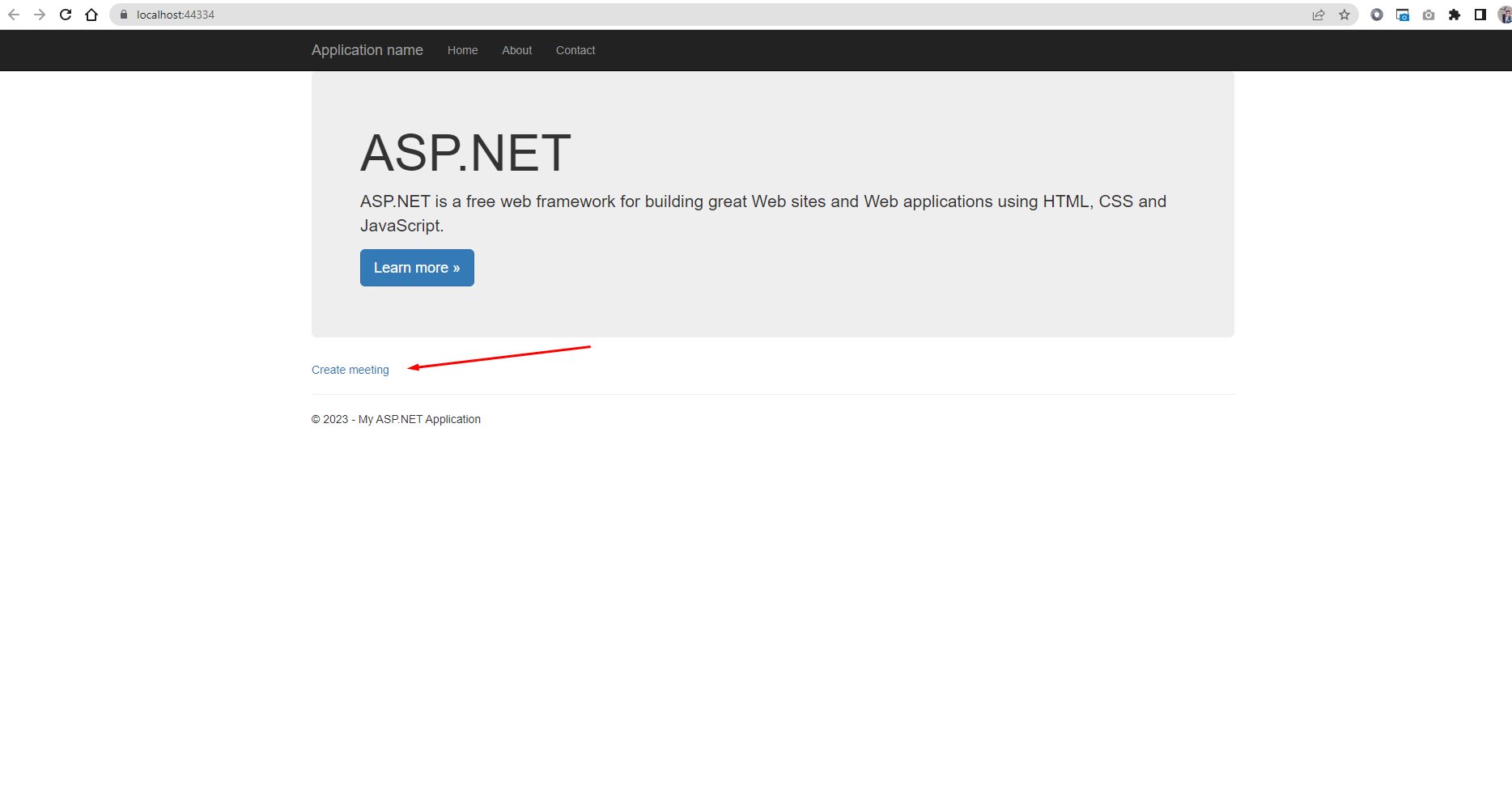
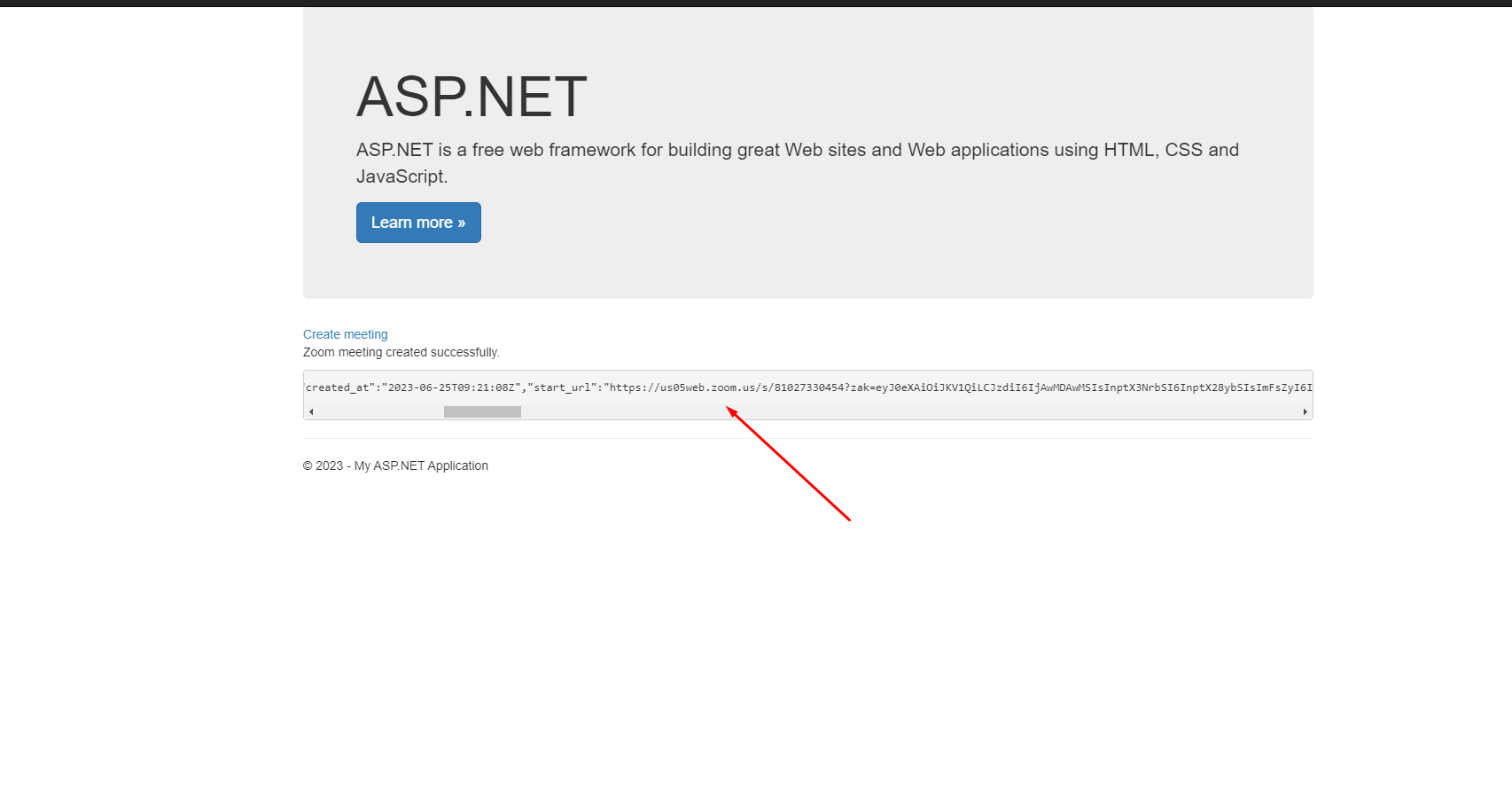
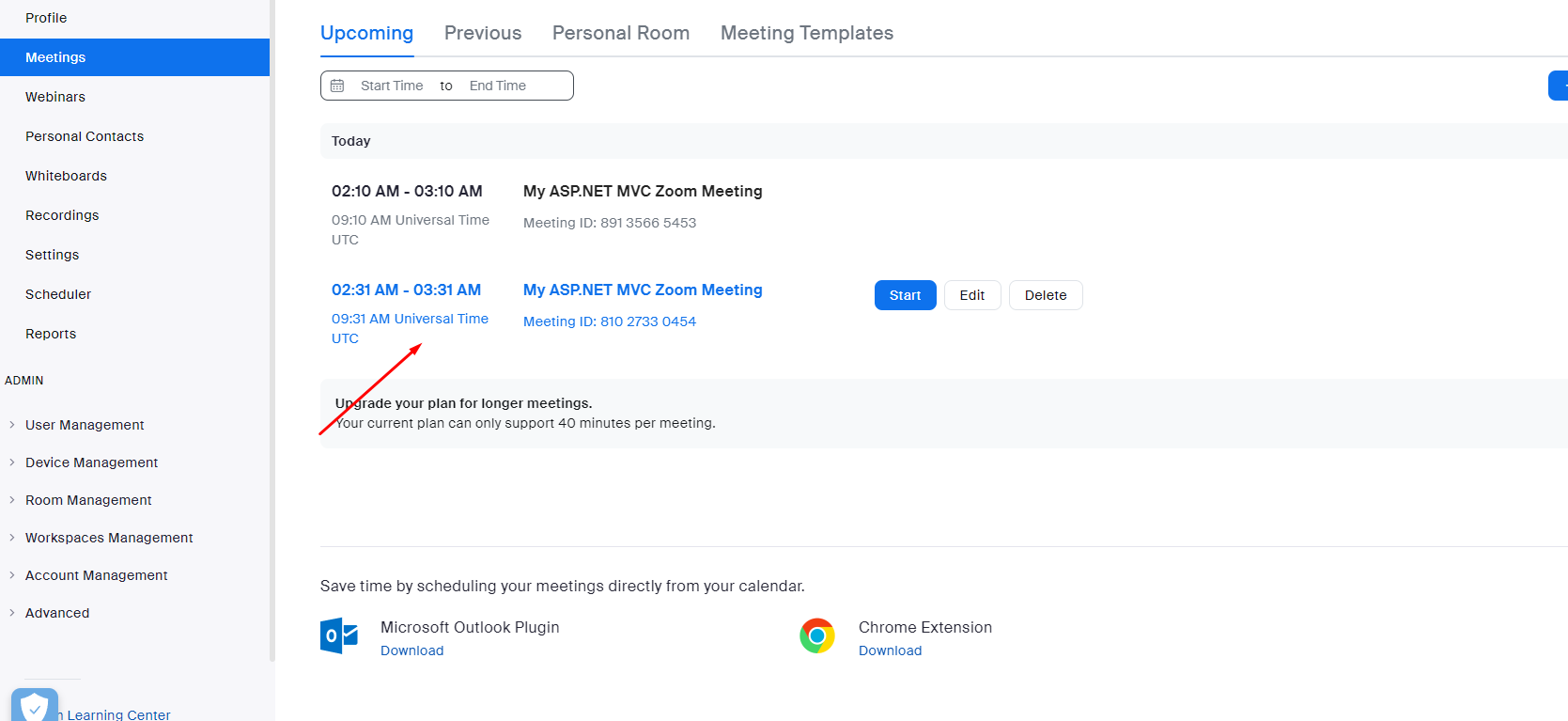
So this is how you can integrate zoom api in asp.net and we can using this for creating zoom meetings in asp.net mvc using zoom api.
