Setting up database on plesk server
Overview of Plesk and its Database Management
Plesk is a popular web hosting control panel that allows users to manage their websites, databases, and applications through an intuitive graphical interface. It simplifies many tasks, including database management, making it accessible even for those with limited technical knowledge. Understanding how to set up a database on a Plesk server is essential for deploying web applications that rely on data storage and retrieval.
In real-world scenarios, a well-configured database can enhance the performance of your web applications, ensure data integrity, and provide robust security measures. Whether you are hosting a small personal blog or a large e-commerce site, proper database setup is vital for functionality and user experience.
Prerequisites
Before diving into the setup process, ensure you have the following prerequisites:
- A Plesk account with the necessary permissions to create and manage databases.
- Basic knowledge of SQL and database concepts.
- Access to your web application's configuration files.
- A clear understanding of your application's database requirements, such as the database type (MySQL, PostgreSQL, etc.) and version compatibility.
Step 1: Logging into Your Plesk Account
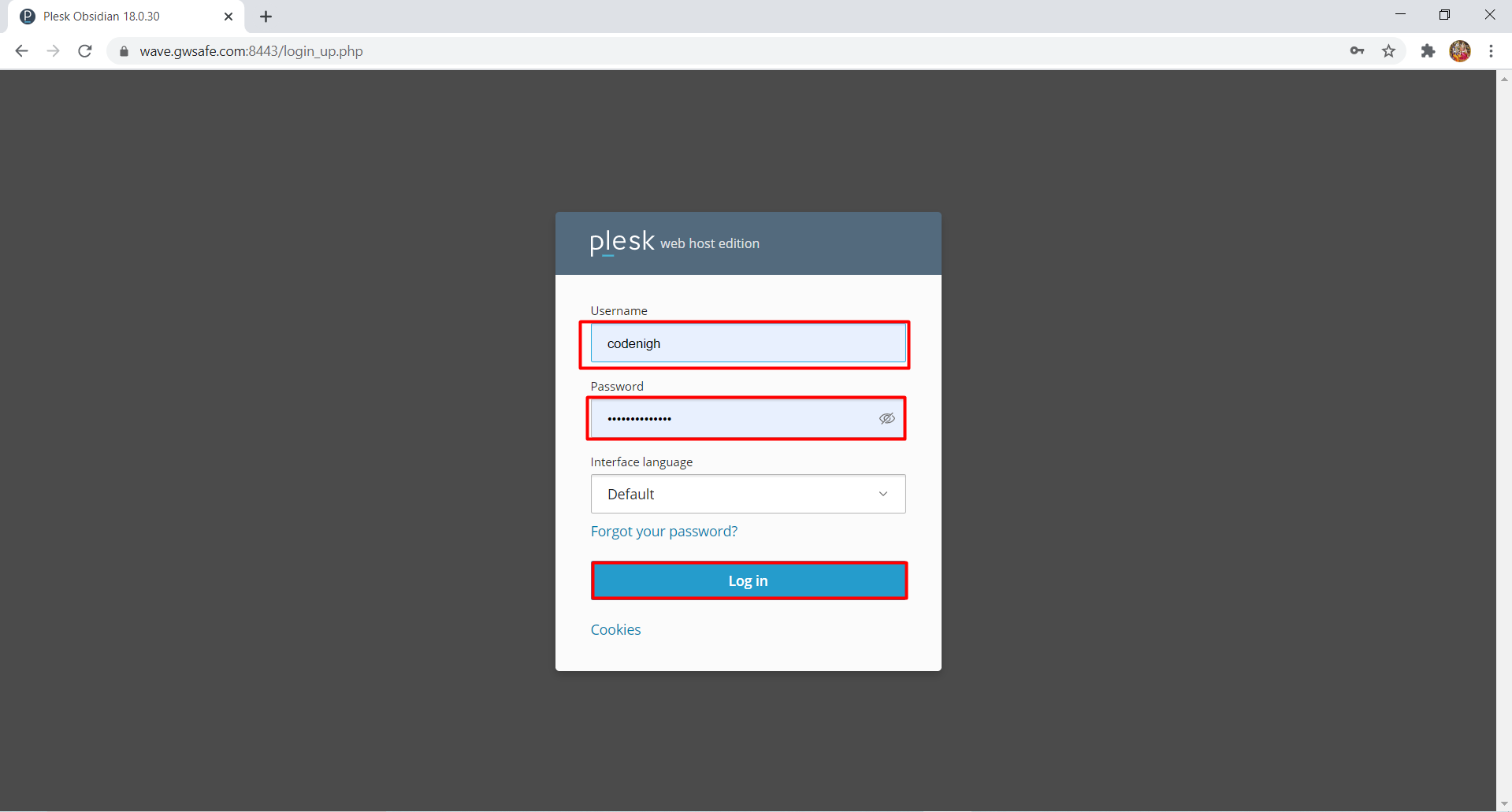
To start the database setup, you need to log in to your Plesk account. Open your web browser and navigate to your Plesk login page. Enter your credentials to access the dashboard.
Step 2: Navigating to the Database Section
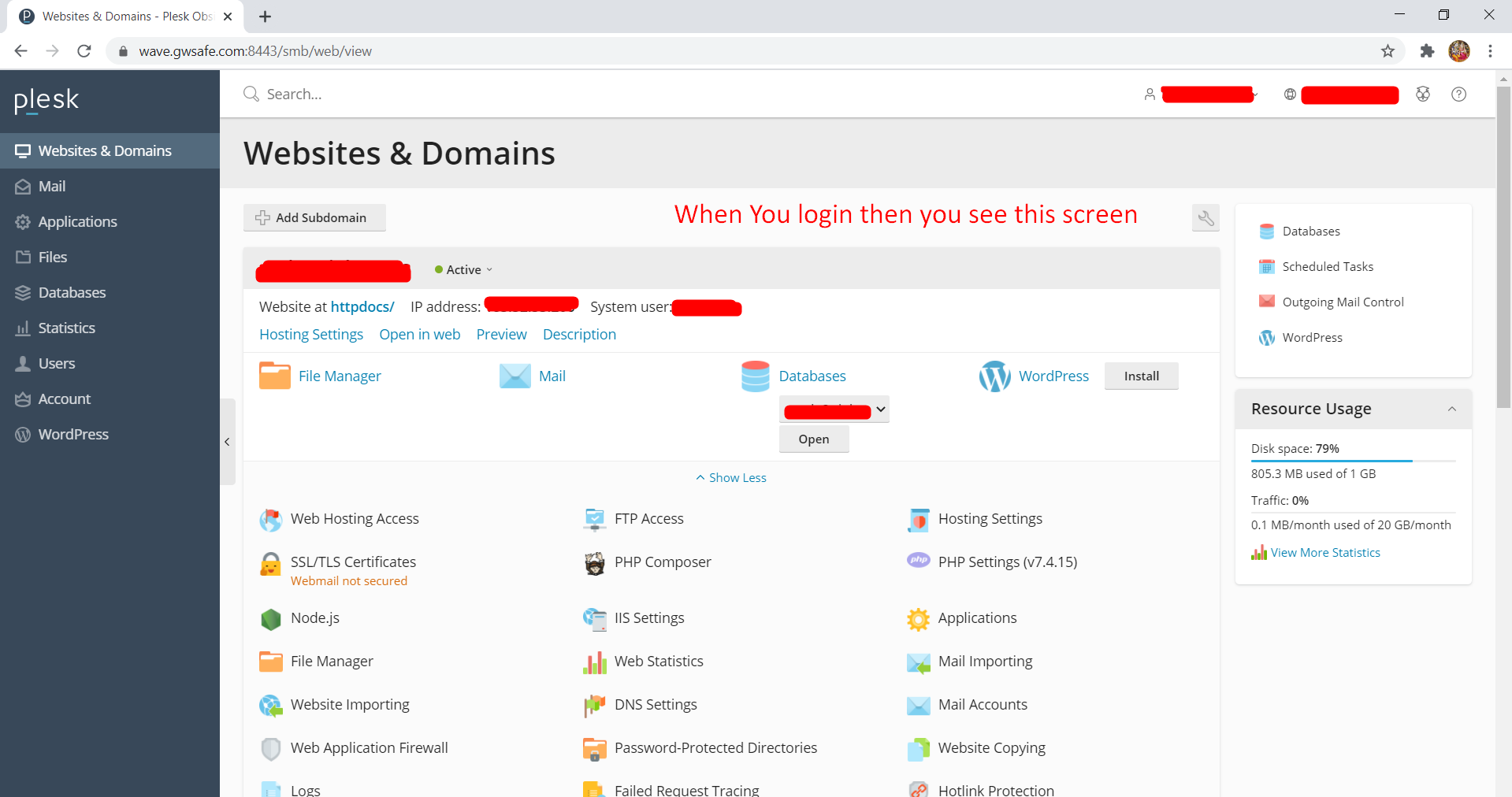
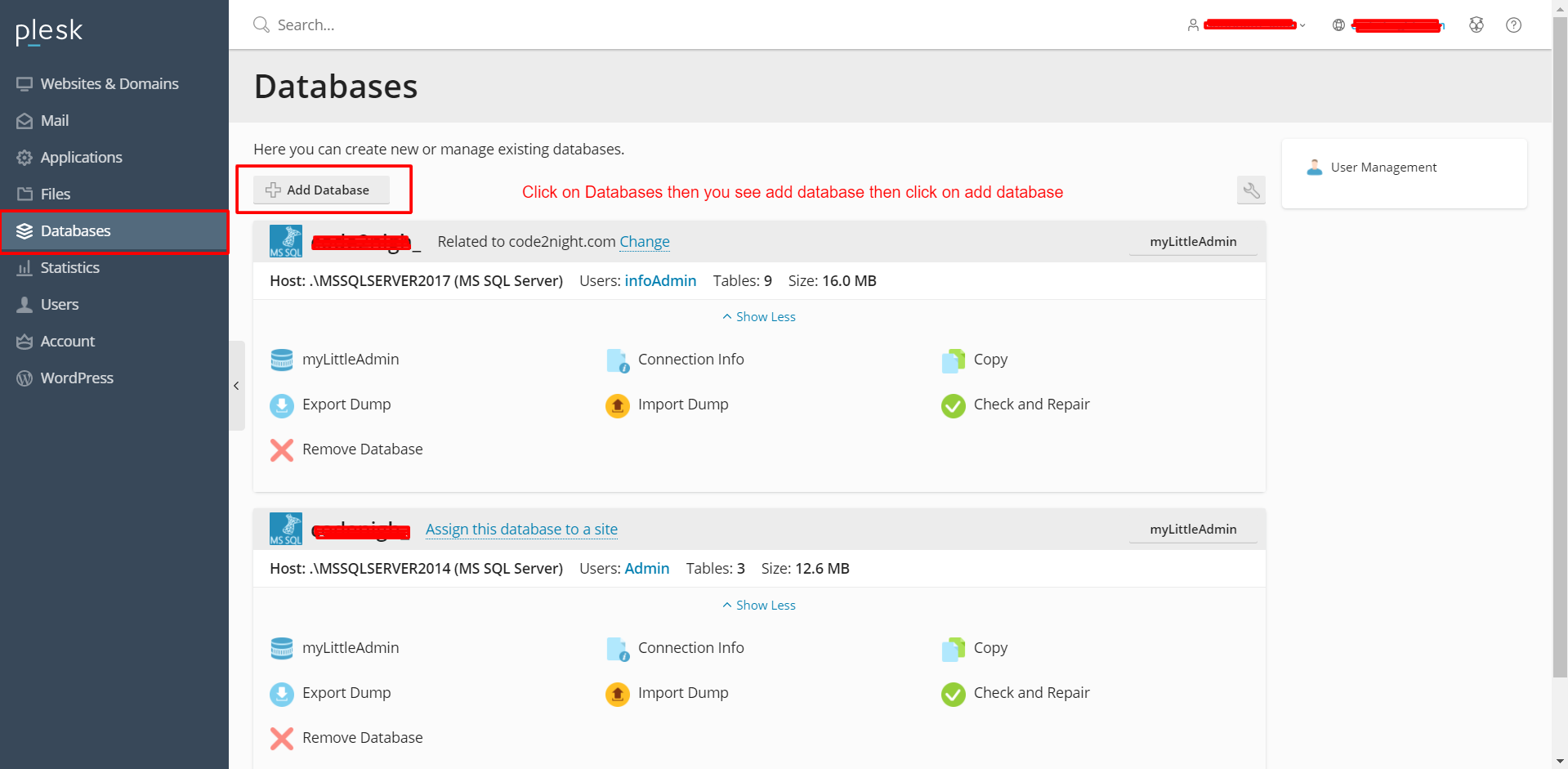
Once logged in, you will be presented with the Plesk dashboard. Locate the 'Databases' option on the left sidebar. Click on this option to view your existing databases and the option to create a new one.
Step 3: Adding a New Database
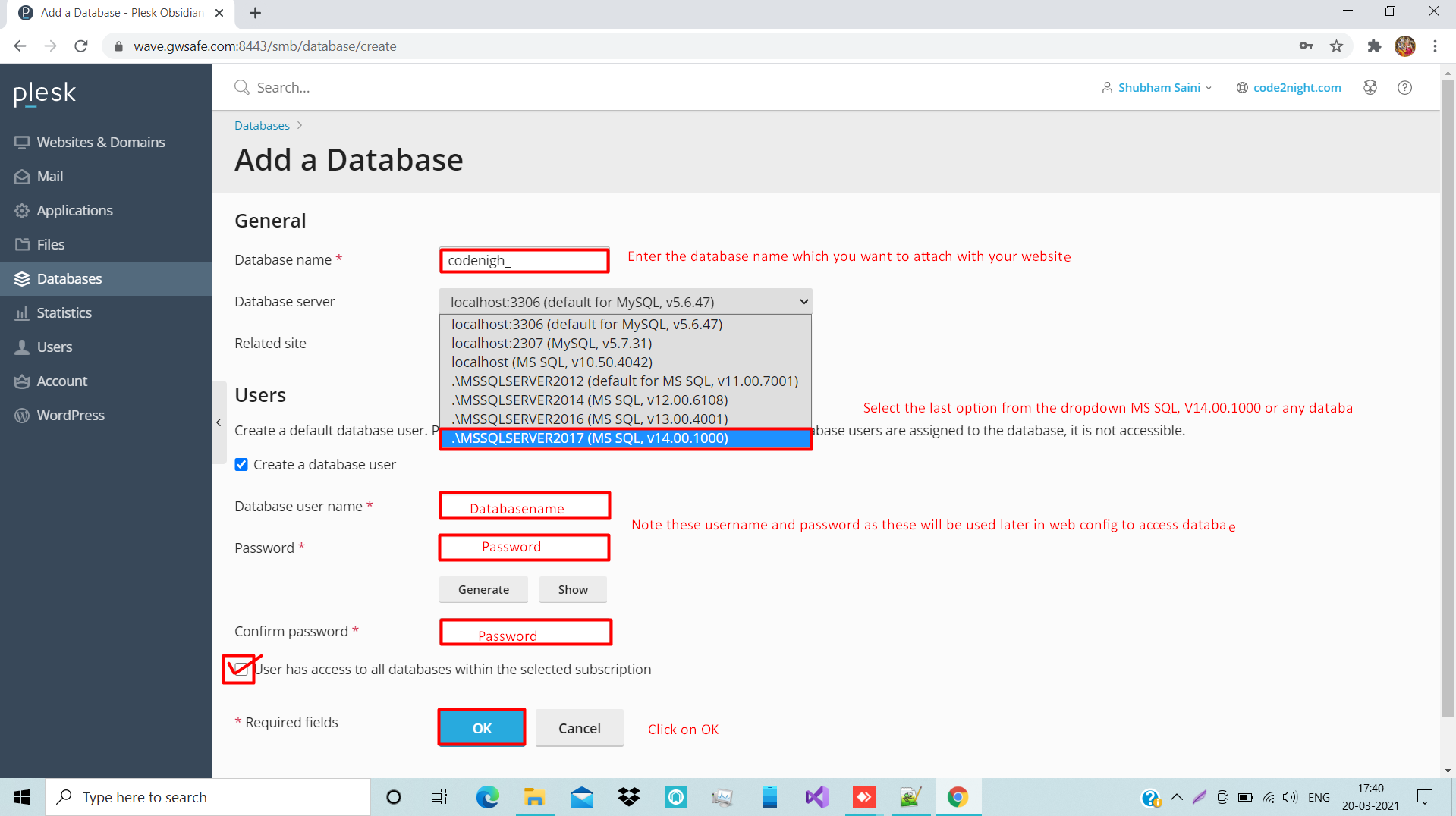
In the databases section, you will see an option labeled 'Add Database.' Click on this to initiate the database creation process. You will be prompted to enter details such as:
- Database Name: Choose a unique name for your database.
- Database Type: Select the type of database you wish to create (e.g., MySQL, PostgreSQL).
- Database User: Create a new user or select an existing one to manage the database.
After filling in the required information, click on the 'Add Database' button to create your new database.
Step 4: Configuring Database Users
After creating the database, it’s crucial to set up user permissions correctly. Navigate to the database you just created and click on the 'Users' tab. Here, you can manage user access by assigning specific privileges such as SELECT, INSERT, UPDATE, and DELETE. Proper user management is essential for maintaining database security and ensuring that only authorized personnel can access sensitive data.
Step 5: Connection String Configuration
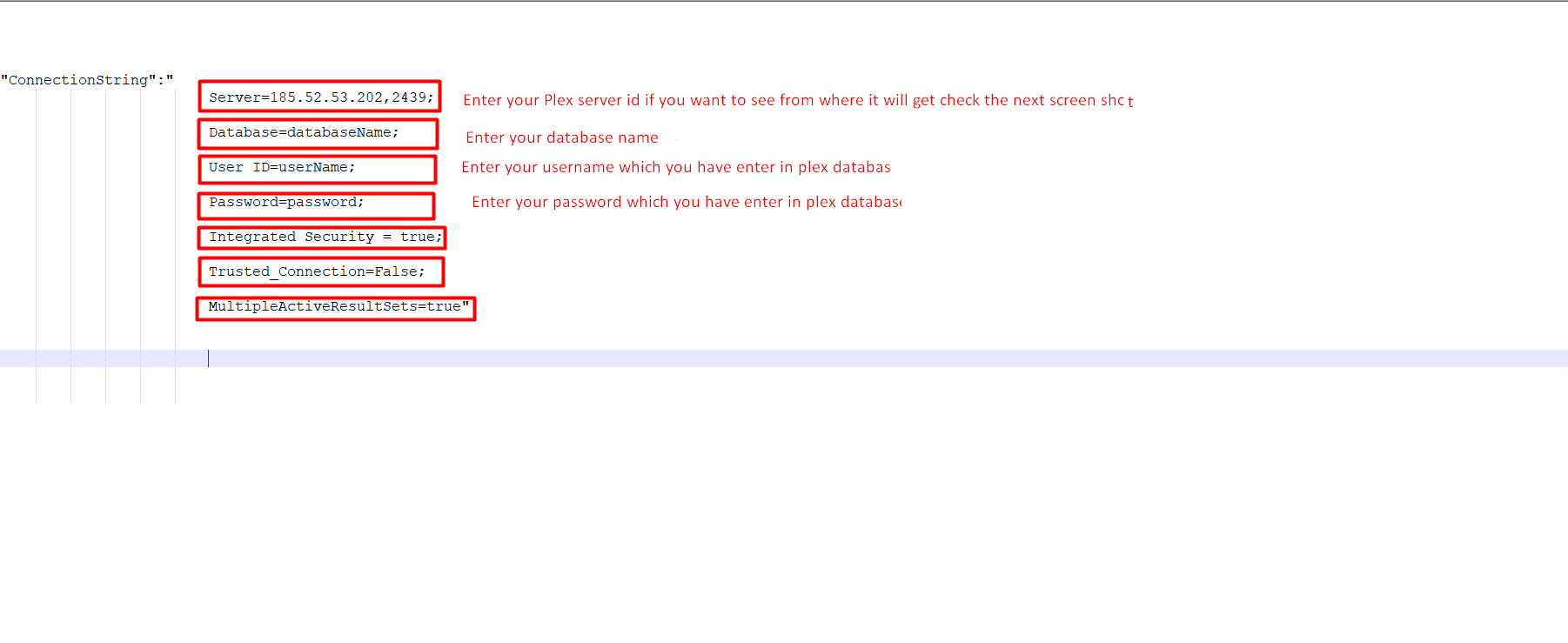
Once your database is created and users are configured, the next step is to establish a connection between your web application and the database. You will need to add the connection string to your application's configuration file (e.g., web.config for ASP.NET applications). Here's an example of what your connection string might look like:
"ConnectionString": "Server=189.52.51.202,2439;Database=databaseName;User ID=userName;Password=password;Integrated Security=true;Trusted_Connection=False;MultipleActiveResultSets=true"This connection string specifies the server address, database name, and authentication credentials required to connect to your newly created database.
Step 6: Finding Your Server IP Address
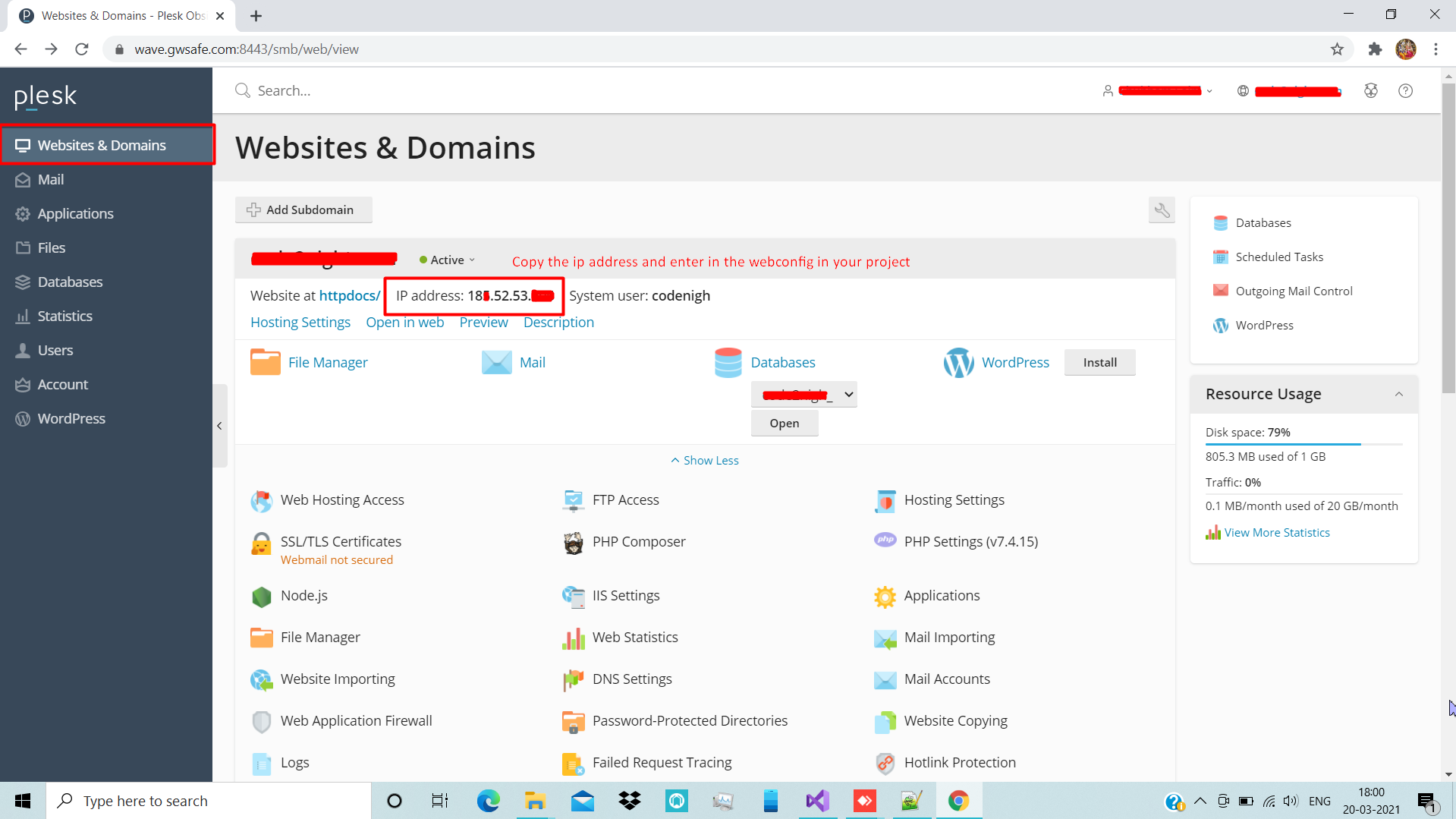
To ensure your application can connect to the database, you may need to know your server's IP address. To find this, click on the 'Websites & Domains' section in your Plesk dashboard. Here, you will see your server's IP address listed, which you can use in your connection string.
Edge Cases & Gotchas
When setting up a database on a Plesk server, be aware of potential pitfalls:
- Firewall Settings: Ensure that your server's firewall allows incoming connections on the port used by your database (e.g., 3306 for MySQL).
- Database Size Limits: Check if your hosting plan has any limitations on database size or the number of databases you can create.
- Backup and Recovery: Implement a backup strategy to prevent data loss. Plesk offers options for scheduled backups that you should configure.
Performance & Best Practices
To ensure optimal performance and security of your database, consider the following best practices:
- Use Strong Passwords: Always use complex passwords for database users to prevent unauthorized access.
- Regularly Update Software: Keep your Plesk installation and database software updated to the latest versions to benefit from security patches and performance improvements.
- Optimize Queries: Analyze and optimize your SQL queries to reduce load times and improve application performance.
- Monitor Performance: Utilize Plesk's monitoring tools to keep an eye on database performance metrics and identify any potential issues.
Conclusion
Setting up a database on a Plesk server is a straightforward process that involves several key steps. By following the guidelines outlined in this article, you can ensure a successful setup that meets your application's needs.
- Log in to your Plesk account and navigate to the databases section.
- Create a new database and configure user permissions appropriately.
- Add the correct connection string to your application’s configuration file.
- Be aware of edge cases like firewall settings and backup strategies.
- Follow best practices for database security and performance.