Complete Guide to Hashmap in Java with Examples and Best Practices
HashMap in Java
HashMap is a part of the Java Collections Framework and is an implementation of the Map interface. It provides a key-value pair data structure, where elements are stored as a combination of keys and their associated values. HashMap does not allow duplicate keys, but it allows multiple values to be mapped to the same key. It offers constant-time performance for basic operations like adding, removing, and retrieving elements. This makes it an ideal choice for scenarios where quick data retrieval is essential.
In real-world applications, HashMaps are often used for caching data, implementing lookup tables, and managing user sessions in web applications. Their ability to quickly access and modify data makes them invaluable in performance-critical applications.
Declaration and Initialization
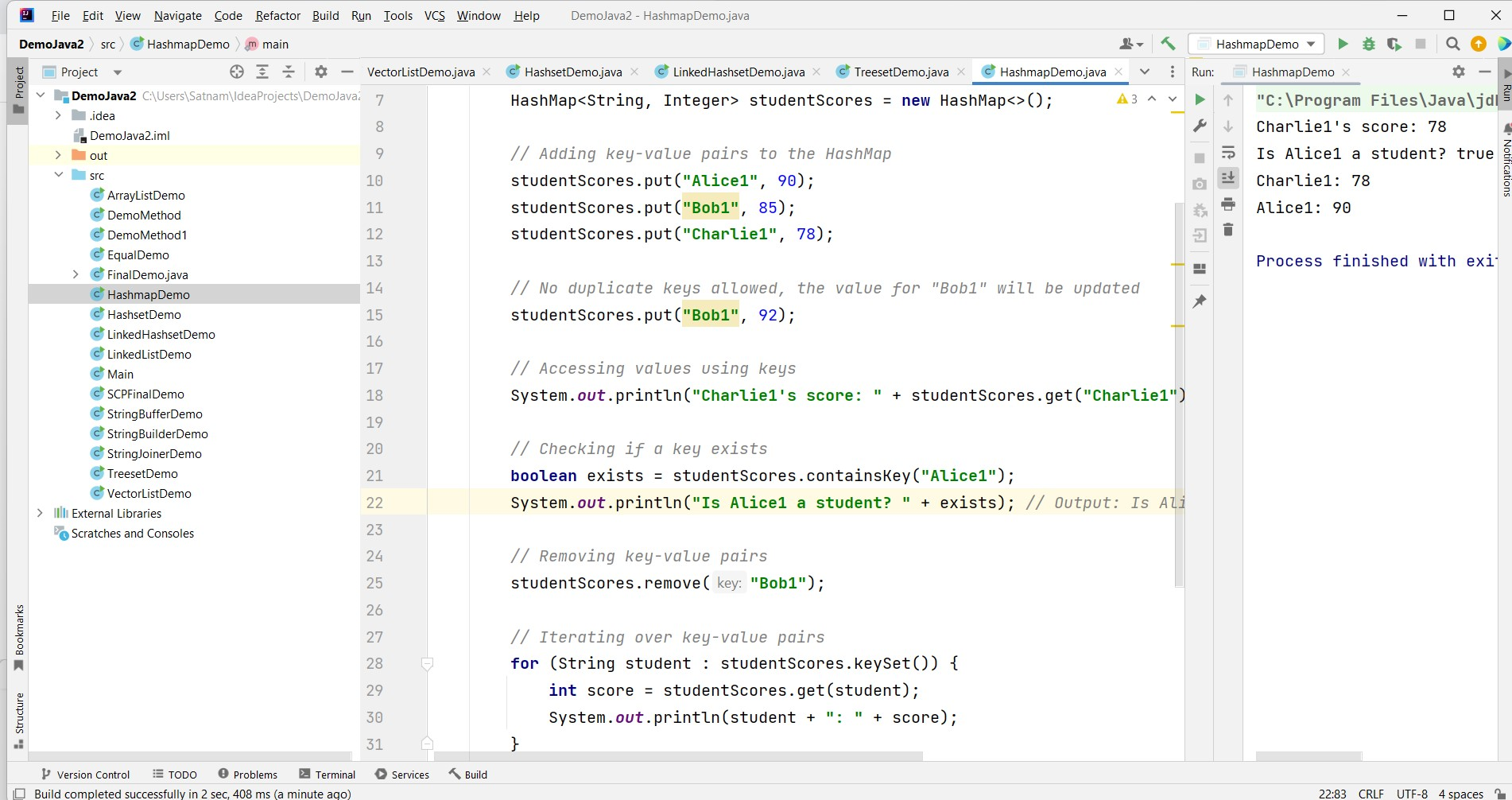
To use a HashMap in Java, you need to import the java.util.HashMap package. Here’s an example of declaring and initializing a HashMap:
import java.util.HashMap;

public class Example {
    public static void main(String[] args) {
        HashMap<String, Integer> studentScores = new HashMap<>();

        // Adding key-value pairs to the HashMap
        studentScores.put("Alice1", 90);
        studentScores.put("Bob1", 85);
        studentScores.put("Charlie1", 78);

        // No duplicate keys allowed, the value for "Bob1" will be updated
        studentScores.put("Bob1", 92);

        // Accessing values using keys
        System.out.println("Charlie1's score: " + studentScores.get("Charlie1")); // Output: Charlie1's score: 78

        // Checking if a key exists
        boolean exists = studentScores.containsKey("Alice1");
        System.out.println("Is Alice1 a student? " + exists); // Output: Is Alice1 a student? true

        // Removing key-value pairs
        studentScores.remove("Bob1");

        // Iterating over key-value pairs
        for (String student : studentScores.keySet()) {
            int score = studentScores.get(student);
            System.out.println(student + ": " + score);
        }
    }
}
Common HashMap Operations
Here are some commonly used operations with HashMaps:
put(key, value): Adds a key-value pair to the HashMap.get(key): Retrieves the value associated with the specified key.containsKey(key): Checks if the HashMap contains a specific key.remove(key): Removes the key-value pair with the specified key.size(): Returns the number of key-value pairs in the HashMap.
These operations are fundamental for manipulating data stored in HashMaps. For example, you can use the put method to add new entries or update existing ones, while get allows you to retrieve values based on their keys.
Handling Null Values
HashMap allows for one null key and multiple null values. This feature can be useful in scenarios where you need to represent the absence of a value or a key.
HashMap<String, String> map = new HashMap<>();
map.put(null, "No Key"); // Adding a null key
map.put("Key1", null); // Adding a null value
System.out.println(map.get(null)); // Output: No Key
System.out.println(map.get("Key1")); // Output: null
Iterating Over a HashMap
There are several ways to iterate over a HashMap in Java:
- Using keySet(): This method returns a set view of the keys contained in the map.
- Using entrySet(): This method returns a set view of the mappings contained in the map, allowing both keys and values to be accessed.
- Using forEach() method (Java 8+): This method allows for a more functional style of iteration.
// Using entrySet()
for (Map.Entry<String, Integer> entry : studentScores.entrySet()) {
    System.out.println(entry.getKey() + ": " + entry.getValue());
}

// Using forEach()
studentScores.forEach((key, value) -> System.out.println(key + ": " + value));
Edge Cases & Gotchas
When working with HashMaps, there are several edge cases and gotchas to be aware of:
- Concurrent Modification Exception: If a HashMap is modified while iterating over it using an iterator, a
ConcurrentModificationExceptionwill be thrown. To avoid this, useIterator’sremove()method or consider usingConcurrentHashMap. - Hash Collisions: If multiple keys hash to the same bucket, performance can degrade to O(n). It’s important to ensure that your keys have a good hash function.
- Order of Elements: HashMap does not guarantee any specific order of elements. If you need an ordered map, consider using
LinkedHashMap.
Performance & Best Practices
HashMap provides average time complexity of O(1) for the basic operations, but it can degrade to O(n) in the worst case due to hash collisions. Here are some best practices to follow:
- Initial Capacity and Load Factor: Set an initial capacity and load factor based on your expected data size to minimize rehashing.
- Use Immutable Keys: If possible, use immutable objects as keys to avoid unexpected behavior when keys are modified.
- Consider Thread Safety: If your application is multi-threaded, consider using
ConcurrentHashMapor synchronizing your HashMap manually. - Minimize Nulls: While HashMap allows nulls, it’s a good practice to avoid them to prevent confusion and potential errors.
Conclusion
In summary, HashMap is a versatile and efficient data structure in Java. By understanding its operations, handling edge cases, and following best practices, developers can leverage HashMaps effectively in their applications.
- HashMap provides O(1) average time complexity for basic operations.
- It allows one null key and multiple null values.
- Be mindful of concurrent modifications and potential hash collisions.
- Follow best practices for optimal performance and maintainability.