
How to implement Authorize.Net Payment gateway in asp.net mvc
Integrate Authorize.Net in ASP.NET MVC
Authorize.Net is a leading payment gateway that empowers businesses to securely accept online payments, providing a robust and reliable platform for processing credit card transactions. Specifically tailored for the ASP.NET framework, Authorize.Net seamlessly integrates into web applications, offering a straightforward and efficient way for developers to implement secure payment processing functionality. With its extensive features, including fraud detection, subscription billing, and mobile-friendly options, Authorize.Net has become a go-to solution for businesses seeking a trusted and scalable payment processing solution within the ASP.NET ecosystem.
In this blog, we will explore the key features and integration methods of Authorize.Net in ASP.NET, demonstrating how businesses can enhance their online payment capabilities while ensuring a seamless and secure customer experience.
Prerequisites
Before diving into the integration process, ensure you have the following prerequisites:
- A working ASP.NET MVC application.
- Basic understanding of C# and MVC architecture.
- Authorize.Net account with API Login ID and Transaction Key. You can sign up for a sandbox account for testing purposes.
- Visual Studio installed (preferably the latest version).
Setting Up Authorize.Net NuGet Package
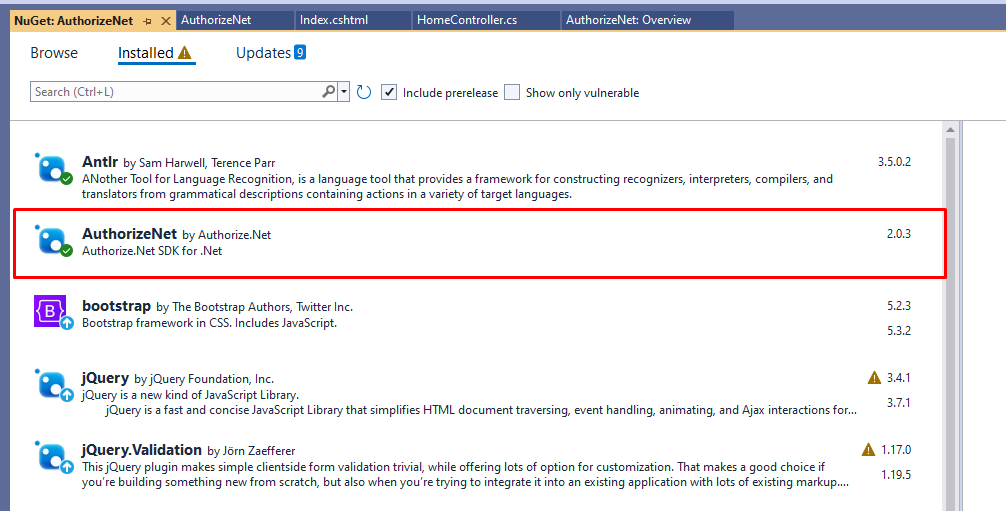
To begin the integration, you need to install the Authorize.Net NuGet package in your ASP.NET MVC application. This package contains the necessary libraries to interact with the Authorize.Net API.
Install-Package AuthorizeNetAfter installation, you will need to create a new controller where you will add the Authorize.Net integration code. This involves including specific namespaces that allow you to access the API's functionality.
using AuthorizeNet.Api.Contracts.V1;
using AuthorizeNet.Api.Controllers;
using AuthorizeNet.Api.Controllers.Bases;
Implementing Payment Processing Logic
Now, let's implement the payment processing logic in the controller. Below is a sample implementation of a controller named HomeController, which includes methods for initializing payment and redirecting to the payment page.
public class HomeController : Controller {
    private const string ApiLoginId = "48G3qPaLS";
    private const string TransactionKey = "7G5p3k5k4v8SJtRs";

    public ActionResult Index() {
        return View();
    }

    [HttpPost]
    public ActionResult ProcessPayment(string cardNumber, string expirationDate, decimal amount) {
        try {
            var creditCard = new creditCardType { cardNumber = cardNumber, expirationDate = expirationDate };
            var paymentType = new paymentType { Item = creditCard };
            var transactionRequest = new transactionRequestType { transactionType = transactionTypeEnum.authCaptureTransaction.ToString(), amount = amount, payment = paymentType };
            var request = new createTransactionRequest { transactionRequest = transactionRequest };
            ApiOperationBase<ANetApiRequest, ANetApiResponse>.RunEnvironment = AuthorizeNet.Environment.SANDBOX; // Change to AuthorizeNet.Environment.PRODUCTION for live transactions
            ApiOperationBase<ANetApiRequest, ANetApiResponse>.MerchantAuthentication = new merchantAuthenticationType { name = ApiLoginId, ItemElementName = ItemChoiceType.transactionKey, Item = TransactionKey };
            var controller = new createTransactionController(request);
            controller.Execute();
            var response = controller.GetApiResponse();
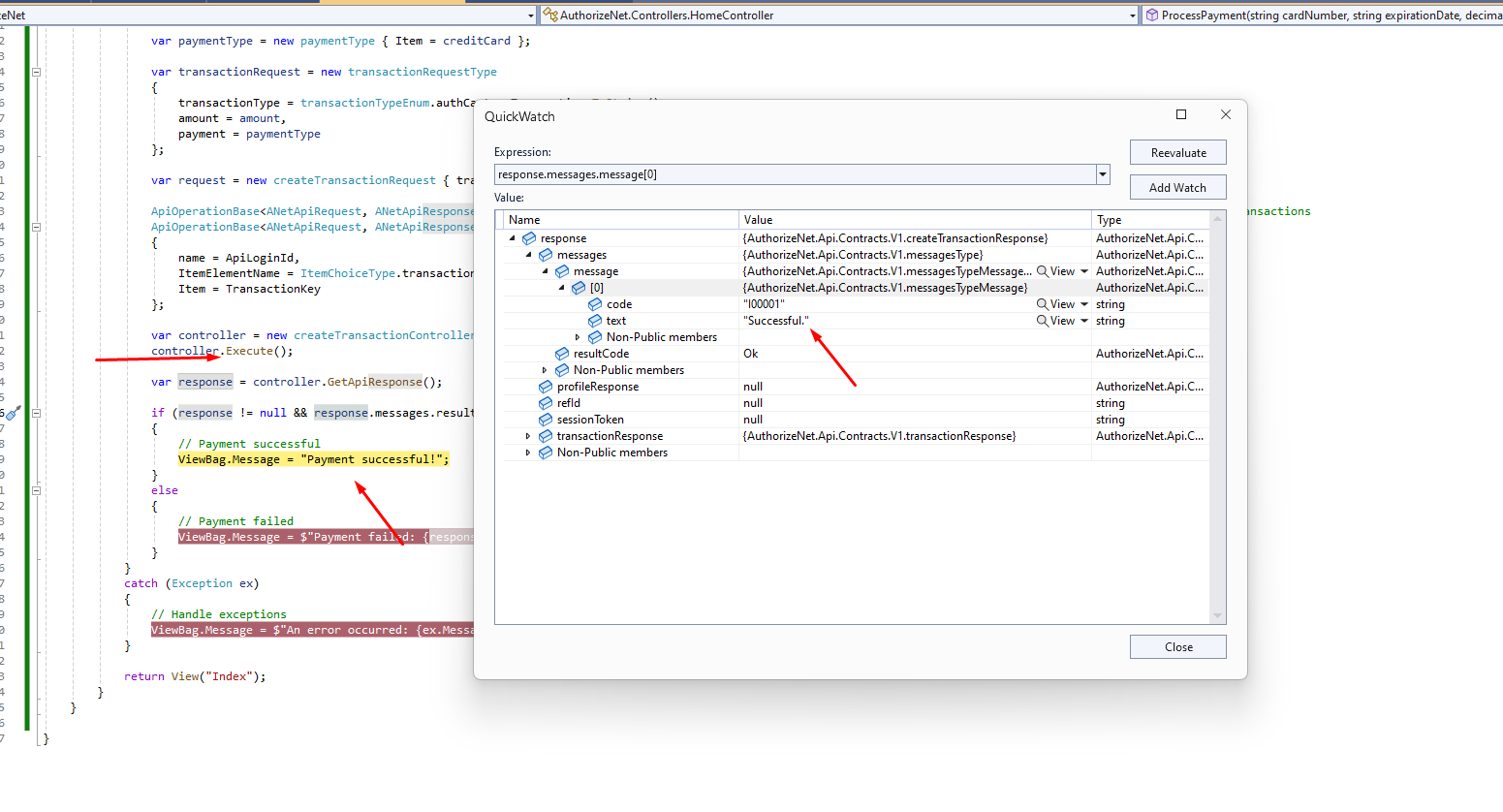
            if (response != null && response.messages.resultCode == messageTypeEnum.Ok) {
                // Payment successful
                ViewBag.Message = "Payment successful!";
            } else {
                // Payment failed
                ViewBag.Message = $"Payment failed: {response?.messages?.message?[0]?.text}";
            }
        } catch (Exception ex) {
            // Handle exceptions
            ViewBag.Message = $"An error occurred: {ex.Message}";
        }
        return View("Index");
    }
}
In this code, ensure to replace the API Login ID and Transaction Key with your actual credentials from your Authorize.Net account.
Creating the Payment View
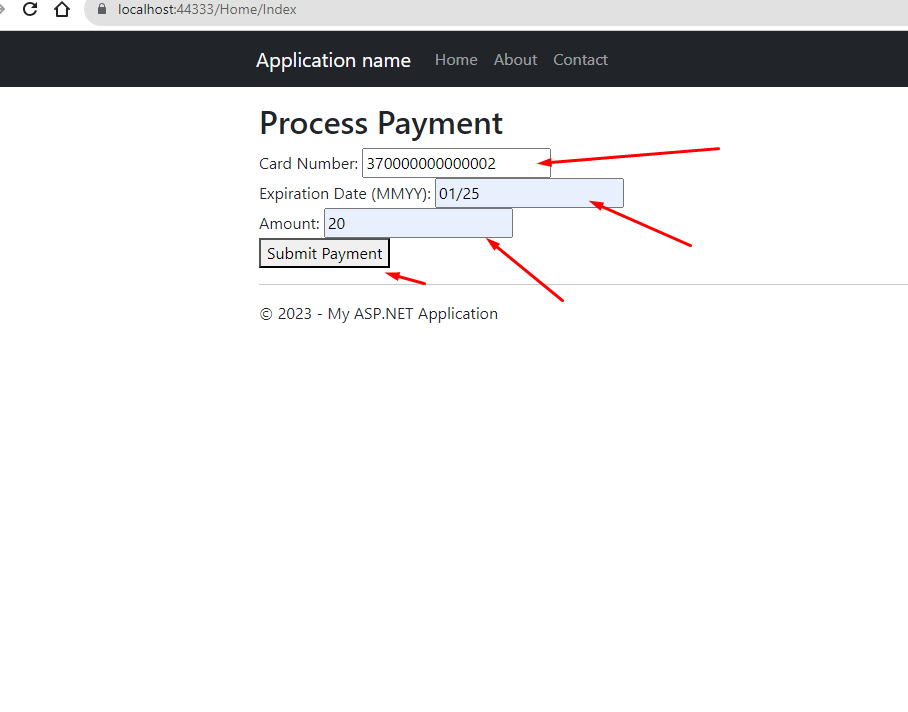
Next, we need to create a view that allows users to input their card details. This view will collect the card number, expiration date, and the amount to be charged. Below is an example of a simple payment form:
@{
    ViewBag.Title = "Process Payment";
}
Process Payment
@using (Html.BeginForm("ProcessPayment", "Home", FormMethod.Post)) {
    <div>
        <label for="cardNumber">Card Number:</label>
        <input type="text" name="cardNumber" required />
    </div>
    <div>
        <label for="expirationDate">Expiration Date (MMYY):</label>
        <input type="text" name="expirationDate" required />
    </div>
    <div>
        <label for="amount">Amount:</label>
        <input type="number" name="amount" step="0.01" required />
    </div>
    <button type="submit">Pay Now</button>
}
Handling Responses and Errors
After processing the payment, it's crucial to handle the responses and potential errors correctly. The response from Authorize.Net can vary based on the outcome of the transaction. Below are some common scenarios and how to handle them:
- Successful Payment: If the payment is successful, you can display a success message and redirect the user to a confirmation page.
- Failed Payment: If the payment fails, you should inform the user of the failure and provide details if available, such as the reason for the failure.
- Exceptions: Always catch exceptions that may occur during the payment process to prevent application crashes and provide user-friendly error messages.
Edge Cases & Gotchas
When integrating payment gateways like Authorize.Net, it's essential to consider various edge cases and potential pitfalls:
- Invalid Card Information: Always implement validation to check the card number and expiration date format before sending requests to Authorize.Net.
- Network Issues: Handle network-related exceptions gracefully. If a request to Authorize.Net fails due to network issues, inform the user and possibly allow them to retry.
- Sandbox vs. Production: Ensure that you switch the environment from Sandbox to Production only after thorough testing.
Performance & Best Practices
To ensure optimal performance and security when using the Authorize.Net payment gateway, consider the following best practices:
- Use HTTPS: Always ensure your application is served over HTTPS to protect sensitive information during transactions.
- Tokenization: Consider using tokenization to avoid handling sensitive card information directly. This can enhance security and reduce PCI compliance scope.
- Logging: Implement logging for transaction requests and responses for debugging and auditing purposes.
- User Experience: Provide clear feedback to users during the payment process, such as loading indicators or success messages, to enhance the user experience.
Conclusion
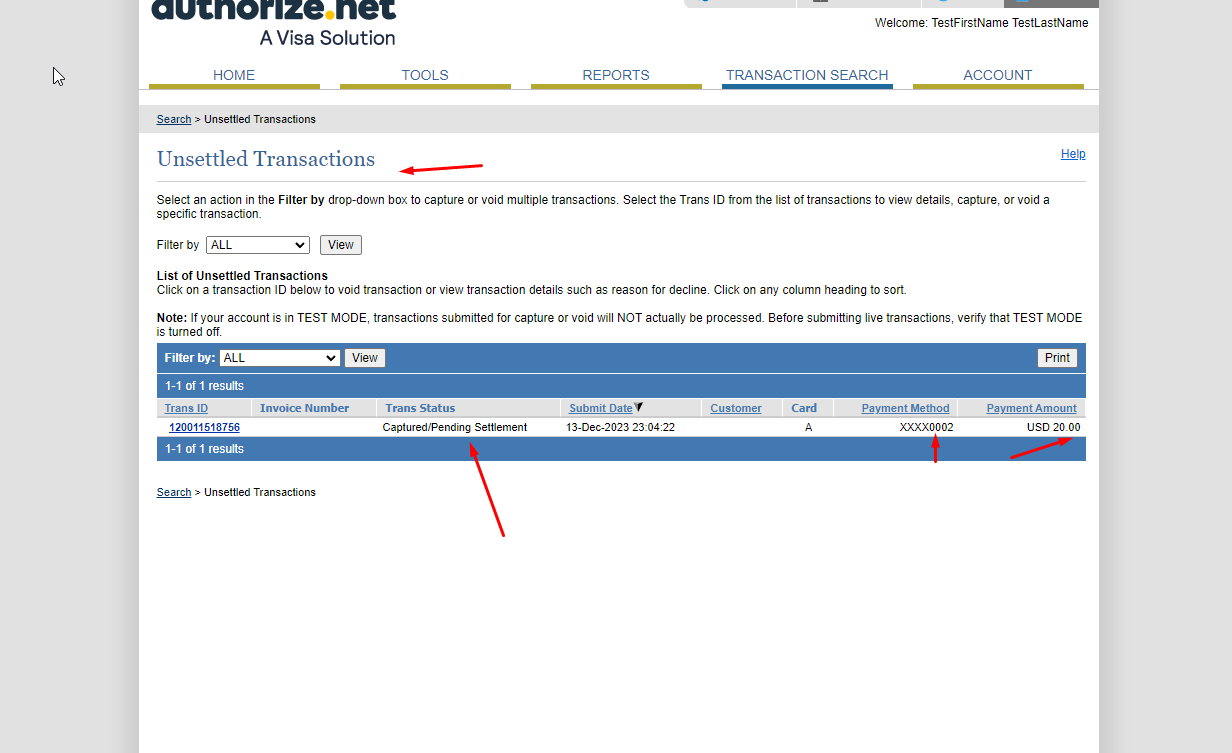
Integrating Authorize.Net into your ASP.NET MVC application can significantly enhance your payment processing capabilities. By following the steps outlined in this article, you can create a secure and efficient payment experience for your customers. Here are the key takeaways:
- Authorize.Net provides a reliable platform for processing online payments.
- Understanding the prerequisites and proper setup is crucial for a successful integration.
- Handling responses and errors effectively can improve user experience.
- Adhering to best practices ensures security and performance.
