
Code2night
  • Home
  • Guest Posts
  • Tutorial
  • Languages
  • Post Blog
  • Tools
    • JSON Beautifier
    • HTML Beautifier
    • XML Beautifier
    • CSS Beautifier
    • JS Beautifier
    • PDF Editor
    • Word Counter
    • Base64 Encode/Decode
    • Diff Checker
    • JSON to CSV
    • Password Generator
  • Register
  • Login
  1. Home
  2. Blogpost

Send SMS using Twillio in Asp.Net MVC

Date- Oct 13,2022

6050

Free Download Pay & Download
Twillio Twillio In AspNet

Installing the Twilio NuGet package

NuGet\Install-Package Twilio.AspNet.Mvc -Version 6.0.0

After installing the Twilio package, we are going to modify the web config with the account SID and the auth token found from the Twilio dashboard

  <appSettings>
    <add key="config:AccountSid" value="AC3936d9aqq2323fedbdddd0ecd6df37199" /> <!--Replace with your AccountSid-->
    <add key="config:AuthToken" value="52b86f79c19bsassasasas704110dddddc26" />  <!--Replace with your AuthToken-->
    <add key="config:TwilioPhoneNum" value="+1845344098435" />  <!--Replace with your TwilioPhoneNum-->
  </appSettings>

The next part of our application is the API controller that will receive our requests. Let’s create the SmsController class within a Controllers folder:

using System;
using System.Configuration;
using System.Web.Mvc;
using Twilio;
using Twilio.Rest.Api.V2010.Account;

namespace TwillioMVC.Controllers
{
    public class SmsController : Controller
    {
        // GET: Sms
        public ActionResult Index()
        {
            return View();
        }
         
        public ActionResult Create()
        {
            string accountSid = Convert.ToString(ConfigurationManager.AppSettings["config:AccountSid"]);
            string authToken = Convert.ToString(ConfigurationManager.AppSettings["config:AuthToken"]);
            string phone = Convert.ToString(ConfigurationManager.AppSettings["config:TwilioPhoneNum"]);
            TwilioClient.Init(accountSid, authToken);
            var message = MessageResource.Create(
            body: "Hello Code2night " + DateTime.Now.ToString("MM/dd/yyyy hh:mm tt"),
            from: new Twilio.Types.PhoneNumber(phone),
            to: new Twilio.Types.PhoneNumber("+919034589555")
        );
            ViewData["Success"] = message.Sid;
            return View();
        }

    }
}
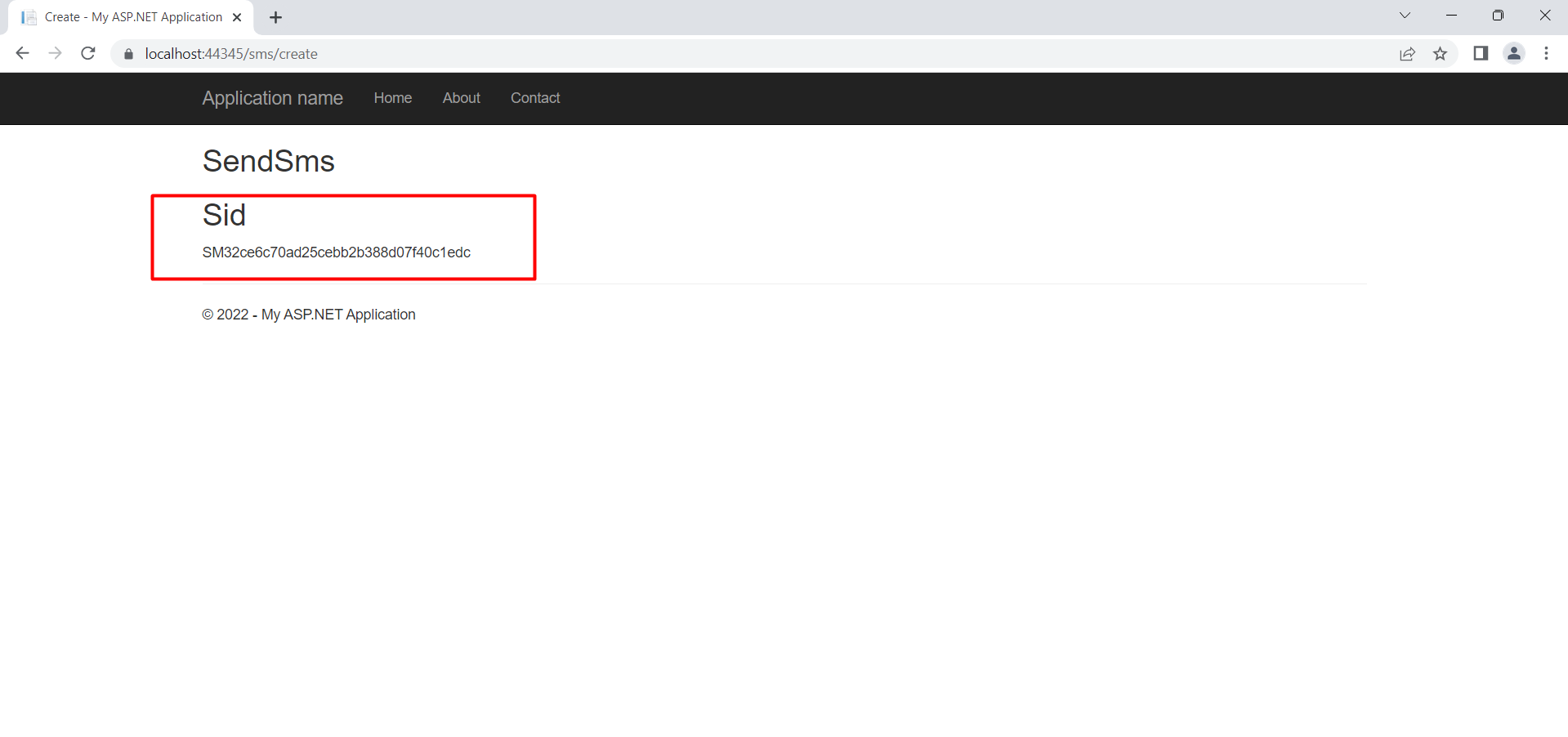
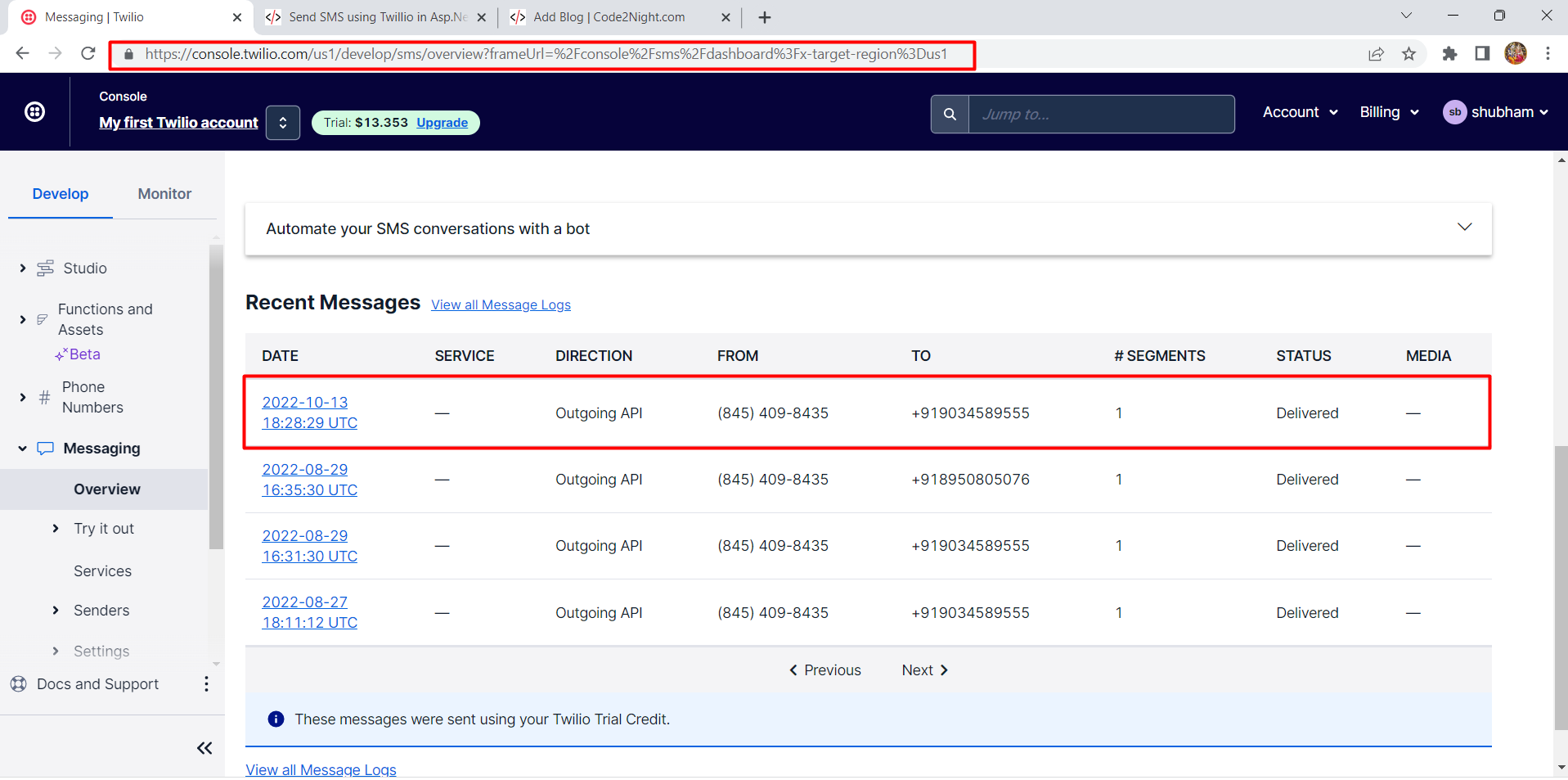
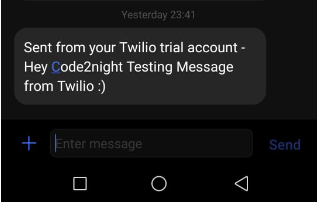
So, this is how we can integrate Twillio in Asp.net  and send sms using Twillio in Asp.net.

S
Shubham Batra
Programming author at Code2Night — sharing tutorials on ASP.NET, C#, and more.
View all posts →

Related Articles

Send SMS using Twillio in Asp.Net
Aug 27, 2022
How to make Voice Call using Twillio in Asp.Net MVC
Jan 29, 2024
Get SMS Logs from Twillio in Asp.Net MVC
Oct 17, 2022

Comments

Tags

AspNet
C#
programming
AspNet MVC
c programming
AspNet Core
C
software development
tutorial
MVC
memory management
Paypal
coding
coding best practices
data structures
programming tutorial
tutorials
object oriented programming
Slick Slider
StripeNet
Free Download for Youtube Subscribers!

First click on Subscribe Now and then subscribe the channel and come back here.
Then Click on "Verify and Download" button for download link

Subscribe Now | 1760
Download
Support Us....!

Please Subscribe to support us

Thank you for Downloading....!

Please Subscribe to support us

Continue with Downloading
Be a Member
Join Us On Whatsapp Join Us On Facebook
Code2Night

A community platform for sharing programming knowledge, tutorials, and blogs. Learn, write, and grow with developers worldwide.

Panipat, Haryana, India
info@code2night.com
Quick Links
  • Home
  • Blogs
  • Tutorials
  • About Us
  • Contact
  • Privacy Policy
  • Terms & Conditions
  • Guest Posts
Free Dev Tools
  • JSON Beautifier
  • HTML Beautifier
  • CSS Beautifier
  • JS Beautifier
  • Password Generator
  • QR Code Generator
  • Hash Generator
  • Diff Checker
  • Base64 Encode/Decode
  • Word Counter
By Language
© 2026 Code2Night. All Rights Reserved.
Made with for developers  |  Privacy  ·  Terms
Translate Page