
How to implement JWT Token in Asp.Net core 7
JWT
JSON Web Token (JWT) is an open standard that defines a compact way for securely transmitting information between parties as a JSON object. It is often used in web applications to securely keep user-related data or claims which can be verified easily,
So in this we will use two different projects from same solution . One will be the web app and the second will be the web api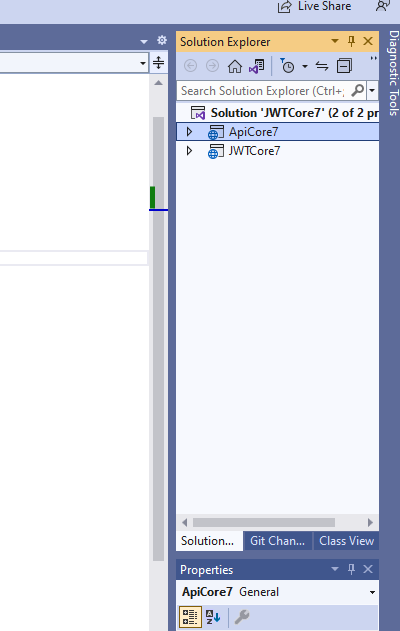
So first of all we have to install the Nuget package in the .net core 7.0 web application which is shown in the image below:-
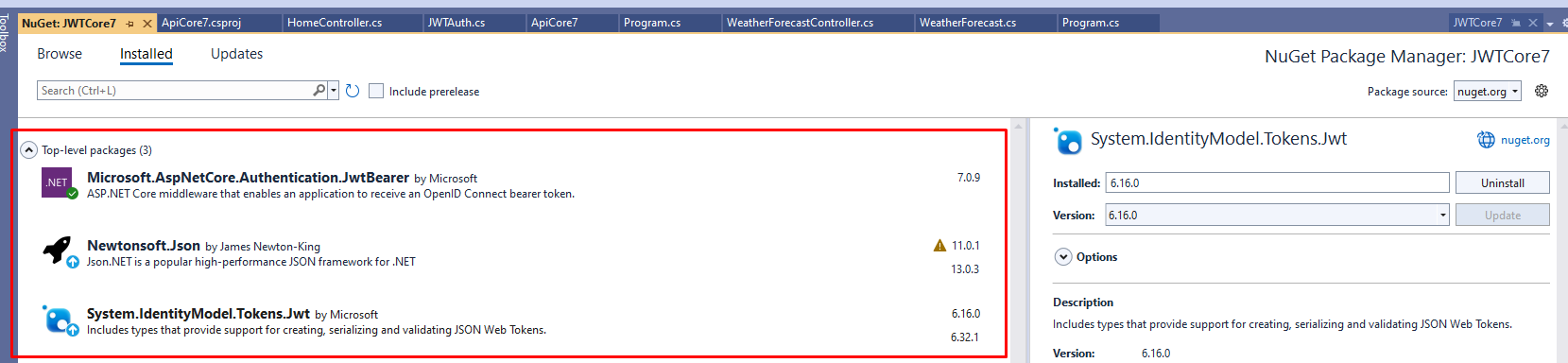
Now on the Home controller or the controller where you want to login and get a token you have to write following code. In the Index action here we are passing the login credentials to the .net core 7 web api and the api will return back the jwt token for valid authentication
    using JWTCore7.Models;
using Microsoft.AspNetCore.Mvc;
using Microsoft.AspNetCore.WebUtilities;
using Newtonsoft.Json;
using System.Diagnostics;
using System.Text.Json.Serialization;
using System.Net.Http.Headers;
namespace JWTCore7.Controllers
{
    public class HomeController : Controller
    {
        private readonly ILogger<HomeController> _logger;
        private readonly IHttpClientFactory _httpClientFactory;

        public HomeController(ILogger<HomeController> logger, IHttpClientFactory httpClientFactory)
        {
            _logger = logger;
            _httpClientFactory = httpClientFactory;
        }

        public async Task<IActionResult> Index()
        {
            var httpClient = _httpClientFactory.CreateClient();

            // Set the base address of the API
            httpClient.BaseAddress = new Uri("https://localhost:7012/");

            try
            {
                // Make the API call
                var parameters = new Dictionary<string, string>
                {
                    { "username", "Admin" },
                    { "password", "123" }
                };

                // Add the parameters to the request URL as query string
                var requestUrl = QueryHelpers.AddQueryString("/WeatherForecast/Login/login", parameters);

                // Make the API call with the updated URL
                var response = await httpClient.GetAsync(requestUrl);


                // Check if the request was successful
                //response.EnsureSuccessStatusCode();

                // Read the response content as a string
                var content = await response.Content.ReadAsStringAsync();
                var token = JsonConvert.DeserializeObject<JWTAuth>(content);
                // Return the API response

                // Create the cookie options
                var cookieOptions = new CookieOptions
                {
                    // Set other properties as needed
                    Expires = DateTime.Now.AddDays(1),
                    HttpOnly = true,
                    Secure = true, // Set to true if your site uses HTTPS
                    SameSite = SameSiteMode.Strict // Adjust this based on your requirements
                };

                // Set the cookie with the string data
                HttpContext.Response.Cookies.Append("token", token.token, cookieOptions);

            }
            catch (HttpRequestException ex)
            {
                // Handle API call errors
                Console.WriteLine($"API call failed: {ex.Message}");
                return null;
            }
            return View();
        }


    }
}
Now in the .net core 7 api project we will add following code which will verify login details and then return back the jwt token
  using Microsoft.AspNetCore.Authorization;
using Microsoft.AspNetCore.Mvc;
using Microsoft.IdentityModel.Tokens;
using System.IdentityModel.Tokens.Jwt;
using System.Runtime.CompilerServices;
using System.Security.Claims;
using System.Text;

namespace ApiCore7.Controllers
{
    [ApiController]
    [Route("[controller]/[action]")]
    public class WeatherForecastController : ControllerBase
    {
        private static readonly string[] Summaries = new[]
        {
            "Freezing", "Bracing", "Chilly", "Cool", "Mild", "Warm", "Balmy", "Hot", "Sweltering", "Scorching"
        };

        private readonly ILogger<WeatherForecastController> _logger;
        public WeatherForecastController(ILogger<WeatherForecastController> logger)
        {
            _logger = logger;
        }
        private string GenerateJwtToken(string username)
        {
            var tokenHandler = new JwtSecurityTokenHandler();
            var key = Encoding.UTF8.GetBytes("C1CF4B7DC4C4175B6618DE4F55CA4"); // Replace with your secret key
            var tokenDescriptor = new SecurityTokenDescriptor
            {
                Subject = new ClaimsIdentity(new[]
                {
                new Claim(ClaimTypes.Name, username)
            }),
                Expires = DateTime.UtcNow.AddHours(1), // Token expiration time
                SigningCredentials = new SigningCredentials(new SymmetricSecurityKey(key), SecurityAlgorithms.HmacSha256Signature)
            };

            var token = tokenHandler.CreateToken(tokenDescriptor);
            return tokenHandler.WriteToken(token);
        }

        [HttpGet("login")]
        public IActionResult Login(string username,string password)
        {
            // Your login logic here...
            // After successful authentication, generate the JWT token
            // Replace with the authenticated user's username
            if (username == "Admin" && password == "123")
            {
                var token = GenerateJwtToken(username);

                // Return the token in the response
                return Ok(new { Token = token });
            }
            else
            {
                return Ok(new { Token = "" });
            }
        }
        [HttpGet(Name = "GetWeatherForecast")]
        [Authorize]
        public IEnumerable<WeatherForecast> Get()
        {
            return Enumerable.Range(1, 5).Select(index => new WeatherForecast
            {
                Date = DateOnly.FromDateTime(DateTime.Now.AddDays(index)),
                TemperatureC = Random.Shared.Next(-20, 55),
                Summary = Summaries[Random.Shared.Next(Summaries.Length)]
            })
            .ToArray();
        }
    }
}
After getting the token in the Index method we are setting that in the cookie and then we will send that in the next api call which will require the jwt token . You can get the code of how to send jwt token below
  public async Task<IActionResult> GetAuthorizedData()
        {
            var httpClient = _httpClientFactory.CreateClient();
            var jwtToken = "";
            HttpContext.Request.Cookies.TryGetValue("token", out  jwtToken);

            // Set the base address of the API
            httpClient.BaseAddress = new Uri("https://localhost:7012/");

            httpClient.DefaultRequestHeaders.Add("Authorization", $"Bearer {jwtToken}");

            try
            {

                // Make the API call with the updated URL
                var response = await httpClient.GetAsync("/WeatherForecast/Get");


                // Check if the request was successful
                //response.EnsureSuccessStatusCode();

                // Read the response content as a string
                var content = await response.Content.ReadAsStringAsync();


            }
            catch (HttpRequestException ex)
            {
                // Handle API call errors
                Console.WriteLine($"API call failed: {ex.Message}");
                return null;
            }
            return View("Index");
        }
In this we are sending the jwt token and on the api controller you will see we have used the Authorize attribute to authorize the token.
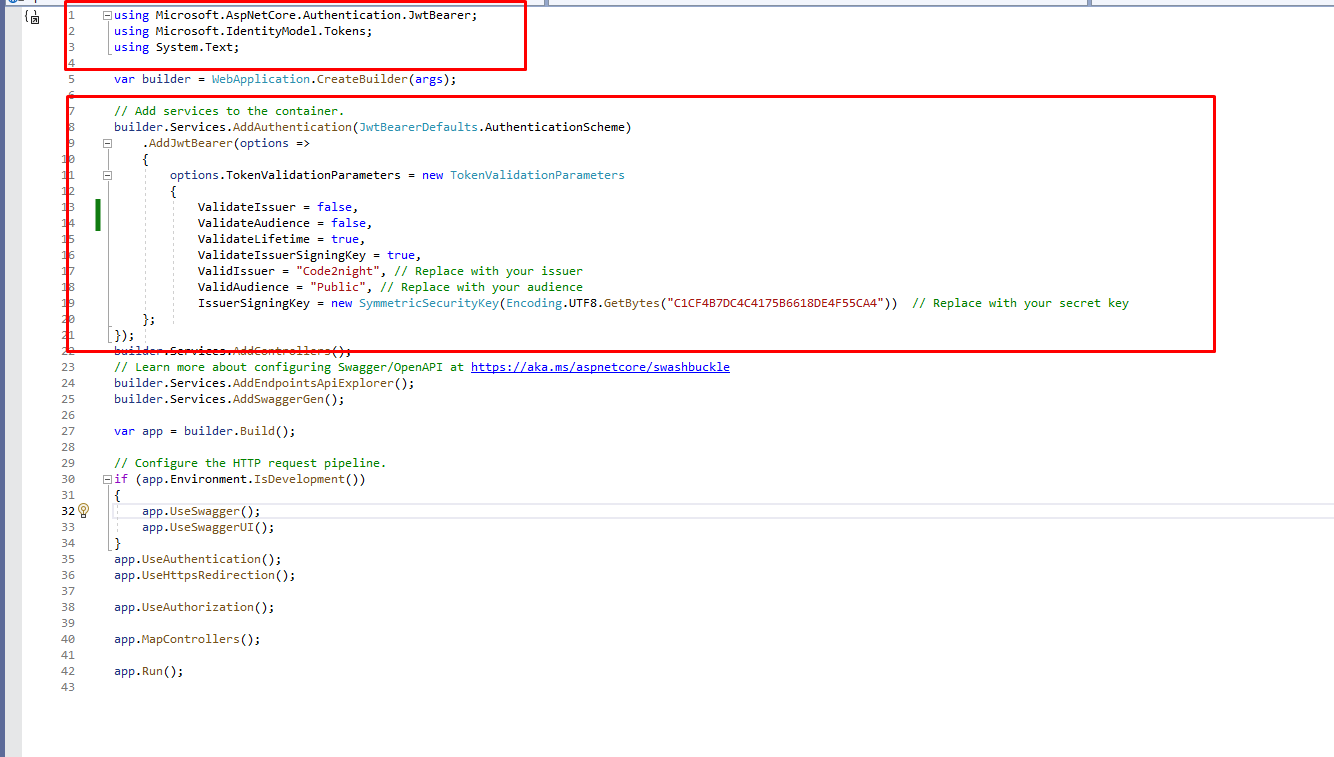
Add following in Web api program.cs file
You also have to add following in the program.cs file of our .net core 7 api project.
using Microsoft.AspNetCore.Authentication.JwtBearer;
using Microsoft.IdentityModel.Tokens;
builder.Services.AddAuthentication(JwtBearerDefaults.AuthenticationScheme)
    .AddJwtBearer(options =>
    {
        options.TokenValidationParameters = new TokenValidationParameters
        {
            ValidateIssuer = false,
            ValidateAudience = false,
            ValidateLifetime = true,
            ValidateIssuerSigningKey = true,
            ValidIssuer = "Code2night", // Replace with your issuer
            ValidAudience = "Public", // Replace with your audience
            IssuerSigningKey = new SymmetricSecurityKey(Encoding.UTF8.GetBytes("C1CF4B7DC4C4175B6618DE4F55CA4"))  // Replace with your secret key
    };
});
Now run the application and you will see when login api called, it will return back the jwt token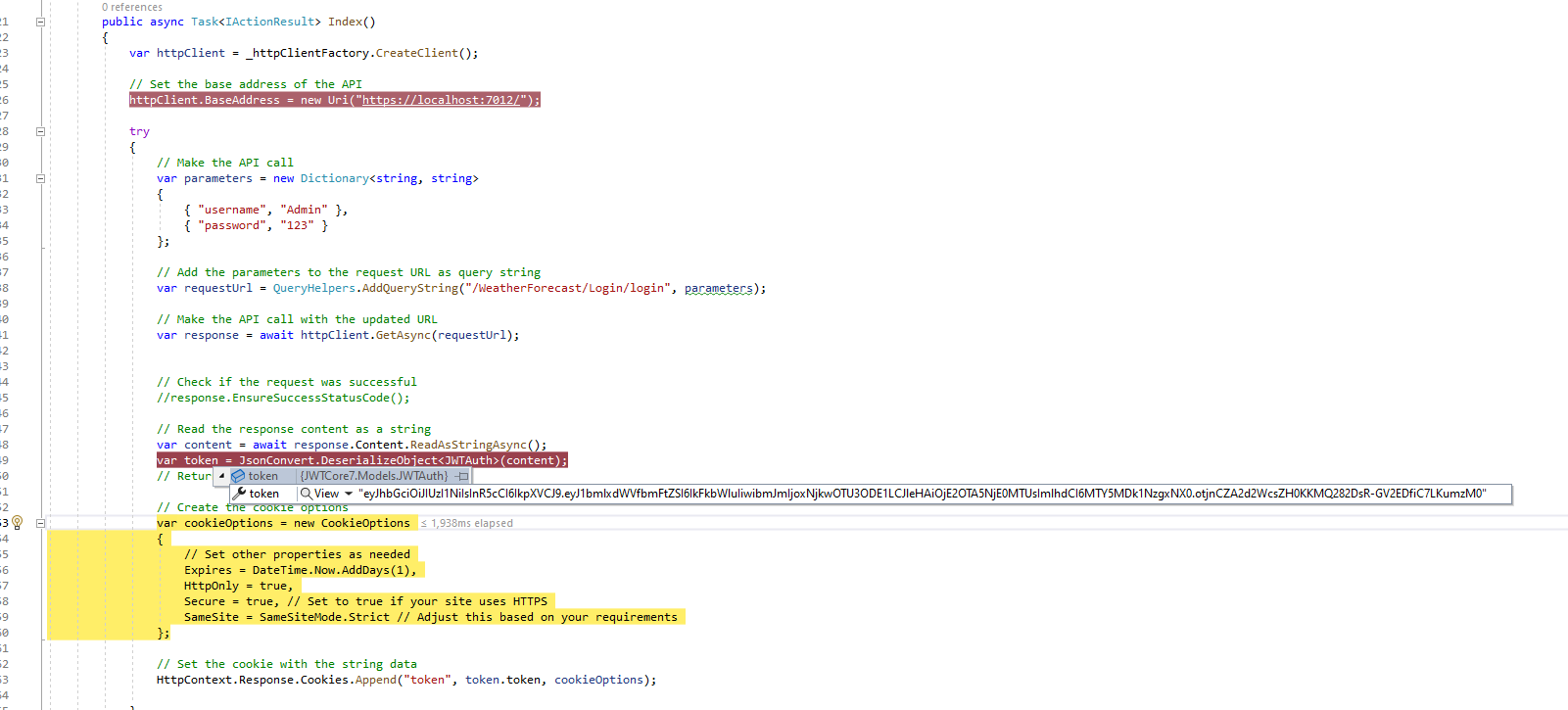
Now we will set this in the next api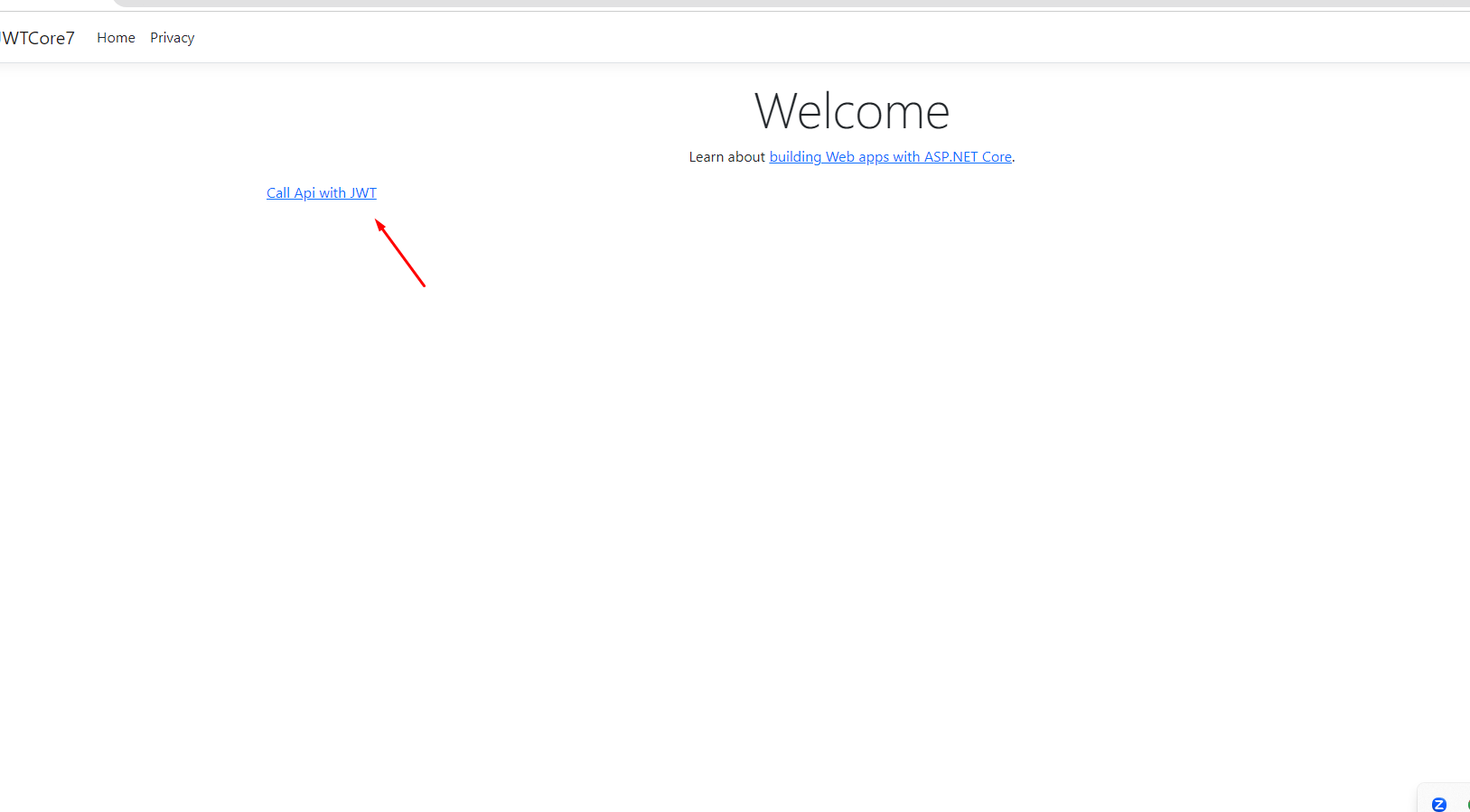
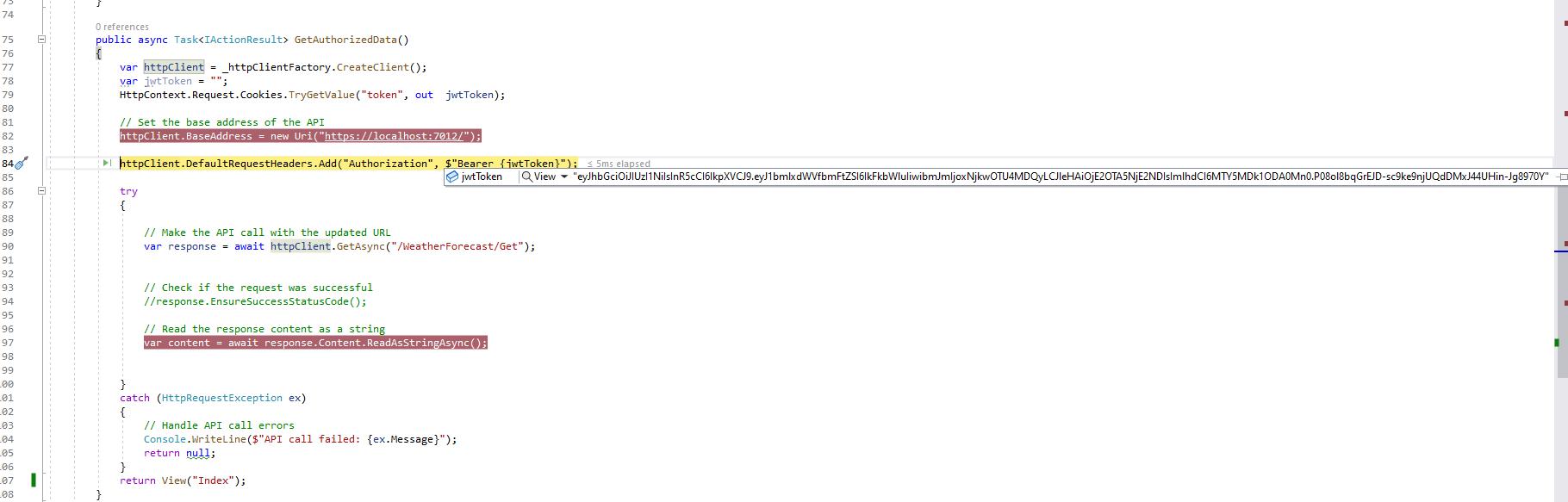
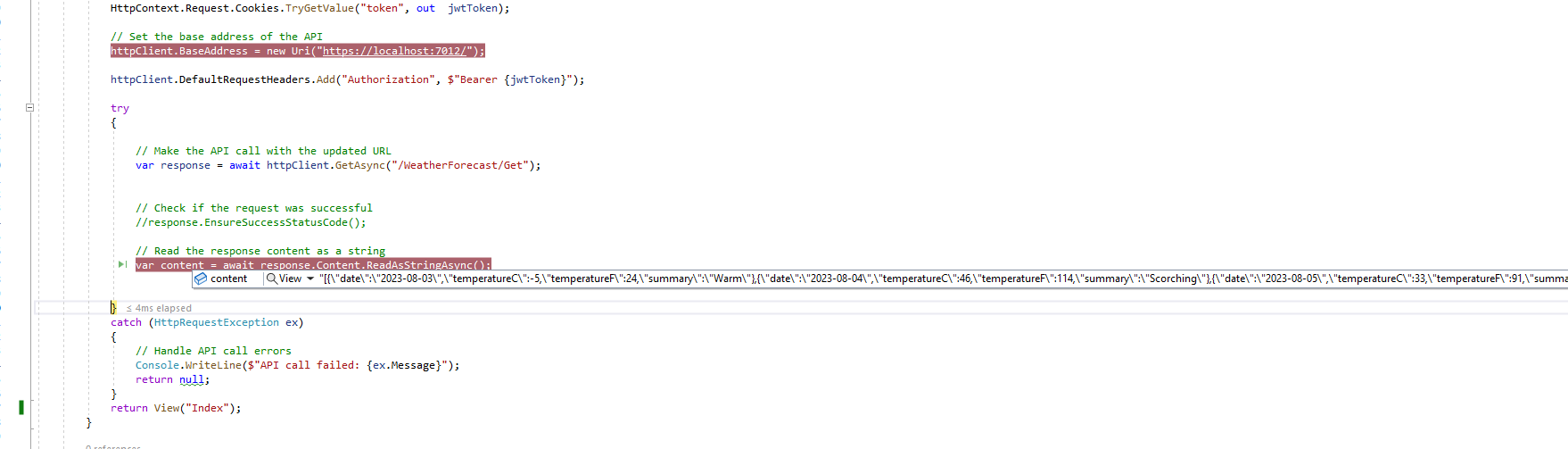
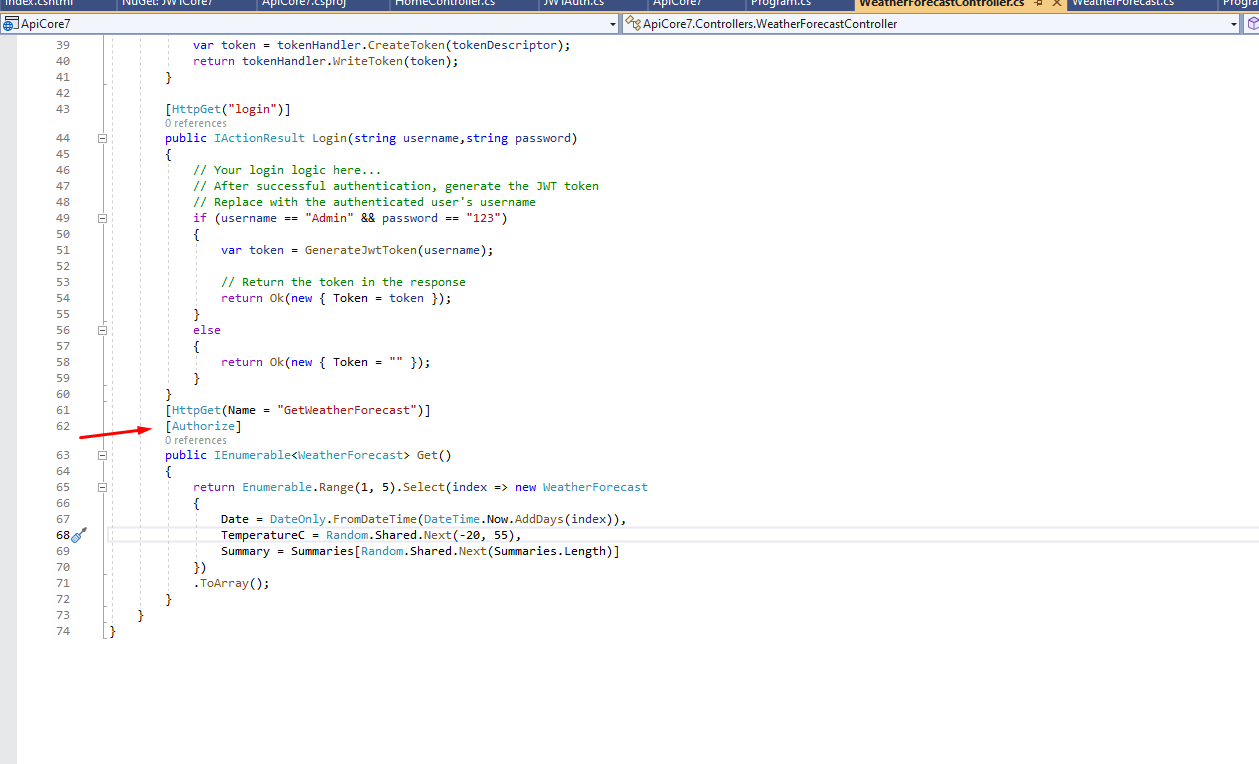
On the web api side we have used Authorize attribute to authorize the token. So you can see the api is being authroized and then the data is returned. You can copy the JWTAuth class from here in put it in the web application where you are calling the web api
namespace JWTCore7.Models
{
    public class JWTAuth
    {
        public string token { get; set; }
    }
}
@{
    ViewData["Title"] = "Home Page";
}

<div class="text-center">
    <h1 class="display-4">Welcome</h1>
    <p>Learn about <a href="https://docs.microsoft.com/aspnet/core">building Web apps with ASP.NET Core</a>.</p>
</div>

<a href='/Home/GetAuthorizedData'> Call Api with JWT</a>
So , now just run the application and test . You can modify the code and make it more dynamic as per your requirements. So this is how we can create and verify jwt token in asp.net core 7 application and web api. This is how to implement jwt token in Asp.Net core 7.0 .
